

MailerLite
Connect MailerLite once and it does two jobs. Approved affiliates land in a MailerLite group, and sales are credited to the affiliate whose link brought the subscriber through one custom field the Rekomi script fills.

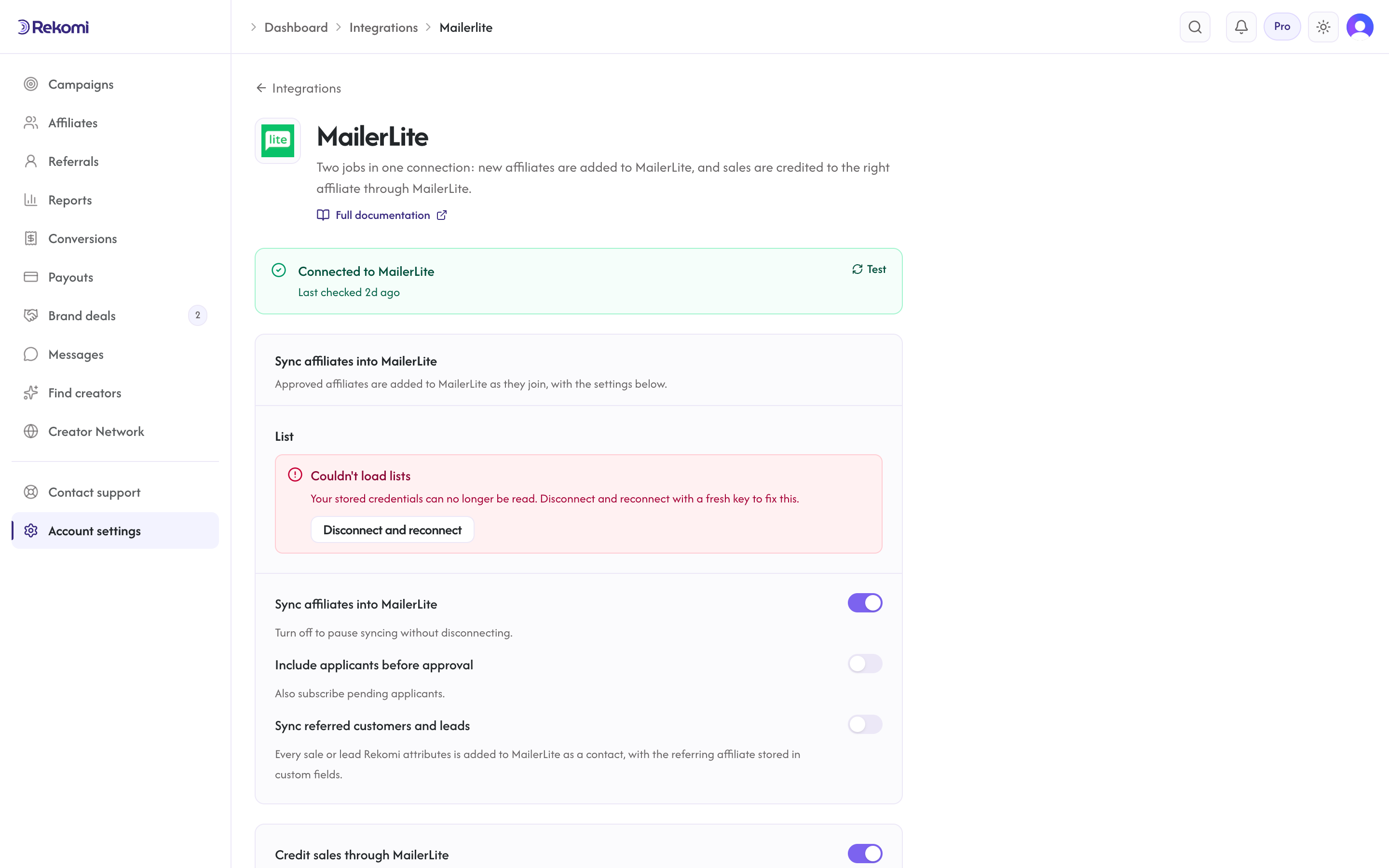
Rekomi's MailerLite connection does two jobs, and each has its own switch on the integration page. Sync affiliates into MailerLite adds every approved affiliate to a MailerLite group you pick. Credit sales through MailerLite credits sales to the affiliate whose link brought the subscriber. Both switches are on by default.
What this connection does and does not do. It syncs affiliates into MailerLite, and it names the affiliate on sales that arrive through the payment gateway you connect under Setup > Connect payment gateway. It does not record the sales itself. MailerLite has no built-in record of which link a subscriber arrived from, so this job needs two small things that beehiiv and Kit do not: one custom field on your subscribers named Rekomi affiliate tag, and the Rekomi script on the page where your signup form lives, to fill that field from the link.
Credit sales through MailerLite
How it works
- Every affiliate link Rekomi hands out for your campaign carries two extra parameters:
utm_source=rekomiandutm_campaignset to that affiliate's link slug. For example:https://newsletter.example.com?via=jane&utm_source=rekomi&utm_campaign=jane. - When a reader lands from that link on a page that runs the Rekomi script and signs up through your MailerLite form, the script writes the tag into the form's Rekomi affiliate tag field, and MailerLite stores it on the subscriber. The script also remembers the tag if the reader moves to another page of your site first.
- When that subscriber later buys, the sale reaches Rekomi through your connected gateway. When nothing else names an affiliate (a coupon, checkout metadata, the customer's history, an email lead Rekomi recorded itself), Rekomi asks MailerLite for the subscriber by email, reads the field, and credits the affiliate it names.
What you need
- Your payment gateway connected under Setup > Connect payment gateway. That is where the sale comes from.
- The custom field Rekomi affiliate tag on your MailerLite subscribers. Rekomi creates it the moment Credit sales through MailerLite turns on. If the status line says the field is missing, add a text field with exactly that name under Subscribers > Fields, then turn Credit sales through MailerLite off and on again, and the status updates.
- The Rekomi script on the page where your form is. On your own site that is the normal install from Setup > Install. On a MailerLite-hosted site or landing page, paste the same script under Settings > Analytics > Custom code (a paid MailerLite plan); MailerLite's drag-and-drop HTML block does not run scripts.
The status line on the integration page tells you which of these is still missing.
The switch and the status line
Credit sales through MailerLite sits on the integration page next to Sync affiliates into MailerLite. Under it the page shows one plain sentence of status: whether the field exists and the last check succeeded, when it ran, and how many sales have been credited through MailerLite so far. Rekomi runs that check when you connect. A subscriber is credited only when they joined within the window shown on the page (365 days by default, counted from the signup date MailerLite stores).
Turning the switch off stops the lookups, removes the two tags from your affiliates' links, and removes the signup alerts below. The field stays in MailerLite; affiliate sync keeps running.
Check a subscriber's email
Under the sales block, Check a subscriber's email takes one address and tells you what MailerLite has stored for it: whether the person is a subscriber, whether the field holds a tag that names one of your affiliates, and whether a sale from that email would be credited. Use it to test: open an affiliate link, sign up with a fresh address, then check that address here. If the subscriber exists but the field is empty, the script was not running on the page where they signed up.
Signup alerts
When the switch is on, Rekomi registers MailerLite's signed subscriber webhooks, so a subscriber who arrived through an affiliate link shows up as a lead under that affiliate right away, before any sale.
Limits, stated plainly
- The script has to run where the form is. A MailerLite form on a page without the Rekomi script records no tag, and a subscriber added by import or by the API carries none either.
- The field is written at signup. A subscriber already on your list before they clicked an affiliate link is not credited by the lookup; the script's lead capture still records that reader when they type their email on your site after the click, and that lead credits the sale by email match.
- MailerLite drops unknown field keys silently. That is why Rekomi creates the field before any form can post it. If you rename the field in MailerLite, the status line reports it as missing.
Sync affiliates into MailerLite
What syncs
When an affiliate is approved (or, optionally, when they apply), Rekomi calls POST /api/subscribers on connect.mailerlite.com with:
emailfields.name(first name)fields.last_namegroups: [your-chosen-group-id]status: "active"
MailerLite's /api/subscribers endpoint is upsert by email, re-syncing the same affiliate returns 200 with the updated record. The call is synchronous, so a "Succeeded" in Rekomi means the subscriber is actually in your group.
Finding your API token
In MailerLite:
- Click Integrations in the sidebar, then MailerLite API.
- Click Generate new token, give it a name like "Rekomi".
- Copy the token immediately. MailerLite does not store it in plaintext, so once you close the dialog you can never see it again.
If you regenerated the token because the old one is lost, disconnect MailerLite in Rekomi and reconnect with the new token.
Connecting MailerLite in Rekomi
- Go to Integrations in the dashboard sidebar.
- Click the MailerLite card.
- Paste your API token. Click Connect.
- Rekomi runs a test call against
GET /api/groups?limit=1to verify the token, then creates the Rekomi affiliate tag field and checks it is there, so the sales status line is filled in immediately. - Once connected, pick a default group from the dropdown.
Tags
MailerLite has no separate tags concept, groups are the tagging mechanism. Rekomi only sets the chosen group on subscribe; the Rekomi affiliate system tag is not applied (it would require creating an additional group). If you want to distinguish Rekomi-originated subscribers, create a separate group for them and pick that as your sync target.
Referred customers and leads (optional)
Under Sync affiliates into MailerLite, turn on Sync referred customers and leads and every sale or lead Rekomi attributes to an affiliate is written to MailerLite as well, matched on email so existing contacts are updated, not duplicated. Sales credited through MailerLite by the lookup above are included. Each one carries:
- subscriber fields
Rekomi referral link,Rekomi campaign,Rekomi referring affiliate,Rekomi referring affiliate code,Rekomi last event,Rekomi last sale amount, created on first use - no tags; segment on the
rekomi_last_eventfield - Affiliates synced by the section above also get
Rekomi referral link,Rekomi campaignandRekomi affiliate statusin the same fields, so you can merge a partner's link into your emails. The referral link written here carries the same two tags as the links Rekomi shows affiliates.
Refunded, denied and fraud-quarantined conversions are never pushed, and imported historical conversions are skipped. It is off by default.
When sync fires
- Default: only
Approvedaffiliates sync. - Optional: turn on "Include applicants before approval" to also sync
Pendingaffiliates.
Per-campaign overrides
Each campaign can override the account-level configuration. From a campaign's detail page, open the Settings tab and scroll to "CRM sync for this campaign" to:
- Disable MailerLite for this campaign.
- Send this campaign's affiliates to a different group.
Per-affiliate sync visibility
Open any affiliate's detail page. The CRM sync panel shows the per-CRM status. Resync clears prior jobs and re-fires the sync.
Troubleshooting
- Unknown custom fields silently dropped, MailerLite drops unknown field keys in the
fieldsmap without error.nameandlast_nameare standard built-ins and always land; other custom fields must be pre-created via MailerLite's Subscriber fields screen. Rekomi creates Rekomi affiliate tag for you; the status line says if it could not. - Re-subscribing a previously unsubscribed email, MailerLite blocks this for abuse prevention. Rekomi does NOT pass the
resubscribe: trueflag because reactivating without explicit consent is a deliverability footgun. Re-opting in a former unsubscriber must be done manually. - 429 rate limit, MailerLite throttles at 120 req/min. Rekomi's worker paces at 1/sec so this is rare; when hit, the response carries
Retry-Afterwhich Rekomi honors. The sales lookup shares the same budget: one read per sale, with a short per-email cache so the same buyer is not read twice in a burst, and a read that gets a 429 is tried again after two minutes. - A purchase shows as a purchase but not as a credited sale, Use Check a subscriber's email. An empty field means the script was not running on the signup page; no subscriber means the buyer never signed up through your form.
- Sync fails with 401/403 after working before, The token was revoked or regenerated. Rekomi marks the integration "action needed" and emails you a reconnect prompt once per breakage. Reconnect with a fresh token, then use Resync all on the Failed tile of the integration page.
Disconnecting
From the MailerLite connect page, click Disconnect. The integration row, credentials, and per-campaign overrides are deleted, and the signup webhooks Rekomi registered are removed. Historical sync history rows are preserved for audit. The Rekomi affiliate tag field stays in MailerLite.
See the mailerlite integration overview on the marketing site for use-cases, persona fit, and unique automation patterns.
Ontraport
Connect Ontraport once and it does two jobs. Approved affiliates land in your CRM with tags, and Ontraport order-form sales are brought into Rekomi and credited to the affiliate whose link brought the contact.
Moosend
Connect Moosend so approved affiliates land in a mailing list automatically.