

Apply directly via a brand's public page
Use a brand's branded subdomain signup URL to apply outside the network.
Some brands run public application pages. The URL looks like:
https://{brand}.rekomi.com/{campaign-slug}A brand might link to this URL from their pricing page footer, share it on Twitter, send it to you directly, or list it on their blog. Anyone with the URL can apply, no Rekomi account required up front.
What the page shows
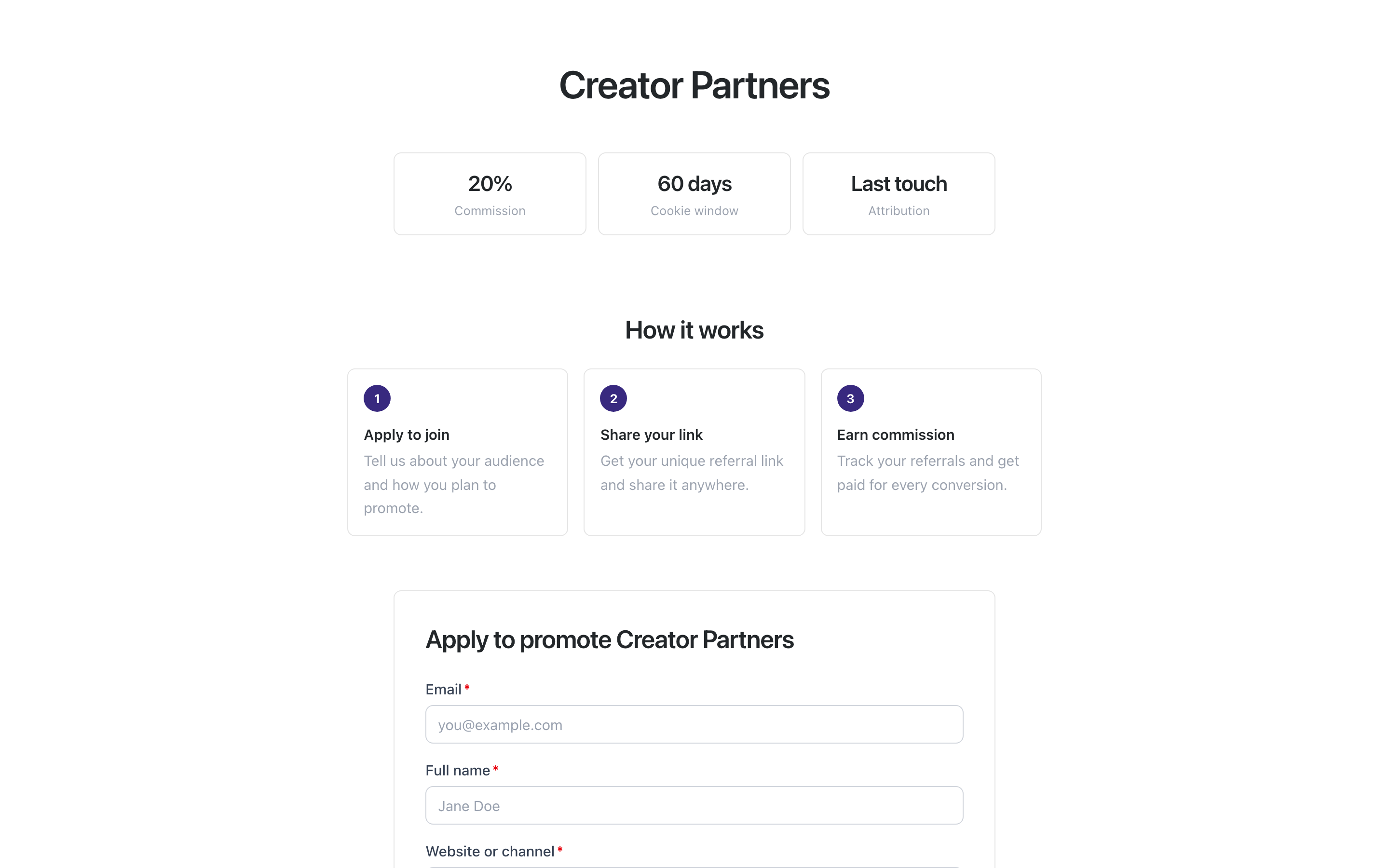
By default the page shows:
- Campaign name
- Commission type and value
- Cookie window
- Attribution model (first touch or last touch)
- A short application form
Brands can add more and customize the layout: a campaign description, their logo and name, a link to their terms. So a given page may add, reword, or remove sections.
Apply
Fill in the form. The exact fields vary by brand; a typical form asks for:
- Email (required): where the approval or rejection email goes.
- Full name (required)
- How you plan to promote (required): a sentence about where and how you'll share the product; include your site or channel link here if you have one.
- Country (optional): pre-selects your payout country so account setup is one step shorter.
Some brands add extra questions, and some let you request a custom alias (optional): 3-64 letters, numbers, or hyphens, used for your referral tracking URL. Leave it blank and Rekomi generates one for you.
Submit. The brand gets the application in their dashboard.
What happens next
The moment you submit, Rekomi emails you a 6-digit code. Enter it and you land straight in your dashboard: if you are new, your account is created right there (no password, no sign-up form; you just confirm your payout country if the application didn't ask for it), and if your email already has a Rekomi account, the same code signs you in. Your application attaches to your account automatically by email and appears in /a right away. What the campaign does from there depends on whether the brand auto-approves applications.
Manual review (the default)
Your application shows in /a as under review while the brand looks at it. Your referral link and stats stay locked until they approve. When they do, the campaign flips to active and your link and stats appear automatically, with nothing extra to click. We also email you the outcome; if rejected, you may get an optional reason.
Instant approval
Some campaigns approve applications instantly. Your referral link is live in /a as soon as your account is created. No human review.
If you close the tab
Your application is saved the instant you submit, so nothing is lost. You can create your account any time from Create your account using the same email you applied with, and your application links automatically (a one-time match on that email). The approval email also carries a one-click sign-in as a backup.
Either way, your direct application is treated identically to a network application: it shows up in /a under your campaigns.
Custom alias
If you're new to Rekomi and the brand allowed it, the custom alias you pick when applying becomes your account-level referral link name, the one you use everywhere (jane-recommends instead of a random x7y9z2). If you already have a Rekomi affiliate account, you keep your existing link name; new applications use it automatically.
Custom aliases must be:
- 3-64 characters
- Letters, numbers, or hyphens only (no leading or trailing hyphen)
- Globally unique (it's your account identity)
If the alias you pick is already taken or invalid, the form shows an error so you can choose another. Leave the field blank and Rekomi generates one for you. You can change your link name once from Settings.
Multiple campaigns
A direct application is per campaign. If you want to join multiple campaigns (from the same brand or different brands), apply to each. Your Rekomi affiliate account, including your one referral link name, is shared across all of them; only the per-campaign approval differs. You use the same ?via=your-name everywhere.
Versus the network
Direct application gives you no pre-vetting on the brand. Some {brand}.rekomi.com/{campaign} signup pages belong to brand-new, unvetted products. If the page links to the brand's terms, read them before applying; if there is no terms link, ask the brand for their terms first. If anything feels off (commission structure that punishes long-tail revenue, no support link, sketchy domain), skip.