

Integrations
Connect Stripe, Paddle, Braintree, Shopify, WooCommerce, Wix, Lemon Squeezy, Chargebee, Polar, Recurly, Gumroad, Creem, Dodo Payments, or Mollie for native sales tracking, run payouts through Stripe, and use Zapier for no-code automations across 8,000+ apps.
Rekomi connects to the rest of your stack in two ways. Native billing connections drive the money flow: incoming sales become attributed conversions. Stripe is the deepest, connected through the Rekomi app for Stripe; Paddle, Braintree, Shopify, WooCommerce, Wix, Lemon Squeezy, Chargebee, Polar, Recurly, Gumroad, Creem, Dodo Payments, and Mollie connect natively for conversion tracking too, and any other billing platform attributes via the server-to-server API. CRM connections (39 platforms) move approved affiliates into the audience you already manage, and on beehiiv, Kit, MailerLite, Ontraport and GoHighLevel the same connection also credits sales to the affiliate whose link brought the customer; see CRM and email integrations. Zapier drives the operational flow: Slack pings, Mailchimp tags, HubSpot deal updates, Google Sheets rows, Typeform-driven approvals, anything you want to wire across the 8,000+ apps Zapier supports, with no code.
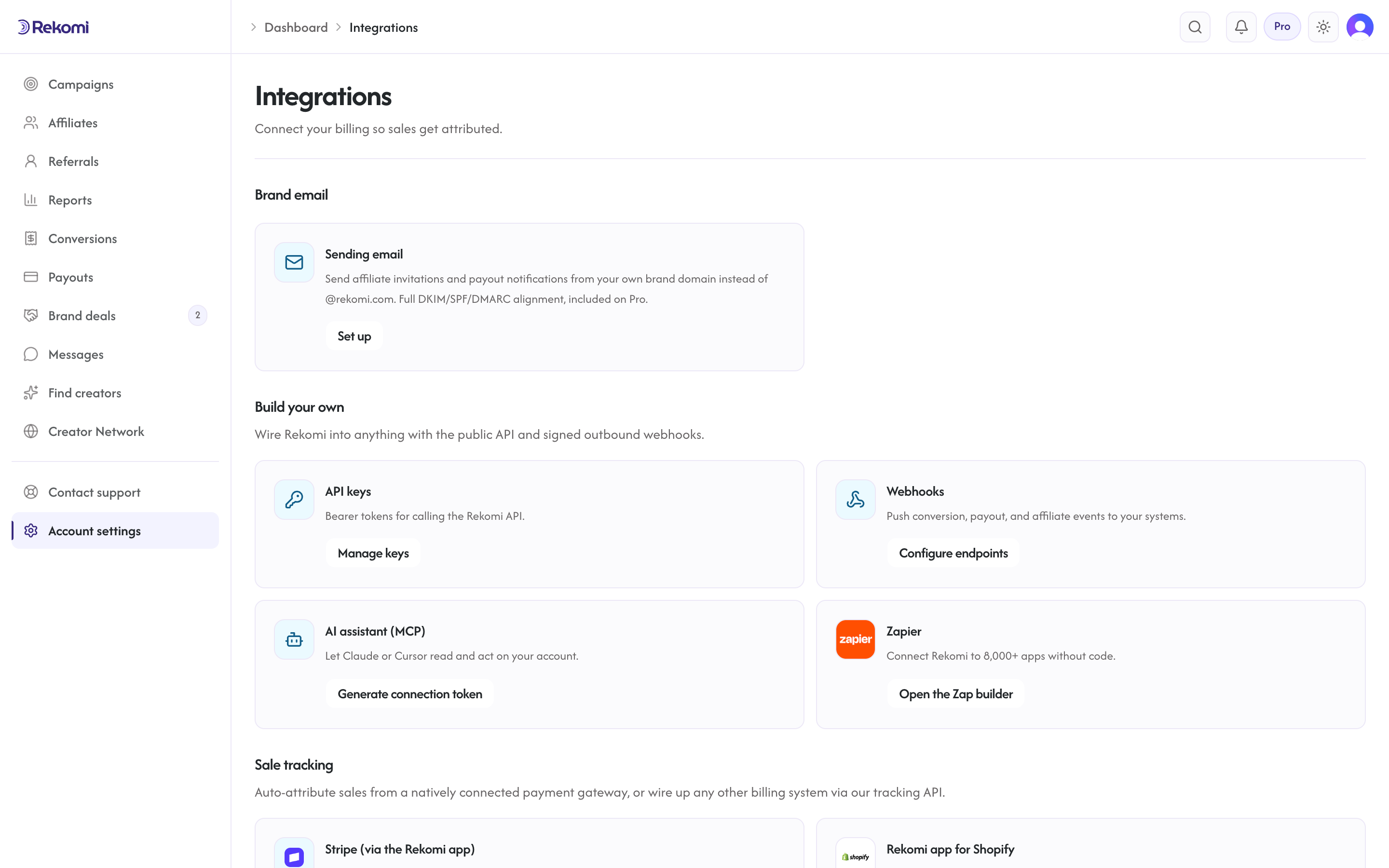
One rule applies across all of the native billing connections: one billing source per workspace. A workspace tracks sales from a single connected processor (or the S2S API) at a time, so connecting one blocks connecting another until you disconnect it.
Zapier
The Rekomi app on Zapier exposes 9 triggers, 9 actions, and 4 searches. Use it to notify your team when an affiliate signs up, sync conversions into your CRM, send urgent emails on failed payouts, auto-tag approved partners in your email tool, or approve vetted applicants the moment they submit a Typeform, all without writing code.
Connection is one click: search for Rekomi in Zapier, click Connect, sign in at app.rekomi.com/oauth/authorize, pick your org, click Allow. Connections are per-Zapier-account, so each teammate connects their own Rekomi login and the audit trail stays clean. Requires the Starter plan or above.
Full walkthrough, trigger / action / search catalog, six worked recipes, error handling, and the OAuth security model are in the Zapier integration guide.
Stripe
Stripe is the deepest native connection, made by authorizing the Rekomi app for Stripe. Sales and refunds come from your Stripe events automatically. (Paddle, Braintree, Shopify, WooCommerce, Wix, Lemon Squeezy, Chargebee, Polar, Recurly, Gumroad, Creem, Dodo Payments, and Mollie connect natively too, covered below; any other gateway tracks via the S2S API.) We never hold your customer's money. This section explains the connection flow and the data model.
The same app also puts the program inside your Stripe Dashboard: see referred customers, attribute sales, approve, adjust, void, or claw back commissions, issue credits, and run payouts without leaving Stripe. One authorization covers both the tracking connection and the in-Dashboard panels.
Where to connect
/dashboard/integrations shows your Stripe connection status. If you are not connected yet, click "Connect Stripe" and Rekomi sends you to Stripe's hosted consent screen for the Rekomi app.
What Rekomi requests
The app requests scoped permissions rather than blanket account access. In practice Rekomi uses them to:
- Read your subscriptions, invoices, charges, and customers (to identify which customer was referred, how much they paid, and whether the charge was later refunded).
- Write promotion codes (to mint affiliate coupon codes on your account).
- Read your account information (to display your account ID and keep the connection healthy).
What Rekomi stores
After you approve the app, we store on your workspace's connection record:
- Your connected account id (the
acct_...identifier) - Account-scoped OAuth tokens, encrypted at rest
- Connection-health timestamps
We never store your raw API key. The tokens are scoped to the app's permissions and die when you uninstall it.
Switching Stripe accounts
If you connect a different Stripe account to an organization that already has one linked, Rekomi accepts the swap and drops the old connection, so events stop flowing from the previous account immediately. To also remove the app's grant on that old account, uninstall the Rekomi app from its Stripe Dashboard. The one hard stop: a Stripe account that is already linked to a different Rekomi organization is rejected as already linked, which prevents one workspace from silently claiming another's billing account.
Webhooks Rekomi listens for
Once connected, Rekomi processes these Stripe events to drive the platform:
checkout.session.completed(for billing on your Rekomi subscription)customer.subscription.created,customer.subscription.updated,customer.subscription.deleted(your customers' subscriptions)customer.subscription.trial_will_end(for your own Rekomi trial)invoice.paid,invoice.payment_failed,invoice.upcoming(drives sales attribution)charge.refunded(reverses commission proportionally when a customer is refunded)customer.updated(syncs billing email)payment_method.attached(logged for audit)
The webhook handler verifies signatures with the webhook signing secret and sets the org context before any writes, so multi-tenant isolation holds.
Disconnecting
To disconnect, uninstall the Rekomi app from your Stripe Dashboard (Settings, then Installed apps); /dashboard/integrations links there directly. Rekomi stops receiving new events, and sales already recorded stay on the affiliate ledgers. Re-installing the app restores the connection to the same workspace.
Affiliate-side Stripe Connect
Note that affiliates also use Stripe, but on the affiliate side and through a different mechanism: they connect their own Stripe Express account to receive payouts. That is a separate flow documented in Affiliates: Stripe Connect. Your brand connection and an affiliate's payout account are independent.
Paddle
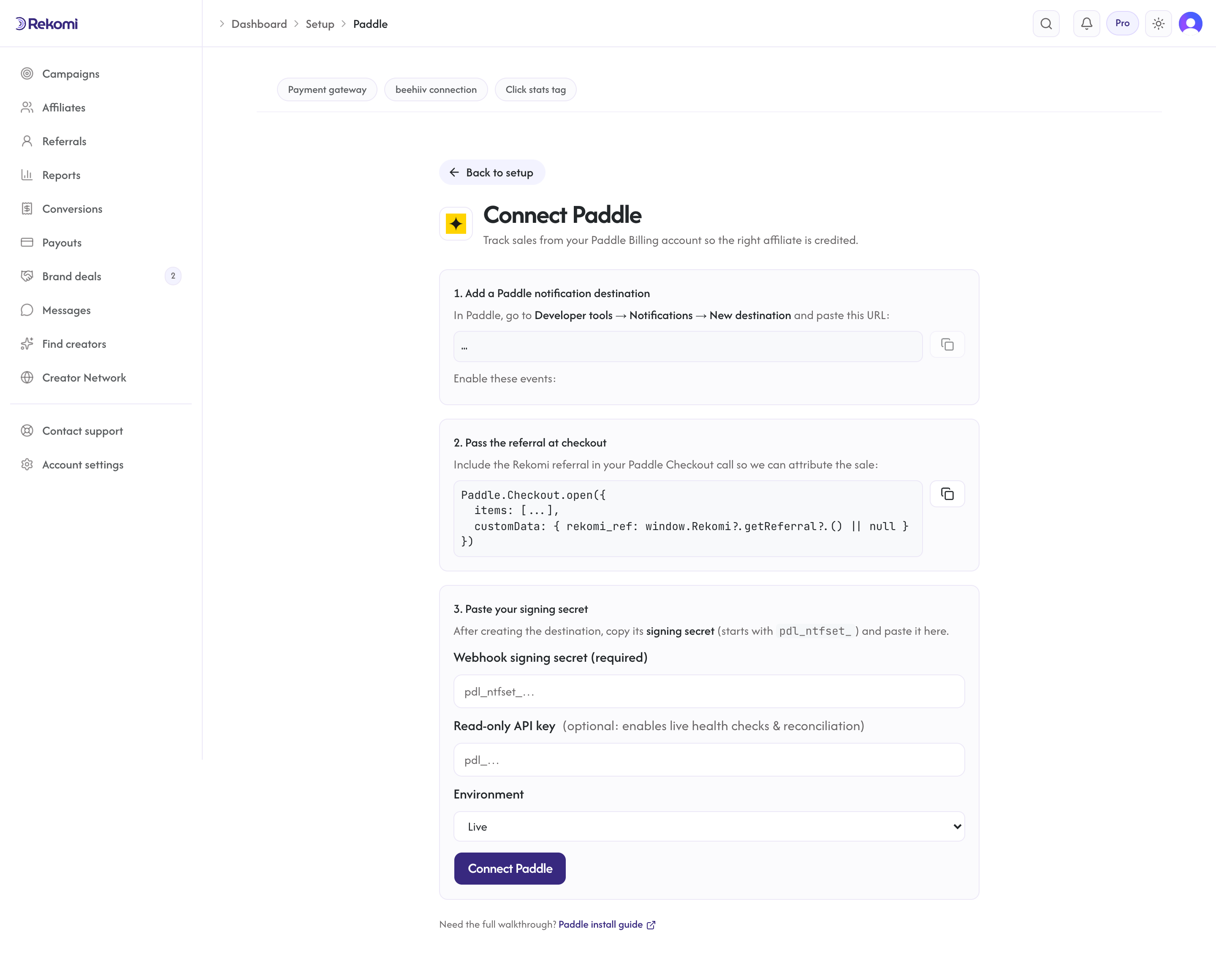
Brands on Paddle Billing connect natively, with no backend relay to build. You point a Paddle notification destination at a webhook URL unique to your workspace and paste its signing secret into Rekomi; Rekomi verifies every event and records the conversion. This is for tracking your sales (so affiliates get credited) and is independent of how you pay for Rekomi.
Where to connect
Setup → Connect payment gateway → Connect Paddle. Rekomi shows your unique webhook URL and the exact events to enable. The step-by-step guide is Install on Paddle.
How it works
- You carry the affiliate referral into Paddle Checkout via
customData.rekomi_ref(the affiliate's link slug). - Paddle sends
transaction.completed,subscription.created/subscription.updated/subscription.canceled, andadjustment.created/adjustment.updatedto your Rekomi webhook URL. - Rekomi verifies the
Paddle-Signature(HMAC-SHA256 over the timestamp-prefixed raw body) with your destination's signing secret, then records sales and reverses commission proportionally on refunds and chargebacks.
What Rekomi stores
The destination signing secret and the optional read-only API key are encrypted at rest and never returned by the API. Rekomi also keeps a per-workspace routing token (the id in your webhook URL) and connection-health timestamps.
Security
The webhook endpoint is public but every event must carry a valid HMAC signature over the exact request body, inside a short replay window; unknown tokens and bad signatures are rejected. The org is resolved from the routing token and the tenant context is set before any write, so multi-tenant isolation holds. The optional API key is read-only and used only for health checks and reconciliation, never on the event-recording path.
Braintree
Brands on Braintree (a PayPal company) connect natively for subscriptions, with no backend relay to build. You point a Braintree webhook at a URL unique to your workspace and paste read-only API credentials into Rekomi; Rekomi verifies every event and records the conversion. This tracks your recurring sales (so affiliates get credited) and is independent of how you pay for Rekomi.
A scope note, stated plainly: Braintree fires webhooks only for subscriptions and disputes, not for one-time card sales or card refunds. So the native flow covers recurring revenue and automatic chargeback clawback; one-time sales use the server-to-server API, and one-time card refunds are handled by denying the commission manually.
Where to connect
Setup → Connect payment gateway → Connect Braintree. Rekomi shows your unique webhook URL and the exact notification kinds to enable. The step-by-step guide is Install on Braintree.
How it works
- You carry the affiliate referral onto each sale via a Braintree custom field named
rekomi_ref(the affiliate's link slug), read back from the charge transaction. - Braintree sends
subscription_charged_successfully,subscription_canceled/subscription_expired, and thedispute_*events to your Rekomi webhook URL. - Rekomi verifies the
bt_signature(the Braintree SDK validates it offline against your stored keys), then records recurring sales and reverses commission proportionally when a dispute is lost.
What Rekomi stores
Your Braintree Merchant ID plus the Public and Private keys are encrypted at rest and never returned by the API (the Merchant ID is shown back as a non-secret identifier). Rekomi also keeps a per-workspace routing token (the id in your webhook URL) and connection-health timestamps.
Security
The webhook endpoint is public but every event is verified by the Braintree SDK against your stored keys before anything is trusted; unknown tokens and bad signatures are rejected. The org is resolved from the routing token and the tenant context is set before any write, so multi-tenant isolation holds. The recording path verifies offline (no Braintree API call), so a Braintree API outage cannot stop verified conversions from being recorded. Use a read-only Braintree user for the credentials.
Shopify
Brands on Shopify connect natively through the Rekomi app for Shopify, live on the Shopify App Store, with no theme edits and no relay to build. Install the app, approve the requested permissions, and pick the campaign you want orders attributed to; Rekomi captures the affiliate click and reads each order through Shopify's order webhook server-side. This tracks your store's sales (so affiliates get credited); your Rekomi subscription itself is billed through Shopify.
Most Shopify affiliate apps charge a percentage of your referral sales. Rekomi charges 3% of the commissions you actually pay out, not on sales, and runs the payouts and taxes for you.
Where to connect
Install Rekomi Affiliate Marketing from the Shopify App Store. After install, the app opens on its Subscription page: pick a plan, approve the charge on Shopify's billing screen (every plan starts with a 14-day free trial), and you land back on that billing page with the trial running. The setup guide then walks you through linking your store to a campaign. The step-by-step guide is Install on Shopify.
How it works
- The app captures the affiliate click and stamps the referral onto the order, so no theme or checkout edits are required.
- Shopify sends order and refund webhooks to Rekomi; verified orders record conversions and refunds reverse commission proportionally.
- If you prefer to wire it up yourself, a manual Custom Pixel plus webhook-to-S2S fallback is documented in the install guide.
What Rekomi stores
The Shopify access token granted at install is encrypted at rest and never returned by the API. Rekomi also keeps your shop domain and connection-health timestamps. The app requests six permissions: read-orders and read-customers power attribution and the top-customer invites, read-products powers the product catalog and picker, write-discounts exists only to mint the affiliate discount codes you create in the app, and write-pixels plus read-customer-events power the app's web pixel, the sandboxed analytics worker Shopify runs for link click tracking (it reads only the landing URL's referral parameter and the checkout confirmation, never customer details). Rekomi never edits your theme, storefront content, products, or orders; the pixel is installed through Shopify's own pixel system, not a theme change.
Shopify Collabs
Shopify ships its own native affiliate program called Collabs. Rekomi adds cross-platform affiliate accounts (one affiliate working multiple brands), commission tiers, sub-affiliate recruiting, and the open creator network on top. You can run both side by side on the same store.
WooCommerce
Brands on WooCommerce connect natively through the Rekomi WordPress plugin, live on the WordPress plugin directory. Install, activate, and click Connect on the Rekomi page in wp-admin; the plugin then reports every order server-to-server, so attribution works on every payment method your store accepts (WooPayments, Stripe, PayPal, Square, cash on delivery, and the rest), on both the block checkout and the classic one.
Where to connect
Install the plugin from Plugins > Add New (search "Rekomi"), open Rekomi in the admin sidebar, and click Connect to Rekomi. Connecting creates your workspace automatically, and the full dashboard runs inside wp-admin. The step-by-step guide is Install on WooCommerce.
How it works
- Referral clicks are captured first-party in a cookie on your own domain; the plugin stamps the referral onto the WooCommerce order at checkout.
- Order and refund events post server-to-server from your site to Rekomi: verified orders record conversions, and refunds claw back commission based on the refunded line items.
- Affiliate coupon codes are minted as real WooCommerce coupons, so code redemptions attribute even without a click, and WooCommerce Subscriptions renewals accrue recurring commissions.
What Rekomi stores
The connection key issued at Connect is encrypted at rest, and deactivating the plugin revokes it server-side. Order data (id, totals, currency, line items, coupon codes, customer name/email) flows to Rekomi for attribution; Rekomi never edits your theme, products, or checkout.
Wix
Brands on Wix connect natively through the Rekomi Affiliate Marketing app, live in the Wix App Market, with nothing to paste and no relay to build. Install the app and setup is done: it injects the tracking script automatically and records each paid store order server-side. This tracks your store's sales (so affiliates get credited); your Rekomi subscription is billed through Wix.
Most affiliate apps charge a percentage of your referral sales. Rekomi plans start at $29 a month with a 14-day free trial, plus 3% of the commissions you actually pay out, not a cut of sales, and Rekomi runs the payouts and taxes for you.
Where to connect
Install from the Wix App Market: search "Rekomi" or open the Rekomi Affiliate Marketing listing and click Add to Site. After install, everything lives in the Rekomi app inside your Wix dashboard: pick a plan on Subscription (the 14-day free trial is once per Wix account, billed through Wix), create your campaign, and manage affiliates, sales, and payouts from there. The step-by-step guide is Install on Wix.
How it works
- The app injects click tracking automatically; no theme edits and nothing to paste.
- Wix sends order webhooks to Rekomi; paid orders mint commissions on the pre-tax amount, and refunds adjust the commission automatically.
- Affiliates get product links from your live store catalog and personal coupon codes created as real Wix coupons (cart-wide, up to 20 characters).
What Rekomi stores
Rekomi keeps the app instance id that ties your Wix site to your workspace, the order ids, amounts, and currency of attributed orders, and the ids of the coupons it creates. No card data ever reaches Rekomi.
Uninstalling
Uninstalling the app stops tracking but does not cancel your Rekomi subscription; Wix keeps app subscriptions alive independently of the install, so cancel from the Wix subscriptions page in your Wix account. Reinstalling from the App Market re-arms your existing account, campaigns, and affiliates.
Lemon Squeezy
Brands on Lemon Squeezy (a Merchant of Record) connect natively with one API key, with no webhook UI to configure and no relay to build. You paste the key into Rekomi; Rekomi validates it, generates a signing secret, creates the webhook on your store, and confirms it registered. This tracks your sales (so affiliates get credited) and is independent of how you pay for Rekomi.
Where to connect
Setup → Connect payment gateway → Connect Lemon Squeezy. Rekomi asks for the API key from Lemon Squeezy's Settings → API page and, if your account has multiple stores, lets you pick which to track. The step-by-step guide is Install on Lemon Squeezy.
How it works
- You carry the affiliate referral into Lemon Squeezy checkout via
checkout[custom][rekomi_ref]on checkout links (orcheckout_data.custom.rekomi_refon API-created checkouts). - Lemon Squeezy sends order, subscription, and refund events to the webhook Rekomi created; verified events record one-time sales and initial subscription orders as first conversions and renewals as recurring conversions, with the duplicate initial-payment event skipped so nothing is double counted.
- Full and partial refunds reverse commission proportionally and automatically.
What Rekomi stores
Your Lemon Squeezy API key and the generated webhook signing secret are encrypted at rest and never returned by the API. Rekomi also keeps the store id, the webhook id (so disconnect deletes the webhook remotely), and connection-health timestamps.
Key expiry
Lemon Squeezy API keys expire after one year. Rekomi's connection health check detects the expiry, shows a reconnect banner, and emails you; pasting a fresh key restores the connection with history intact.
Chargebee
Brands on Chargebee (subscription billing on your own payment gateway) connect natively with a site name plus a Read-Only API key and one webhook you add in Chargebee. Chargebee webhooks are unsigned, so Rekomi generates Basic Authentication credentials for you; you paste them into Chargebee's webhook settings alongside your per-workspace URL. This tracks your sales (so affiliates get credited) and is independent of how you pay for Rekomi.
Where to connect
Setup → Connect payment gateway → Connect Chargebee. Rekomi asks for the site name (the acme in acme.chargebee.com) and a Read-Only API key from Chargebee's Settings → Configure Chargebee → API Keys and Webhooks page, validates the pair live, and shows the webhook URL and credentials to add in Chargebee (API version V2, "Exclude card information" checked). The step-by-step guide is Install on Chargebee.
How it works
- You carry the affiliate referral onto the subscription via
meta_data.rekomi_refon API-created subscriptions, or acf_rekomi_refSubscription custom field passed assubscription[cf_rekomi_ref]through hosted checkout (orproduct.data["cf_rekomi_ref"]in the drop-in script). - Chargebee sends payment, subscription lifecycle, and refund events to the Rekomi webhook; authenticated events record first payments and one-time charges as first conversions and renewal payments as recurring conversions, de-duplicated by event id so retries never double count.
- Full and partial refunds reverse commission proportionally and automatically. Chargebacks handled through Chargebee's Chargeback Management arrive as refunds and claw back too; disputes settled outside that feature do not reach Rekomi.
What Rekomi stores
Your Read-Only API key and the generated webhook Basic Authentication password are encrypted at rest and never returned by the API (the password is shown exactly once, when it is generated). Rekomi also keeps the site name, the derived live/test environment, and connection-health timestamps.
Key health
Chargebee API keys do not expire. Rekomi's connection health check detects a deleted or disabled key (or a renamed site), shows a reconnect banner, and emails you; pasting a fresh Read-Only key restores the connection with history intact. If you lose the webhook password, regenerate it from the setup page and update the Chargebee webhook; the old password stops working immediately.
Polar
Brands selling through Polar (Merchant of Record) connect natively with a single Organization Access Token. Rekomi validates the token, resolves your Polar organization, and creates the webhook endpoint in Polar itself; there is no manual webhook configuration on either side. This tracks your sales (so affiliates get credited) and is independent of how you pay for Rekomi.
Where to connect
Setup → Connect payment gateway → Connect Polar. Rekomi asks for an Organization Access Token created in Polar's Organization Settings → Developers with just the organizations:read and webhooks:write scopes (pick "No expiration"). The step-by-step guide is Install on Polar.
How it works
- You carry the affiliate referral into checkout via
metadata.rekomi_refon API-created checkouts, or by appendingreference_idto Polar checkout links (Polar copies it into the order's metadata). - Polar sends paid orders, subscription lifecycle events, and refunds to the webhook endpoint Rekomi created; signature-verified events record first purchases as one-time conversions and renewals as recurring conversions, de-duplicated by event id so retries never double count.
- Commissions are computed on the net order amount: after discounts, excluding the tax Polar collects as Merchant of Record, and net of any customer-balance credit. Trials produce a $0 order at trial start; it never earns commission. When the referral is attributed, Rekomi records it as a $0 lead (visible in your funnel and leads views), and the commission comes from the first real charge.
- Full and partial refunds reverse commission proportionally and automatically. Polar sends no webhook for disputes or chargebacks, so a lost dispute never reaches Rekomi on its own; invalidate the conversion manually and the commission reverses in the same audit trail.
What Rekomi stores
Your Organization Access Token and the Polar-generated webhook signing secret are encrypted at rest and never returned by the API. Rekomi also keeps the organization id and name, the endpoint id (so disconnect deletes the endpoint remotely), the environment, and connection-health timestamps.
Token health
Organization Access Tokens created with "No expiration" never lapse on a timer. Rekomi's connection health check detects a revoked token, a deleted endpoint, and Polar's endpoint auto-disable (Polar switches an endpoint off after repeated failed deliveries), shows a reconnect banner, and emails you with the right fix: re-enable the endpoint in Polar, or reconnect with a fresh token (which recreates the endpoint and rotates the signing secret). History stays intact either way.
Recurly
Brands on Recurly (subscription billing on your own payment gateway) connect natively with a data region plus a read-only private API key and one webhook endpoint you add in Recurly. Recurly XML webhooks are unsigned, so Rekomi generates Basic Authentication credentials for you; you paste them into Recurly's webhook endpoint settings alongside your per-workspace URL. This tracks your sales (so affiliates get credited) and is independent of how you pay for Rekomi.
Where to connect
Setup → Connect payment gateway → Connect Recurly. Rekomi asks for your data region (US or EU) and a read-only private API key from Recurly's Integrations → API Credentials page, validates the key live against your region (suggesting the other region if the key conclusively belongs there), and shows the webhook URL and credentials to add in Recurly (format XML, Basic Authentication). The step-by-step guide is Install on Recurly.
How it works
- You carry the affiliate referral onto the subscription via a
rekomi_refSubscription custom field (optionally mirrored on the Account), set through the API when creating subscriptions or purchases. Custom fields need Recurly Pro or Elite; the Starter plan does not support them, so new-customer attribution needs Pro or above. - Recurly sends paid invoices, subscription lifecycle events, refunds, and voids to the Rekomi webhook; authenticated events record purchase invoices as first conversions and renewal invoices as recurring conversions, de-duplicated so retries never double count.
- Recurly webhooks never carry custom fields on subscription, account, payment, or invoice notifications, so on each subscription's first payment Rekomi reads
rekomi_refwith your read-only key in one bounded API call; renewals are matched from your customer history with no API call. If Recurly's API is briefly down, Rekomi asks Recurly to retry the webhook (up to 10 attempts over roughly three days, with a manual per-notification Retry in your console for anything older). - Full and partial refunds reverse commission proportionally and automatically, per refund transaction; voided payments reverse fully. Card chargebacks claw back only through Recurly's early-access Chargeback Management feature (they arrive as refund-shaped events); disputes settled outside it do not reach Rekomi.
What Rekomi stores
Your read-only API key and the generated webhook Basic Authentication password are encrypted at rest and never returned by the API (the password is shown exactly once, when it is generated). Rekomi also keeps the region, the optional site subdomain, and connection-health timestamps.
Key health
Recurly API keys do not expire. Rekomi's connection health check detects a deleted or revoked key (revoking a Recurly user also deletes that user's API keys) or a region misconfiguration, shows a reconnect banner, and emails you; pasting a fresh read-only key restores the connection with history intact. If you lose the webhook password, regenerate it from the setup page and update the Recurly endpoint; the old password stops working immediately.
Gumroad
Brands selling through Gumroad (Merchant of Record for digital products and memberships) connect natively with one click: you approve Rekomi once on Gumroad's consent screen (read-only sales access) and Rekomi registers the sale, refund, dispute, and membership lifecycle notifications in your Gumroad account itself. Nothing is pasted into Gumroad on either side. This tracks your sales (so affiliates get credited) and is independent of how you pay for Rekomi.
Where to connect
Setup → Connect payment gateway → Connect Gumroad. The button runs the OAuth authorization; an advanced fallback accepts a pasted Gumroad access token (note that tokens created in Gumroad's Applications settings carry full account scope, which is why the button's sales-only grant is preferred). The step-by-step guide is Install on Gumroad.
How it works
- You carry the affiliate referral on the product link via
?rekomi_ref=; Gumroad preserves the landing URL's query parameters onto the sale notification. Affiliate links generated by Rekomi carry it automatically, and a link-decorator snippet covers Buy links on your own site. Membership renewals never carry the parameter; Rekomi credits them from the customer's first attributed sale. - Gumroad sends sales, refunds, disputes, and membership lifecycle events to a per-workspace Rekomi address. Gumroad does not sign these notifications, so Rekomi authenticates each delivery in layers: the secret per-workspace address (shown to workspace Owners only, rotated on every reconnect), a seller-identity binding, and a readback that re-reads every money event from Gumroad's API with your token and records amounts from that authoritative read, never from the raw notification.
- Sales record in USD (Gumroad settles every charge in US dollars); first charges are one-time conversions and recurring membership charges are recurring conversions, de-duplicated so redeliveries never double count. Seller test purchases and $0 trial starts never create commissions.
- Full refunds and chargebacks claw the commission back automatically. Partial refunds do not reduce commissions automatically; they are recorded for review, and a partial that completes to 100% claws back once, in full.
- Gumroad retries failed deliveries only a few times inside roughly 14 minutes and drops timed-out deliveries entirely, so extended downtime windows are backfilled with the Gumroad sales-history pull (Settings → Migrate → Gumroad → Step 2, From = the gap start date).
What Rekomi stores
Your Gumroad access token is encrypted at rest and never returned by the API. Rekomi also keeps the seller id and display name, the ids of the six resource subscriptions it registered (so disconnect deletes them remotely), and connection-health timestamps.
Token health
Gumroad access tokens do not expire, but revoking the Rekomi app in Gumroad kills the token AND silently stops the notifications. Rekomi's connection health check detects the revocation (and a missing sale-notification registration), shows a reconnect banner, and emails you; clicking Connect Gumroad again re-registers all six feeds and rotates the webhook credentials, with history intact.
Creem
Brands selling through Creem (Merchant of Record for SaaS and digital products) connect natively with one webhook plus two pastes: you add a webhook in Creem's dashboard pointed at your per-workspace Rekomi URL with all events selected, then paste the webhook signing secret and an API key into Rekomi. The API key is used only to validate the connection and run a read-only health check (a key with Products read access is enough); your sales arrive through the signed webhook, never through the key. This tracks your sales (so affiliates get credited) and is independent of how you pay for Rekomi.
Where to connect
Setup → Connect payment gateway → Connect Creem. The page shows your webhook URL and the dashboard steps (Developers → Webhooks → Add Webhook, all events selected), then takes the signing secret and the API key; Rekomi validates the key live against Creem before accepting it, with specific errors for a revoked key, an under-scoped key, and a Test Mode key on a production connection. The step-by-step guide is Install on Creem.
How it works
- You carry the affiliate referral in checkout metadata as
rekomi_ref: set it when creating checkout sessions via Creem's API, or append?metadata[rekomi_ref]=to Creem payment links. The metadata persists onto the subscription, so renewals credit the same affiliate; a renewal that arrives without it falls back to the customer's attribution history. - Creem sends sales, subscription lifecycle events, refunds, and disputes to the Rekomi webhook; every delivery is signature-verified (Creem signs two ways, a legacy HMAC header and the standard-webhooks scheme, and Rekomi verifies whichever the delivery carries). The legacy scheme has no timestamp, so replay resistance on that path rests on event de-duplication; the standard scheme adds a 300-second freshness window.
- One-time checkouts record as one-time conversions and subscription charges as initial or recurring conversions, de-duplicated by the underlying order and transaction ids so redeliveries and manual resends never double count. Commissions are computed on the pre-tax sale amount (Creem collects tax on top as Merchant of Record); trials produce a $0 lifecycle event that Rekomi never treats as money.
- Refunds claw back commission proportionally on the pre-tax share, including pro-rata downgrade refunds. Disputes always claw back, and because Creem typically auto-refunds on chargeback, the clawback is capped at the original commission so the refund-plus-dispute double signal never double-claws.
- Test Mode is isolated: events whose mode does not match the connection's environment are skipped, never recorded as money.
What Rekomi stores
Your API key and the webhook signing secret are encrypted at rest and never returned by the API. Rekomi also keeps the environment and connection-health timestamps; Creem has no store-identity endpoint, so no store id or name is stored.
Key health
Creem API keys do not expire. Rekomi's connection health check detects a deleted or regenerated key and a key that lost its Products read permission in a scope edit, shows a reconnect banner, and emails you; pasting a fresh key restores the connection with history intact. The check probes the key, not the webhook: Creem has no webhook management API, so a deleted endpoint is only detectable as event staleness, and the fix is re-adding the URL in Creem's dashboard with all events selected.
Dodo Payments
Brands selling through Dodo Payments (Merchant of Record for digital products and SaaS) connect natively with one paste: you paste an API key with write access enabled and Rekomi creates the webhook endpoint in your Dodo Payments account itself and fetches its signing secret for you. Nothing is pasted back into Dodo and you never handle the secret at all. This tracks your sales (so affiliates get credited) and is independent of how you pay for Rekomi.
Where to connect
Setup → Connect payment gateway → Connect Dodo Payments. The page takes one API key with write access enabled (read-only keys pass validation but cannot create webhooks, and the error says so); Rekomi validates the key live against Dodo, creates the endpoint with the exact event set it needs, and fetches the signing secret, all in one connect. The step-by-step guide is Install on Dodo Payments.
How it works
- You carry the affiliate referral in checkout metadata as
rekomi_ref: set it when creating checkouts, subscriptions, or payments via Dodo's API, or append the flat?metadata_rekomi_ref=param to static Dodo payment links (Dodo copies flatmetadata_key=valuequery params into metadata). Subscription metadata persists for the life of the subscription; a renewal that arrives without it falls back to the customer's attribution history. - Dodo sends payments, subscription lifecycle events, refunds, and disputes to the Rekomi webhook; every delivery is signature-verified (the standard-webhooks scheme with a 300-second freshness window), failing closed on anything malformed.
- Every charge (one-time, first subscription charge, renewal, plan change, on-hold recovery) arrives as one payment event; Rekomi labels it initial or recurring by whether it has seen the subscription before, de-duplicated by the underlying payment, subscription, refund, and dispute ids so retries and manual redeliveries never double count. Commissions are computed on the pre-tax sale amount when Dodo reports the charge's tax split (as a Merchant of Record it normally does), and on the charge amount otherwise; refunds and disputes report tax-inclusive amounts, and every clawback is capped at what was credited. Trials produce no payment event until the first real charge.
- Refunds claw back commission automatically, partials proportionally and capped at the original commission; a full refund reported without an amount claws back everything remaining. Disputes claw back when they open; a later win does not restore automatically (it is logged for manual adjustment). Payments in a currency Rekomi does not support are skipped and flagged, never guessed at.
- Live mode and test mode are separate Dodo universes (separate hosts, keys, and webhooks), and events are additionally checked against the connected business before anything records.
What Rekomi stores
Your API key and the webhook signing secret are encrypted at rest and never returned by the API. Rekomi also keeps the business id, the id of the webhook endpoint it created (so disconnect deletes it remotely), the environment, and connection-health timestamps; Dodo exposes no account-name lookup, so no display name is stored.
Key health
Dodo API keys do not expire. Rekomi's connection health check probes the webhook endpoint it created (which verifies the key, the endpoint's existence, and whether it was disabled in Dodo's dashboard, in one call), shows a reconnect banner, and emails you, with distinct copy for a disabled endpoint (re-enable it in Dodo, or reconnect) versus a revoked key (create a fresh key with write access enabled and reconnect; Dodo has no secret-rotation API, so reconnect is always the recovery path). History stays intact across reconnects.
Mollie
Brands selling through Mollie (a payment service provider for businesses in the EEA, Switzerland, and the UK) connect natively with one paste: you paste an advanced access token with seven permissions (six read permissions plus webhooks.write) and Rekomi creates one signed webhook in your Mollie organization and stores its signing secret for you. Nothing is pasted back into Mollie and you never handle the secret at all. This tracks your sales (so affiliates get credited) and is independent of how you pay for Rekomi.
Where to connect
Setup → Connect payment gateway → Connect Mollie. The page takes one advanced access token, created by an Admin under Developers > API keys with webhooks.read, webhooks.write, payments.read, refunds.read, profiles.read, organizations.read, and customers.read ticked (a standard API key cannot manage webhooks and is refused, and the error says so). Create the token for all website profiles in the organization and for live mode; Mollie answers a token limited to a single profile with a 403 on the connect calls. Rekomi validates the token live against Mollie, asks you to pick a website profile if the token sees several, and creates the webhook with the events it needs, all in one connect. The webhook is named "Rekomi" followed by a short id for your workspace, because Mollie needs webhook names to be unique inside an organization. The step-by-step guide is Install on Mollie.
How it works
- You carry the affiliate referral as
metadata.rekomi_refwhen creating payments and subscriptions through Mollie's API; Mollie forwards subscription metadata to every payment the subscription generates, so renewals arrive already stamped, and a renewal without it falls back to the customer's attribution history. Mollie has no coupon codes of its own, so a per-affiliate code is passed asmetadata.rekomi_coupon; Rekomi reads it on one-time and first payments only, and renewals credit the same affiliate through customer and subscription history, so a coupon's commission override applies to the first charge rather than to every cycle. For signup-first SaaS, Rekomi matches the payment to a lead the tracking script captured on your site (email capture on the signup form) by the buyer's email: frombillingAddress.emailon the payment, or, when the payment carries none but belongs to a Mollie customer, from that customer record throughcustomers.read. With email capture on the signup form, subscription sales attribute even without the metadata stamp, while the stamp stays the precise path. A token created beforecustomers.readwas added to the list does not carry it, so a brand that connected earlier creates a fresh advanced access token with all seven permissions and reconnects (history is preserved), and passesbillingAddress.emailon the payments it creates itself until then. An affiliate buying with their own email is not credited. - Mollie sends payments, refunds, and chargebacks to the Rekomi webhook as signed full snapshots; every delivery is signature-verified (HMAC-SHA256 over the raw body with the webhook's secret), failing closed on anything malformed. Refund and chargeback events are still in beta on some Mollie accounts, so Rekomi also checks payments, refunds, and chargebacks every 30 minutes and records anything the webhook did not deliver; the two paths share the same keys, so nothing double counts.
- Every paid payment (one-time, first subscription charge, renewal) arrives as one
payment.paidevent, once per payment id; Mollie labels each payment one-off, first, or recurring itself. A first payment below one unit of its currency (Mollie's 0.00 or 0.01 EUR mandate-verification charge) is never a sale and never starts the recurring window. Commissions are computed on the pre-tax total when the payment carries order lines with VAT, otherwise on the charge amount (Mollie is a payment service provider, not a merchant of record, so a payment carries no tax field of its own). Mollie sends no subscription lifecycle events, so churn is inferred when a subscription stops producing paid payments. - Refunds claw back commission per refund once the money goes back to the customer, partials proportionally and capped at the original commission. Chargebacks claw back when they are received; a later reversal does not restore automatically (it is logged for manual adjustment). All 28 Mollie currencies are inside Rekomi's allowlist.
- One website profile per workspace: payments from other profiles in the same organization are skipped with a log entry. Live mode and test mode, like the website profile, are checked on every payment before it records; refunds and chargebacks bind through the payment they belong to, so a refund or chargeback only ever applies to a payment this workspace recorded.
What Rekomi stores
Your advanced access token and the webhook signing secret are encrypted at rest and never returned by the API. Rekomi also keeps the organization id, the bound website profile id, the id of the webhook it created (so disconnect deletes it remotely), the granted event list, the mode, the cursors for the 30-minute check, and connection-health timestamps.
Key health
Rekomi's connection health check reads the webhook it created (which verifies the token, the webhook's status, and its event list in one call), shows a reconnect banner, and emails you, with distinct copy for a blocked or disabled webhook (re-enable it in Mollie under Developers > Webhooks, or reconnect) versus a revoked token (create a fresh advanced access token and reconnect). Mollie has no secret-rotation API, and rolling the secret in Mollie's dashboard invalidates the stored one within a day, so reconnect is always the recovery path. History stays intact across reconnects.
Plans and trials
Four plan tiers, 14-day free trial on every plan, and what gets gated where.
Stripe Connect (sales tracking)
Connect your Stripe account once and Rekomi tracks every sale and refund automatically. How the OAuth connect works, how attribution pairs with click tracking, and a technical overview of the webhook rail.