

Plans and trials
Four plan tiers, 14-day free trial on every plan, and what gets gated where.
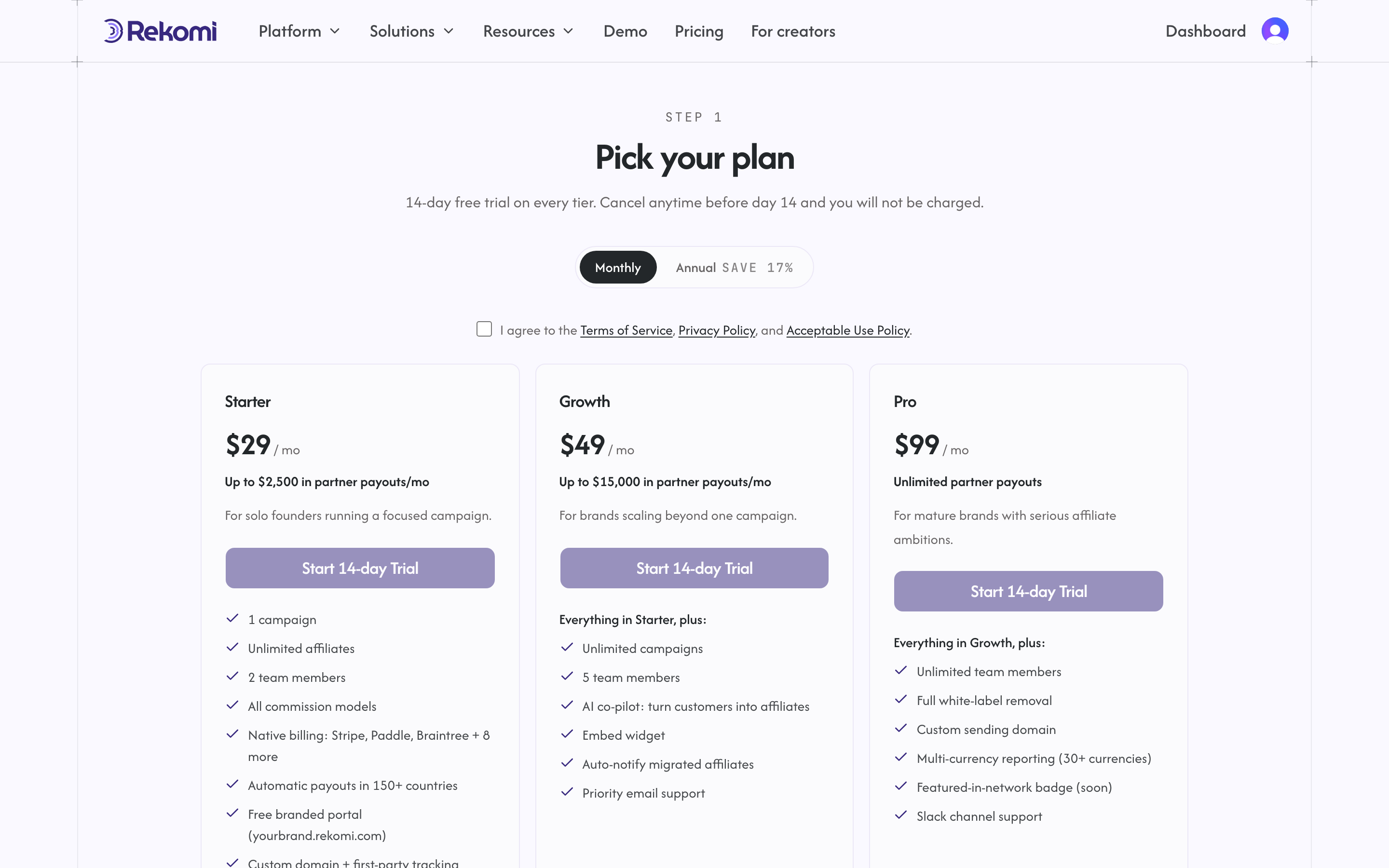
Rekomi is paid-only with a 14-day free trial on every plan. There is no free tier. At signup you pick a plan, enter your card, and your trial starts. You won't be charged until the trial ends.
The free trial is once per person. If you already used it in another workspace you own, a new workspace starts on a paid plan: you pick a plan, enter your card, and billing begins right away. The plan picker says so when that applies.
The four tiers
| Tier | Price | Who it is for |
|---|---|---|
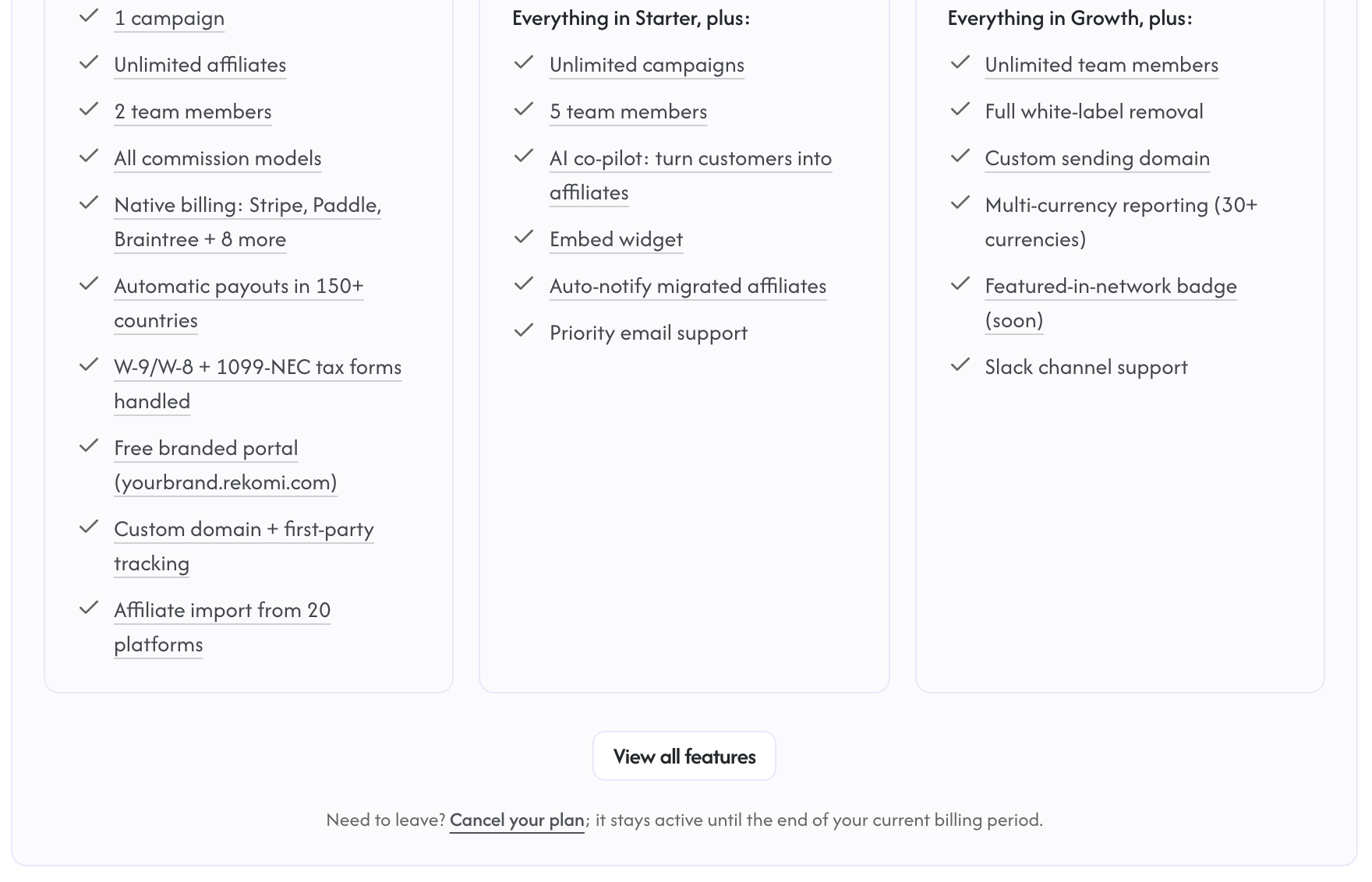
| Starter | $29/mo (or $290/yr) | Solo founders and small teams running a single campaign. Includes up to $2,500/mo in partner payouts. |
| Growth | $49/mo (or $490/yr) | Growing SaaS companies that need AI features and white-label embed. Includes up to $15,000/mo in partner payouts. |
| Pro | $99/mo (or $990/yr) | Established subscription businesses with the white-label affiliate experience, a custom sending domain, and unlimited partner payouts. |
| Enterprise | Custom | Custom limits, a reduced take rate, premium support. |
Every plan also carries a flat 3% on affiliate payouts (2.5% on Enterprise), which covers Rekomi paying your affiliates worldwide and handling their tax forms. Annual billing saves 17%. The pricing page is always the source of truth if these numbers ever drift.
The 14-day trial
When you sign up, you create your account, land on /sign-up/plan to pick a tier (Starter, Growth, or Pro), and complete Stripe Checkout. A card on file is required. Stripe holds your card without charging it for the first 14 days.
Stores that install the Rekomi app for Shopify follow the same paid-only, 14-day-trial model but bill through Shopify instead of Stripe: the app opens on its Subscription page, you pick a plan and approve the charge on Shopify's billing screen, no card is entered in Rekomi, and the charge lands on your Shopify invoice when the trial ends. To cancel, use the "Cancel your free trial" or "Cancel your plan" link below the plan cards on the app's Subscription page: a mid-trial cancel never charges you, and cancelling a paid plan stops Shopify billing right away. Uninstalling the app also cancels the subscription.
Stores that install the Rekomi app for Wix bill through Wix the same way: pick a plan on the app's Subscription page and the charge lands on your Wix invoice when the trial ends. Two Wix billing rules to know: the free trial is available once per Wix account, and switching plans ends the trial immediately (Wix billing policy). Unlike Shopify, uninstalling the Wix app does not cancel the subscription; cancel from the Wix subscriptions page in your Wix account.
During the trial you get the features of the tier you picked, exactly as if you were already paying for it. The trial is a payment status, not a tier override: it does not unlock features from higher tiers, and the plan gates below apply normally throughout the trial. Two trial-specific details:
- S2S tracking (including the lead and refund endpoints) and per-click and per-lead campaign creation (CPC/CPL) carry an explicit trial allowance, so server-side tracking works during your trial.
- Bulk-email surfaces (broadcasts, bulk affiliate invites, and migration auto-notify) require an active paid subscription and are not available during the trial.
- Payout runs require an active paid subscription. Commissions accrue normally during the trial; the payouts page says "Payouts start once your subscription is active", and activating the plan opens payouts right away. See Verification and payout reviews.
When the trial ends, Stripe charges the card on file and your subscription becomes active automatically; nothing changes in your dashboard.
There is one edge case: a trial that was started but where Stripe Checkout was never completed (no card was ever entered). A daily job runs at 08:00 UTC, finds trials past their end date that never completed checkout, and moves those workspaces to a locked state; the dashboard then redirects you back to /sign-up/plan to pick a plan and enter a payment method. A separate job at 09:00 UTC sends the trial-ending reminder emails.
Feature gating
Some features are gated to specific plan tiers, enforced server-side. These gates check your plan tier the same way whether you are trialing or paying. As of today:
- AI co-pilot (
/dashboard/ai-copilot): requires Growth or higher. - White-label embed (
/api/embed/tokens): requires Growth or higher. - Custom domain (first-party tracking plus the affiliate portal on a domain you own, e.g.
affiliates.brand.com): included on every plan. Most affiliate platforms reserve first-party tracking for their most expensive plans; on Rekomi every tier gets it. One unified feature; see Custom domain and Settings. - S2S tracking API (
/api/tracking/s2s): requires Starter or higher. - Public REST API (
/api/v1/programs,/affiliates,/conversions,/payouts,/dashboardviark_live_*keys): requires Starter or higher. The in-app dashboard atapp.rekomi.comis unrestricted on every tier (only programmatic API calls are gated). - Customer-facing webhooks (
/api/webhook-endpoints, the create / rotate / update / test routes): requires Starter or higher. Existing endpoints continue to fire after your trial ends; you just can't add new ones or reconfigure without a paid plan. - Zapier integration: requires Starter or higher. Uses the public REST API + webhook endpoints under the hood, so it inherits the same Starter+ gate. See /docs/developers/zapier.
- Audit log API export (
/api/v1/audit-logvia API keys): requires Pro or higher. The dashboard audit-log view is unrestricted. - Free branded affiliate portal (
{yourbrand}.rekomi.com): available on every tier, including Starter, with no setup. Putting that portal on a domain you own (affiliates.yourbrand.com) is also included on every tier as part of the unified Custom domain feature. See Settings.
Other features (Campaigns, Affiliates, Conversions, Payouts, Reports, Broadcasts) are available on every plan through the in-app dashboard; usage quotas (number of campaigns, number of affiliates, broadcasts per month, and a soft monthly partner-payout volume) vary by tier. The payout-volume figure is a guide, not a hard cap: see Included payout volume.
Team-member limits
Each plan tier caps how many users can join your organization workspace:
| Tier | Team members |
|---|---|
| Starter | 2 |
| Growth | 5 |
| Pro | Unlimited |
| Enterprise | Unlimited |
The cap is enforced when you invite a new team member from /dashboard/settings/team. If you hit the cap, the invite returns HTTP 402 and prompts an upgrade. The cap is checked again when an invite is accepted; if the seats filled up in the meantime, the invite stays pending until a seat frees up or you upgrade.
The seat-cap 402 uses a plan-limit error body and shows an inline upgrade prompt; the JSON body below is what tier-gated feature endpoints return.
If you hit a gated endpoint on a lower plan, the backend returns HTTP 402 with a body like:
{ "error": "plan_tier_required", "required": "Growth", "current": "Starter", "trialing": false }The frontend catches this and shows the upgrade modal automatically.
Included payout volume
Each tier includes a monthly partner-payout volume, measured per calendar month across all campaigns:
| Tier | Included partner payouts / mo |
|---|---|
| Starter | $2,500 |
| Growth | $15,000 |
| Pro | Unlimited |
| Enterprise | Unlimited |
Unlike the team-member cap, this is a soft guide, NOT a hard cap. Payouts are never blocked when you go over, and there is no overage fee: the flat 3% (2.5% on Enterprise) applies to all payout volume regardless of tier. Going over only triggers an upgrade nudge (an in-app banner and an optional email) suggesting more headroom; your payouts keep running unchanged. As the meter rolls out, the billing page will show your month-to-date payout volume against your plan's included amount. The authoritative figures live on the pricing page.
Upgrading and downgrading
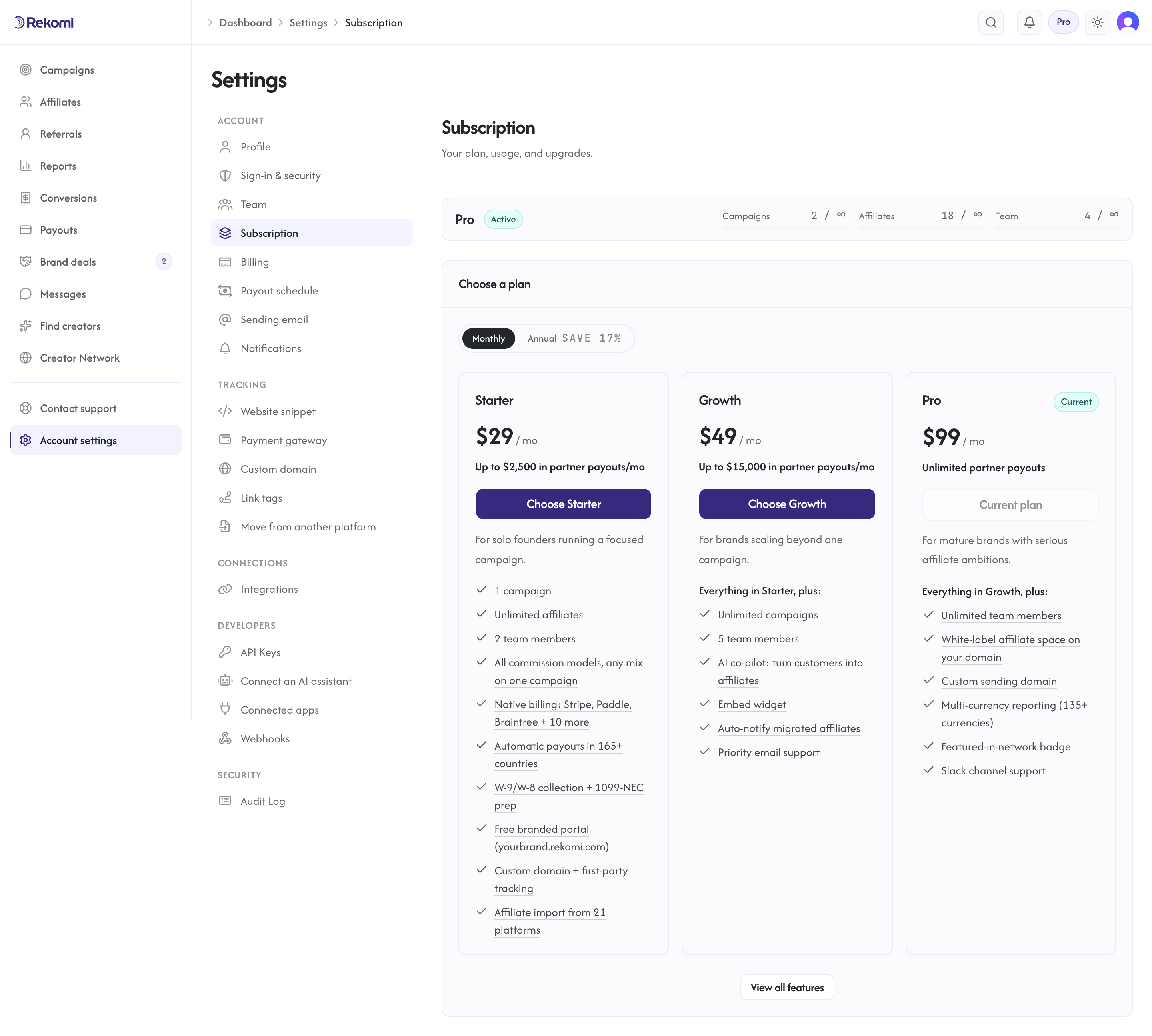
/dashboard/settings/subscription shows your current plan and usage, with the plan picker right below, and links to the Stripe Customer Portal (one-click via POST /api/billing/portal) where you can change plan, update payment method, view invoices, or cancel. Stripe handles proration on its side. If you try to start a second Stripe Checkout while a subscription is already active, the API returns HTTP 409; for plan changes, use the Customer Portal.
To cancel, use the "Cancel your free trial" or "Cancel your plan" link below the plan cards on the Subscription page: it deep-links straight to Stripe's cancel confirmation. A trial cancelled before its end date is never charged; a paid plan stays active until the end of the current billing period.
If a payment fails
A failed charge never locks you out on the spot. Here is the exact lifecycle:
- Day 0. The charge fails and your account goes past due. You keep full access. You get a payment-failed email stating the deadline, and a banner in the dashboard shows the same date with an "Update card" shortcut to the billing page's Payment method tab.
- Day 3. If payment still hasn't gone through, a warning email repeats the cancellation date.
- Day 7. The subscription is cancelled automatically. You get a final email explaining that the affiliate program is paused: your signup page shows "not accepting applications right now" instead of the form, your affiliates see a paused notice in their portal, and payouts stop running. Your links keep recording, and your campaigns, affiliates, and history stay intact; resubscribing from the Subscription page picks everything up where it left off.
Fixing the card at any point before day 7 silently returns the account to normal; the countdown resets fully, so a future incident starts a fresh 7 days. Stripe retries the card on its own schedule during that week, so a card that starts working again is usually picked up without you doing anything.
Stores billed through Shopify, Wix or BigCommerce follow their platform's own billing lifecycle instead: if the platform reports a billing problem (for example Shopify freezes the app subscription while a store's invoice is unpaid), Rekomi emails you and shows a banner pointing at your platform admin, where the fix lives. Rekomi never cancels a platform-billed subscription itself; the platform resumes or ends it based on how the billing issue resolves.
Trial countdown
In the final three days of your trial the dashboard shows a countdown banner above the main content; you can dismiss it for the rest of your session, except on the final day, when it stays until you pick a plan. The plan chip in the top nav shows your tier and trial status at all times.
Quickstart for brands
From signup to a working affiliate or referral program in about fifteen minutes.
Integrations
Connect Stripe, Paddle, Braintree, Shopify, WooCommerce, Wix, Lemon Squeezy, Chargebee, Polar, Recurly, Gumroad, Creem, Dodo Payments, or Mollie for native sales tracking, run payouts through Stripe, and use Zapier for no-code automations across 8,000+ apps.