

Tracking and attribution
Cookie windows, first-touch vs last-touch, commission tracking, and what counts as a sale.
This page covers how Rekomi decides which affiliate gets credit for a sale, when that credit becomes payable, and how refunds reverse it.
How tracking works today
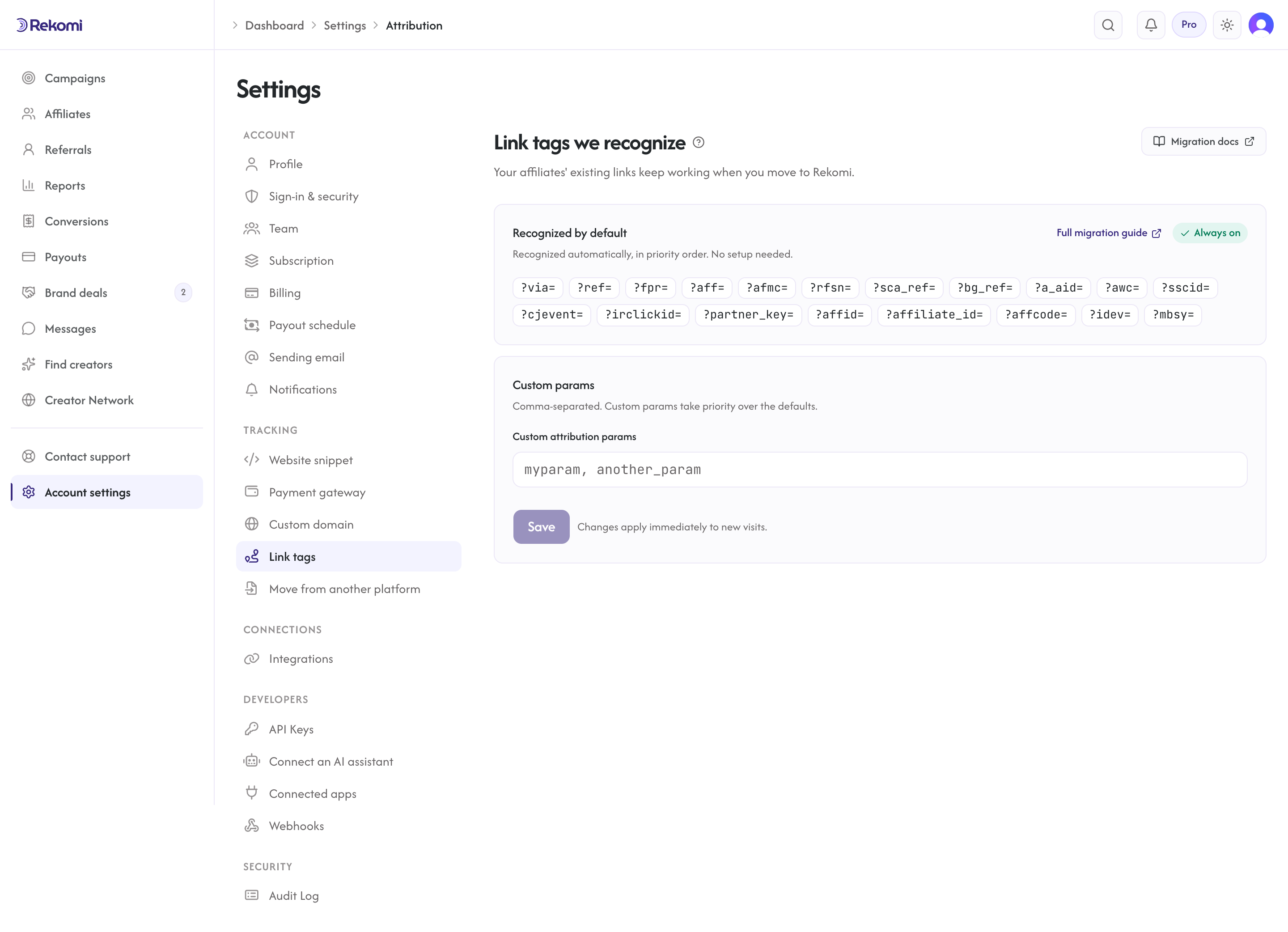
Every affiliate has one referral slug (shared across all the campaigns they join). They append it to links to your site as ?via={slug}, for example https://yourbrand.com/?via=abc123. When the visitor lands with that parameter, the tracking script (or the S2S API) records the click and attributes it to that affiliate.
Attribution happens three ways: the install snippet on your site reads ?via={slug} and sets a first-party cookie; your backend calls the S2S tracking API telling Rekomi "this customer was referred by slug X"; or, on beehiiv, Kit, MailerLite, Ontraport and GoHighLevel, the platform connection under Integrations reads the tag the platform stored on the customer at signup (Rekomi's links carry it as utm_source=rekomi&utm_campaign={slug}) when a sale arrives with no affiliate named any other way. Whichever way, the same affiliate gets credited.
Cookie window
cookieWindowDays on a campaign defines how long an affiliate's attribution survives after the initial touch. Default is 60 days. Typical ranges:
- 30 days: short-cycle products with quick conversion (impulse buys, free-to-paid signups).
- 60 days: medium consideration (most SaaS).
- 90 days: longer enterprise sales cycles, high-ticket courses.
- 180 days: very long consideration (annual-only products, enterprise).
The longer the window, the more refund-window exposure you carry on the commissions it credits.
Attribution model
attributionModel controls which affiliate wins when multiple have referred the same visitor within the window.
- FirstTouch: the affiliate who drove the first tracked click within the window gets the credit. Rewards the affiliate who introduced the product.
- LastTouch (default): the affiliate who drove the most recent tracked click before the sale gets the credit. Rewards the affiliate who closed the deal.
The default is LastTouch, which credits the affiliate who drove the final click before purchase. Switch a campaign to FirstTouch when you want to reward the affiliate who first introduced the customer, which some subscription brands prefer.
What counts as a sale
A sale is any Stripe event that produces a commission. The most common is a paid invoice (invoice.paid). For per-sale campaigns set to a recurring revenue share, every paid invoice produces a sale. If you set recurringDelayInvoices, the first N renewal invoices earn no commission at all; commissions start after the delay window.
Sales move through statuses:
- Pending: invoice paid, in the refund hold window (an organization-level setting, default 30 days). Once the window passes, the commission is payout-eligible; the sale stays Pending, there is no automatic status flip.
- Approved: manually approved. Both Approved sales and Pending sales past the hold window are eligible for payout.
- Paid: included in a payout batch and transferred to the affiliate's Stripe Express account.
- Refunded: Stripe refunded the customer; the commission is reversed.
- Invalidated: quarantined as invalid traffic, automatically for a flagged click or lead, or by hand on any row still in grace. Release it from the Conversions page if it was a false positive.
- Denied: a denied sale (rare; usually only for disputed sales).
In the dashboard, your manual actions on a conversion are validate and invalidate, available from the Conversions page.
Free signups and leads
Not every signup is a paid sale on day one. A lead is a free, identified signup tied to the affiliate who referred it, recorded before any payment. It does two things for you:
- You can see which affiliate drove a free signup, not just paid ones, so your funnel reads visitor, then free signup, then sale.
- When that free user later upgrades to a paid plan, the sale is credited back to the same affiliate by matching the email, even if the click cookie was cleared, blocked, or expired in the meantime. Leads stay matchable for 90 days.
A signup lead never pays a commission on its own; the commission still happens when the paid sale comes through (a qualified lead on a campaign that pays per lead is a separate row with its own commission, see Pay per click or lead). The lead is just the durable link between the free signup and the eventual upgrade.
For processors that send a customer or subscription webhook before payment (Stripe, Paddle, Recurly, Chargebee, Creem), leads are captured automatically. Lead tracking needs no setup on your side, so subscription signups, free trials, and fully discounted (100%-off coupon) signups all become leads straight from the processor webhooks you already receive, with no extra code on your site.
Free-plan and freemium signups need one line of code. If signing up for your free tier does not create a Stripe or Paddle subscription or customer, there is no processor event to turn into a lead, so your signup code calls Rekomi.convert({ email }) at account creation. Pass the same email the customer will bill with; that is what lets a later paid upgrade match back to the lead and credit the affiliate. The same one-line call covers Braintree and Shopify, which have no pre-payment webhook.
For the exact code, the email-match details, and the server-to-server option, see Track leads and signups.
Refund-aware attribution
When Stripe sends a charge.refunded webhook, Rekomi:
- Claws back the commission proportionally to the refund. A 40% refund on a $100 sale with a $20 commission reverses $8, not the full $20.
- Repeats this for every partial refund on that sale, each one clawing back its share, until the refunds add up to the full sale amount.
- Flips the sale's
Status = Refundedonly once cumulative refunds cover the entire original amount. Until then the sale keeps its existing status and the remaining commission stays payable. - If a clawback lands after the commission was already paid out (rare with the default 30-day hold), the paid amount is not clawed back automatically; reverse the refunded commission from the payout's Detail page (Payouts > Paid). Only that commission is reversed and the rest of the payout stands; see Reversing a paid payout.
One exception: for Gumroad, a partial refund does not trigger an automatic clawback (a full refund still does).
A subscription cancellation (customer.subscription.deleted) works differently: Rekomi records a cancellation marker and future renewal invoices stop, so no new commissions accrue, but it does not reverse commissions already earned. Only refunds and chargebacks reverse commission.
This happens automatically. You do not have a "mark as refunded" button in the dashboard today because Stripe is the source of truth.
S2S tracking for non-Stripe events
If you have sales that do not flow through Stripe (mobile app purchases, server-side trials, custom events), use the S2S tracking API. It accepts a POST with an externalEventId for idempotency, an affiliateSlug, an amountCents, and a currency. It is HMAC-signed and de-duped per organization.