

Ontraport
Connect Ontraport once and it does two jobs. Approved affiliates land in your CRM with tags, and Ontraport order-form sales are brought into Rekomi and credited to the affiliate whose link brought the contact.

Rekomi's Ontraport connection does two jobs, and each has its own switch on the integration page. Sync affiliates into Ontraport upserts every approved affiliate as a contact and applies tags. Credit sales through Ontraport brings your Ontraport sales into Rekomi and credits each one to the affiliate whose link brought the contact, using the lead source and campaign Ontraport records on every contact. Both switches are on by default.
What this connection does and does not do. It syncs affiliates into Ontraport, and it is the source of your Ontraport sales in Rekomi: Ontraport bills the card on file itself through your gateway, so those sales never arrive through a Stripe connection, and the Ontraport connection is how Rekomi hears about them. It reads Ontraport's tracking fields and never writes them. It cannot credit a contact who reached your order form from a page that does not run Ontraport's tracking script (see the limits below).
Credit sales through Ontraport
How it works
- Every affiliate link Rekomi hands out for your campaign carries two extra parameters:
utm_source=rekomiandutm_campaignset to that affiliate's link slug. For example:https://newsletter.example.com?via=jane&utm_source=rekomi&utm_campaign=jane. - When a visitor lands from that link on a page that runs Ontraport's tracking script (automatic on Ontraport Pages and PilotPress sites) and submits any Ontraport form, including an order form, Ontraport stores the arrival as the contact's lead source and campaign. It keeps both the first arrival and the latest one.
- When Ontraport records a purchase, Rekomi hears about it through product purchase events registered when you connect, and through an hourly check of your Ontraport transactions that catches anything the events missed. Rekomi reads the contact, checks that the lead source is
rekomi, resolves the campaign value to one of your affiliates, and credits the sale. The first arrival is checked first, then the latest one. A discount code applied on the order form is checked first of all: when the transaction carries a code Rekomi minted for one of your affiliates, that affiliate is credited even if the buyer never clicked a link. - Refunds and voids are picked up by the same hourly check of transaction status, since Ontraport sends no refund event, so a refund reverses the commission within about an hour. Sales from the last 120 days are checked.
- Amounts are recorded in your home currency unless the Ontraport transaction carries its own currency code, because Ontraport bills in your account currency.
What you need
- The Ontraport connection on this page with Credit sales through Ontraport on. It is on from the moment you connect. No payment gateway connection in Rekomi is needed for Ontraport sales.
- Ontraport's own tracking script on the pages affiliate links land on. Ontraport Pages and PilotPress have it already; on a page hosted elsewhere, add Ontraport's tracking code so the arrival is recorded.
The switch and the status line
Credit sales through Ontraport sits on the integration page next to Sync affiliates into Ontraport. Under it the page shows one plain sentence of status: whether Rekomi's last check succeeded and when it ran, and how many sales have been credited through Ontraport so far. A contact is credited only when they were created within the window shown on the page (365 days by default).
Turning the switch off stops the lookups, stops the purchase events and the hourly check, and removes the two tags from your affiliates' links. The connection is the only way Ontraport sales reach Rekomi, so no Ontraport sales are recorded while it is off. Affiliate sync keeps running.
Check a subscriber's email
Under the sales block, Check a subscriber's email takes one address and tells you what Ontraport has stored for it: whether the contact exists, whether its lead source and campaign name one of your affiliates, and whether a sale from that email would be credited. Use it to test: open an affiliate link, submit a form with a fresh address, then check that address here.
Signup alerts
When the switch is on, Rekomi also registers an Ontraport webhook for new contacts, so a contact who arrived through an affiliate link shows up as a lead under that affiliate right away, before any sale.
Limits, stated plainly
- Your own campaign links can overwrite the latest arrival. Ontraport updates a contact's latest lead source on every tracked visit, so a contact who clicks a UTM-tagged link in one of your own emails before buying carries your campaign as the latest arrival. Rekomi checks the first arrival first for that reason, and the first arrival is never overwritten.
- The page must run Ontraport's tracking script. A landing page without it records nothing, however the visitor arrived.
- Ontraport's rate limit is shared. Ontraport allows 180 requests per minute per account. Rekomi makes a read or two per sale and one per signup alert, keeps a short per-email cache so the same buyer is not read twice in a burst, and tries a sales read again after two minutes if Ontraport answers 429. The affiliate sync backs off when Ontraport answers 429.
Sync affiliates into Ontraport
What syncs
When an affiliate is approved (or, optionally, when they apply), Rekomi runs a 2-3 call sequence:
POST /1/objects/saveorupdatewithobjectID: 0(contacts),email,firstname,lastname,ignore_blanks: true. Returns contact ID.PUT /1/objects/tagwithobjectID: 0, ids: [contactId], add_list: [tagId, ...]to attach the chosen tag + any extra numeric tag IDs.PUT /1/objects/tagByNamewithadd_names: [...]for any tags configured by name, Ontraport auto-creates missing tag names on this call. This carries theRekomi affiliatesystem tag.
The multi-call sequence is required because Ontraport's contact save and tag attach are separate endpoints. The sync never touches Ontraport's lead source or campaign fields, so the arrival record the sales job reads stays exactly as Ontraport wrote it.
Finding your credentials
In Ontraport:
- Administration → Integrations → Ontraport API Instructions and Key Manager.
- Copy your App ID and API Key.
Connecting Ontraport in Rekomi
- Go to Integrations in the dashboard sidebar.
- Click the Ontraport card.
- Paste both. Click Connect.
- Rekomi verifies the credentials, registers purchase events for each of your products, and checks that it can read contacts, so the sales status line is filled in immediately. New products you add later are picked up by a daily product check.
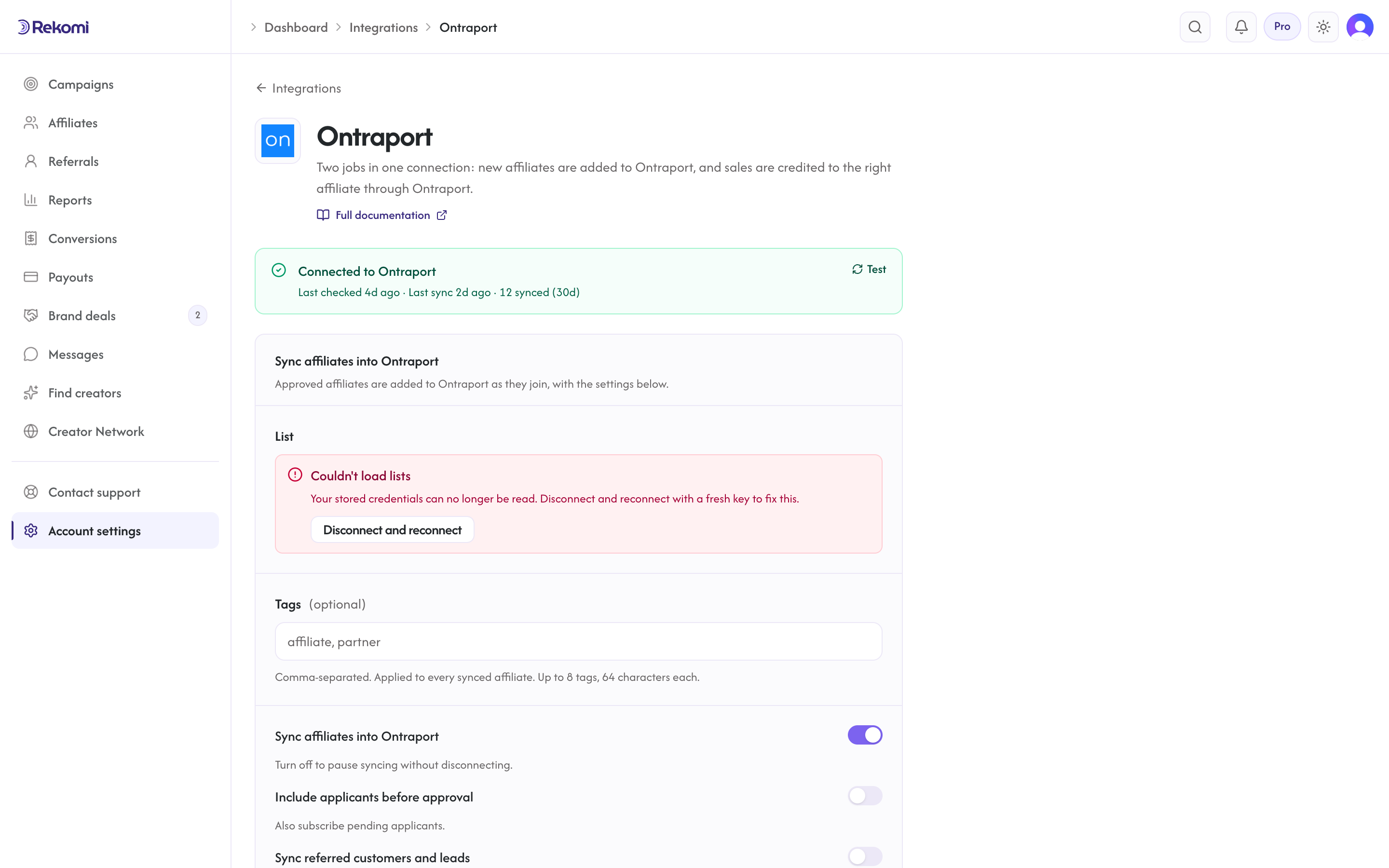
Tags
Ontraport's "lists" in our Integrations UI correspond to Ontraport tags (Ontraport doesn't have email-marketing-style lists, its primitive is tags + sequences). Pick a default tag; campaign overrides add additional tags. Extra tags entered as numeric IDs attach directly; tags entered by name are auto-created in Ontraport if missing.
Referred customers and leads (optional)
Under Sync affiliates into Ontraport, turn on Sync referred customers and leads and every sale or lead Rekomi attributes to an affiliate is written to Ontraport as well, matched on email so existing contacts are updated, not duplicated. Sales credited through Ontraport by the job above are included. Each one carries:
- contact fields
Rekomi referral link,Rekomi campaign,Rekomi referring affiliate,Rekomi referring affiliate code,Rekomi last event,Rekomi last sale amount, created in aRekomisection on first use - tags
Rekomi customerorRekomi lead - Affiliates synced by the section above also get
Rekomi referral link,Rekomi campaignandRekomi affiliate statusin the same fields, so you can merge a partner's link into your emails. The referral link written here carries the same two tags as the links Rekomi shows affiliates.
Refunded, denied and fraud-quarantined conversions are never pushed, and imported historical conversions are skipped. It is off by default.
Per-campaign overrides + per-affiliate visibility + troubleshooting + disconnecting
Same patterns as other CRM providers. Disconnecting also removes the purchase events and the new-contact webhook Rekomi registered in your Ontraport account.
Provider-specific notes
- Two headers:
Api-Appid+Api-Key. ignore_blanks: trueprevents wiping populated fields with empty values.- If attaching the chosen tag fails, the sync is retried (the contact upsert is safe to repeat, so re-running won't create duplicates); only the by-name extras are best-effort non-fatal.
- Rate limit: 180 req/min.
X-Rate-Limit-Remainingheader. - Purchase events and the new-contact webhook are unsigned by Ontraport, so Rekomi treats each one as a hint and reads the contact and transaction back before recording anything.
See the ontraport integration overview on the marketing site for use-cases, persona fit, and unique automation patterns.
beehiiv
Connect beehiiv once and it does two jobs. Approved affiliates land in your publication, and paid subscriptions are credited to the affiliate whose link brought the reader, with no script in the reader's browser.
MailerLite
Connect MailerLite once and it does two jobs. Approved affiliates land in a MailerLite group, and sales are credited to the affiliate whose link brought the subscriber through one custom field the Rekomi script fills.