

Maropost
Connect Maropost so approved affiliates land in your contact database with tags.

Rekomi's Maropost integration upserts every approved affiliate via Maropost's Contacts API.
What syncs
When an affiliate is approved (or, optionally, when they apply), Rekomi calls POST /accounts/{accountId}/contacts.json with contact: { email, first_name, last_name, options: { subscribe_list_ids: "{listId}" }, add_tags: [...] }. The endpoint is upsert by email.
Finding your credentials
In Maropost:
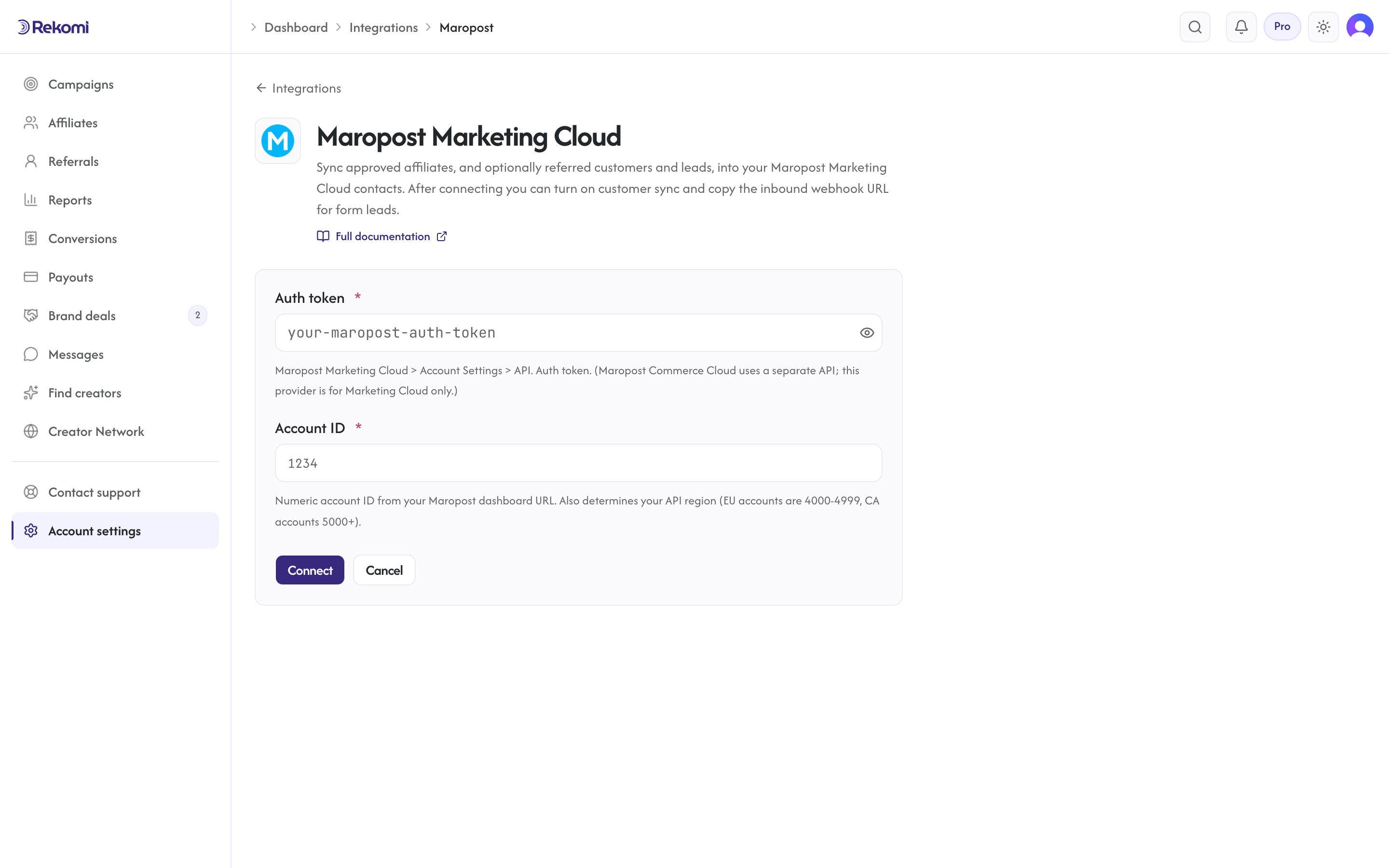
- Account Settings → API. Copy your Auth Token.
- Your Account ID is in the dashboard URL. It also determines your API region automatically: EU accounts are 4000-4999, CA accounts 5000 and up; Rekomi routes to the right regional host from the ID, no region setting needed.
Connecting Maropost in Rekomi
- Go to Integrations in the dashboard sidebar.
- Click the Maropost Marketing Cloud card (Maropost Commerce Cloud is a separate product).
- Paste both. Click Connect.
Tags
First-class. add_tags array of names, always including the Rekomi affiliate system tag plus any defaults you configure and per-campaign extras. Tags must already exist in your Maropost account; Maropost does not create them. If a tag is missing, Maropost rejects the request and Rekomi retries once without tags so the subscribe itself still lands (the missing tags are dropped and logged). Create your tags in Maropost before configuring them in Rekomi.
Referred customers and leads (optional)
Turn on Sync referred customers and leads on the integration page and every sale or lead Rekomi attributes to an affiliate is written to Maropost as well, matched on email so existing contacts are updated, not duplicated. Each one carries:
- custom fields
rekomi_referral_link,rekomi_campaign,rekomi_referring_affiliate,rekomi_referring_affiliate_code,rekomi_last_event,rekomi_last_sale_amount, created on first use - tags
Rekomi customerorRekomi lead(created for you if missing) - Affiliates synced by the section above also get
Rekomi referral link,Rekomi campaignandRekomi affiliate statusin the same fields, so you can merge a partner's link into your emails.
Refunded, denied and fraud-quarantined conversions are never pushed, and imported historical conversions are skipped. It is off by default.
Per-campaign overrides + per-affiliate visibility + troubleshooting + disconnecting
Same patterns as other CRM providers.
Provider-specific notes
- Auth via the
authorization: ApiKey {token}header (the token never travels in the URL). - Regional base URL is derived from the Account ID (below 4000 = US, 4000-4999 = EU, 5000+ = CA).
subscribe_list_idsis a COMMA-SEPARATED STRING, not a JSON array (Maropost quirk).- Add_tags IS a proper JSON array, but the tag names must pre-exist in the account.
- No public rate limit documented; 429 honors
Retry-After.
See the maropost integration overview on the marketing site for use-cases, persona fit, and unique automation patterns.