

CRM and email integrations
Rekomi integrates with 39 email and CRM platforms. Approved affiliates auto-sync to your existing audience with the right tags and the right consent, and on beehiiv, Kit, MailerLite, Ontraport and GoHighLevel the same connection also credits sales to the affiliate whose link brought the customer.
Rekomi integrates with 39 email and CRM platforms so approved affiliates land in the audience you already manage, with the right tag, the right consent posture, and the right per-campaign overrides. On five of them (beehiiv, Kit, MailerLite, Ontraport and GoHighLevel) the same connection does a second job: it credits sales to the affiliate whose link brought the customer, using the record the platform itself keeps of how each person arrived.
Pick your platform below for setup instructions, field-level sync details, and troubleshooting.
A CRM connection does one job on 34 of the 39 platforms and two on the other five, and each job has its own switch on the integration page. The first, Sync affiliates into followed by the platform's name (for example Sync affiliates into beehiiv), moves people into the audience you already manage: your affiliates, and optionally the customers and leads they refer. The second, Credit sales through the platform (for example Credit sales through beehiiv), exists on beehiiv, Kit, MailerLite, Ontraport and GoHighLevel, because those platforms record which link a new subscriber or contact arrived from and Rekomi can read it back when a sale arrives. Flodesk has nowhere to hold that record, so its page has no sales switch. On every other platform, sales are recorded by the payment gateway you connect under Setup and named to an affiliate by the Rekomi script, coupon codes or the S2S API. See Credit sales through your platform below.
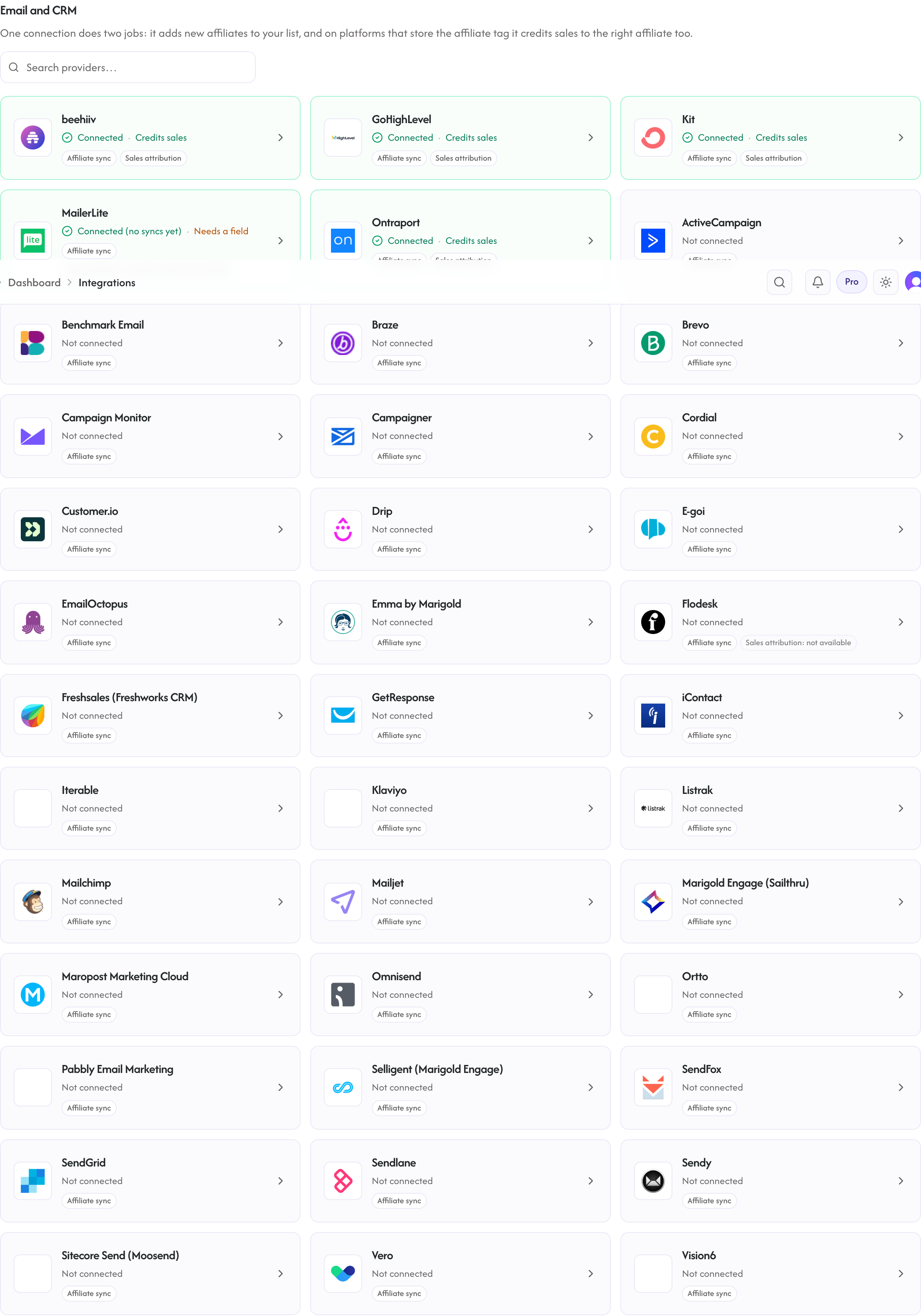
Every provider lives at /dashboard/integrations under the Email and CRM tab. Open a card to reach its connect and detail page at /dashboard/integrations/crm/{slug}.
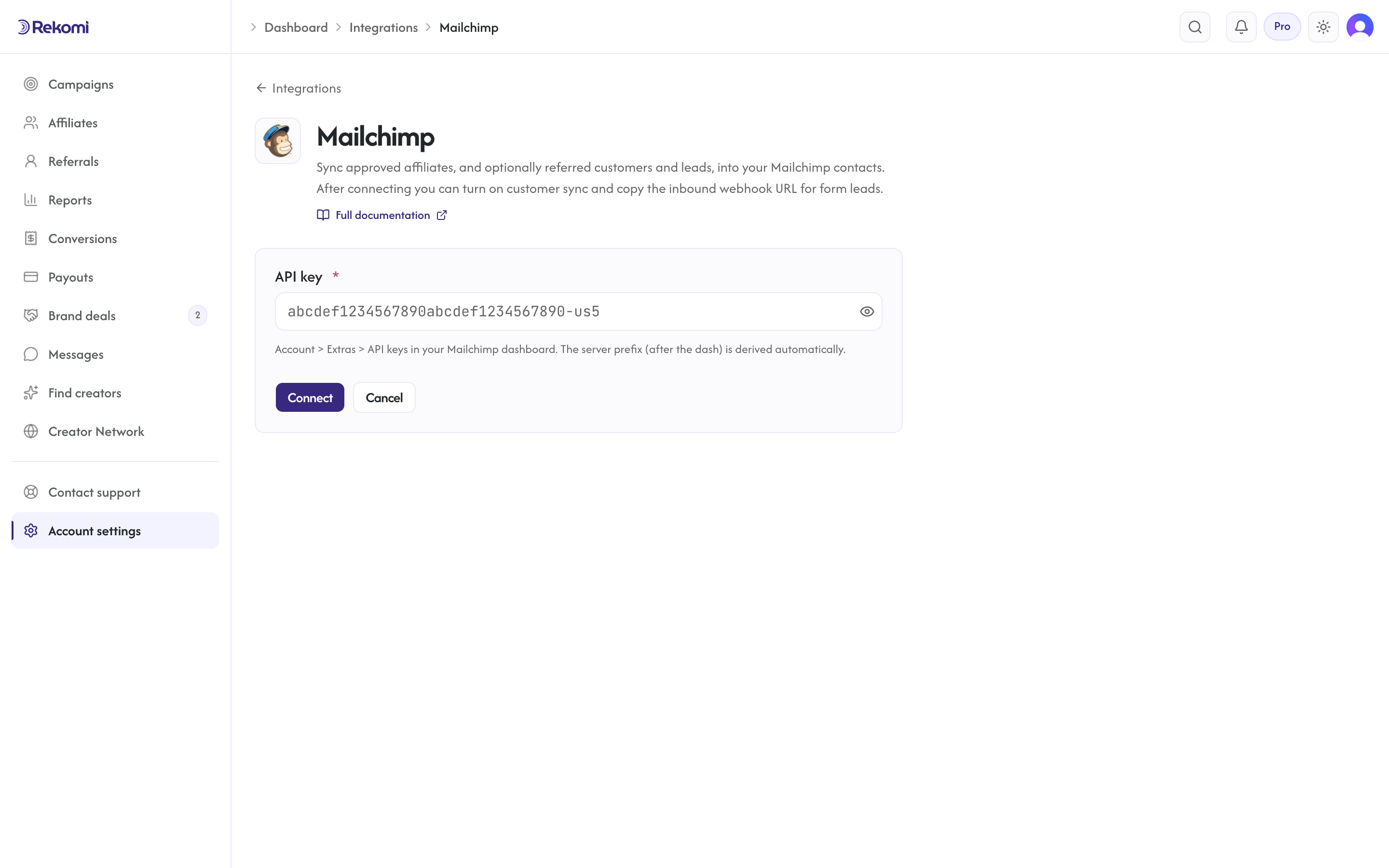
Once connected, the same page adds the list picker, the tags input, and the 30-day sync stats.
High-volume CRMs
These are the providers most Rekomi brands connect first. Setup is usually a single API key and a list picker.

Mailchimp
Tagged subscribers in your audience with merge_fields populated. The most common choice for SMB email.

Klaviyo
Full profiles with subscription consent and a list relationship. The standard for Shopify DTC brands.

Omnisend
Account-wide identifier-based contacts with email-channel consent and the Rekomi affiliate tag.

Brevo (Sendinblue)
Upsert contact-list sync with UPPERCASE attributes. EU-friendly transactional plus marketing.

GetResponse
Tagged contacts in your campaigns ready for autoresponders. Funnel and webinar pairing.

GoHighLevel
Contacts with referral-link custom fields, referred customers and leads with the referring affiliate, sales credited from HighLevel's own attribution, plus an inbound workflow webhook for leads and purchases.
Creator and SaaS automation platforms
For creators, course sellers, and SaaS teams running automation-led email.

Kit (ConvertKit)
v4 create-then-form subscribers with auto-created name tags, and sales credited from Kit's own signup attribution, Kit Commerce included.

ActiveCampaign
Three-call sync: contact upsert, list subscription, tag application. Safe to re-run on email.

beehiiv
Publication-wide subscribers with reactivate-existing semantics, and paid subscriptions credited from beehiiv's own signup record.

Ontraport
Two-call save plus tag sequence with ignore_blanks, and order-form sales brought in and credited from Ontraport's lead source and campaign.

MailerLite
Group-based subscribers with active status, and sales credited through one custom field the Rekomi script fills.

Moosend
Query-string-auth list subscribers. Title-case fields, single Name.
Specialist email platforms
Transactional-first, design-led, agency-friendly, and budget-conscious senders.

Drip
Tag-based account-wide subscribers. Built for Shopify DTC.

SendGrid
Safe 202-poll async sync via Marketing Campaigns. Twilio-stack friendly.

Mailjet
Basic-auth managecontact with addnoforce semantics. Title-case fields.

EmailOctopus
SES-backed list subscribers with PascalCase fields. Indie-creator budget.

Flodesk
Segment-based subscribers with read-only status field. Affiliate sync only; sales are not credited through this connection.

Iterable
User-property updates with dataFields namespace. Enterprise cross-channel.

Campaign Monitor
Client-scoped subscribers with concatenated name and consent-to-track set. Design-led agency.

Pabbly
Two-step v2 subscriber-then-list sync with Bearer auth. LTD-friendly.

Marigold Engage (Emma)
Three-credential agency-mode group subscribers. White-label ready.

Maropost
Marketing Cloud contacts with multi-server regional auth. Enterprise commerce.

Customer.io
PUT-by-email identify with auto-region detection. Behavioral SaaS PLG.

Freshsales (Freshworks CRM)
Object-array email shape with subdomain-aware base. Freshdesk pairing.
Listrak
OAuth client-credentials Bearer sync. Enterprise retail predictive.

Sendlane
Revenue-attributed list contacts with additive tags. DTC e-commerce.
Long-tail and enterprise platforms
Self-hosted, regional, and enterprise platforms with strict requirements.

SendFox
Bearer-token list contacts. AppSumo lifetime-stack pairing.

Benchmark Email
AuthToken header list subscribers. Drag-drop UI friendly.

Campaigner
ApiKey-header list contacts with custom fields. Salesforce-aware B2B.

Cordial
Attribute-graph upserts with trailing-slash BaseAddress. Enterprise real-time.

E-goi
Apikey-header list contacts. Portuguese-speaking markets.

iContact
Three-credential contact-then-subscribe sequence. Compliance-first SMB.

Sailthru
Signed user updates with vars namespace. Publisher personalization.

Selligent
Organization-scoped list-record sync with per-list field schemas. Enterprise B2C automation.

Sendy
Self-hosted form-encoded subscribe with SSRF-validated install URL.

Vero
Track-and-identify user updates with UUID-suffixed probes. Behavioral workflows.

Vision6
Bearer-token v1 list contacts. AU/NZ SMB market.

Braze
Email-identified users/track attributes plus subscription-group enrollment. Per-cluster instance URLs.

Ortto
Merge-semantics person upserts with regional API allowlist. Mid-market SaaS journeys.
Referred customers and leads
Every CRM integration syncs your affiliates. On 28 of the 39 providers you can also turn on Sync referred customers and leads under the affiliate sync (integration page, off by default): every sale or lead Rekomi attributes to an affiliate is upserted on email into your CRM with the referring affiliate (name, and their active coupon code, ready to merge into emails), campaign, last event and last sale amount in custom fields, tagged Rekomi customer or Rekomi lead where the provider has tags. Rekomi creates the fields on first use where the API allows it; the provider pages list the exact field names.
Supported: ActiveCampaign, beehiiv, Braze, Brevo, Campaign Monitor, Customer.io, Drip, EmailOctopus, Emma, Flodesk, Freshworks CRM, GetResponse, GoHighLevel, Iterable, Kit (ConvertKit), Klaviyo, Mailchimp, MailerLite, Mailjet, Maropost, Moosend, Omnisend, Ontraport, Ortto, Sailthru, SendGrid, Sendlane, Vero.
Not available (the provider's API cannot update an existing contact safely or has no custom-field model): Benchmark Email, Campaigner, Cordial, E-goi, iContact, Listrak, Pabbly, Selligent, SendFox, Sendy, Vision6. Those keep affiliate sync only.
Credit sales through your platform
On beehiiv, Kit, MailerLite, Ontraport and GoHighLevel the connection has a second switch, Credit sales through the platform (for example Credit sales through Kit), on by default. It works without any script in the customer's browser:
- Every affiliate link Rekomi hands out carries two extra parameters,
utm_source=rekomiandutm_campaignset to the affiliate's link slug, for examplehttps://newsletter.example.com?via=jane&utm_source=rekomi&utm_campaign=jane. - The platform stores those values on the person when they sign up from that link. beehiiv, Kit, Ontraport and GoHighLevel do this natively. MailerLite needs one custom field named Rekomi affiliate tag plus the Rekomi script on the signup page to fill it; Rekomi creates the field for you.
- When a sale arrives with no affiliate named by anything Rekomi already knows (a coupon, checkout metadata, the customer's history, an email lead), Rekomi looks the buyer up on the platform by email, reads the stored tag, and credits the affiliate. This is always the last step of attribution, never an override.
Where the sale itself comes from differs by platform. beehiiv and MailerLite sales arrive through the Stripe account you connect under Setup (for beehiiv, the account beehiiv created for paid subscriptions). Kit Commerce sales arrive through a purchase feed Rekomi registers with Kit. Ontraport sales arrive through the Ontraport connection itself. GoHighLevel recurring products arrive through your connected Stripe, and one-time order forms or non-Stripe gateways through a workflow webhook the GoHighLevel page shows you how to add.
Each page shows one sentence of status under the switch, a lifetime count of sales credited, and a Check a subscriber's email box that tells you for one address whether a sale from it would be credited and why. The limits are stated on each page too, the main one being that beehiiv and Kit write the arrival once at signup, so a subscriber who was already on your list before clicking an affiliate link is not credited by the connection; the Rekomi script's email capture still covers those readers.
How CRM sync works
Across all 39 providers, Rekomi follows the same operational pattern:
- Plan gate: CRM integrations require Starter tier or above.
- Test on save: connect-flow runs a lightweight authenticated read before persisting credentials. Bad keys never make it past the form.
- Credentials at rest: API keys are encrypted at rest and are never logged or returned to the browser.
- Worker throttle: every provider's sync runs through a background worker pacing at one subscribe per second with jitter, respecting documented per-provider rate limits.
- Safe to retry: every provider's subscribe endpoint is safe to re-run on email; re-firing a sync 100 times leaves your audience clean.
- Per-campaign overrides: each campaign can target a different list, audience, or group with campaign-specific tags. The override UI adapts to the provider's capabilities: the tags input only appears for providers that support tagging, and providers without list enumeration (Braze, Sendy, and other account-wide platforms) take a manually entered audience/group ID instead of a list picker.
- Per-affiliate sync visibility: every affiliate detail page shows per-CRM sync status (Succeeded, Failed, Skipped, Pending, Not synced) with a resync button that clears prior jobs and re-fires.
- 30-day sync stats: each integration detail page shows succeeded / failed / skipped counts with the last 10 attempts. The Failed tile carries a Resync all button that queues every failed sync for retry in one click.
- Failure surfacing: when a sync hits an auth failure (revoked or expired key), the integration is marked "action needed" on the Integrations page and Rekomi emails you a reconnect prompt, once per breakage, not per failed sync. Reconnect, then hit Resync all.
See the marketing overview for use-case writeups and competitive positioning, or pick your provider above for the operational setup.