

The page builder
Design your page with live preview, themes, layouts, and your services with prices.
The builder at /a/page/design is a full-screen editor: settings on the left, a live preview of your real page on the right. Everything you change updates the preview instantly; nothing goes live until you hit Save (and Publish, the first time).
There are four tabs: Profile, Services, Sections, and Design.
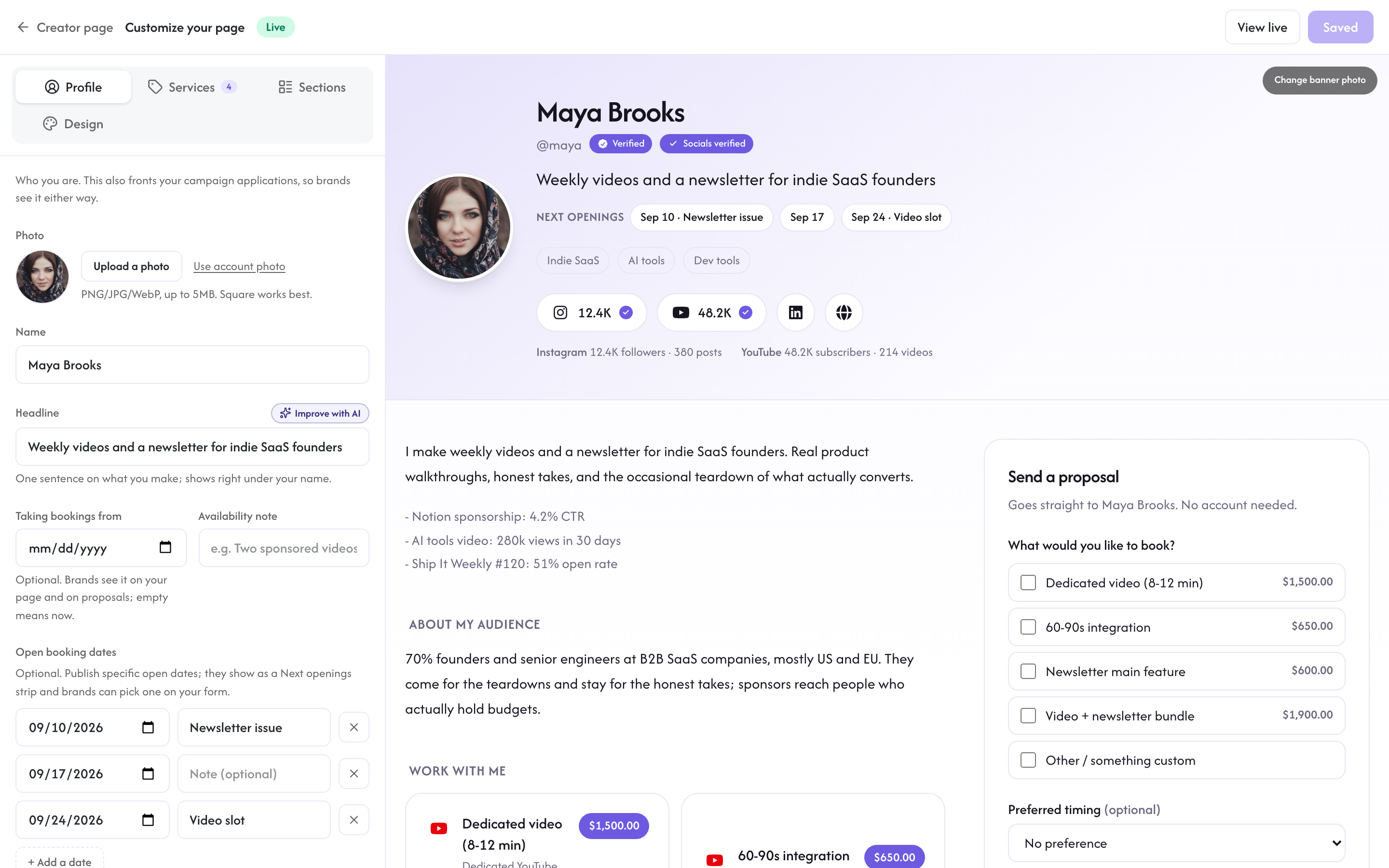
Profile
Who you are and where your audience lives.
- Photo: upload a square photo (PNG, JPG, or WebP, up to 5MB), or keep your account photo.
- Name and headline: the one-liner under your name. Keep the headline concrete ("Weekly videos for indie SaaS founders" beats "Content creator").
- Bio: a rich-text editor with bold, lists, and links, up to 2,000 characters.
- What you promote (required): pick up to three kinds of brands you want to work with, from the same list brands choose at signup (SaaS, e-commerce, courses, fintech, health and fitness, and so on). This is how brands and our reviewers know who your page is for, and a page cannot be published without it.
- Topics (optional): type a topic and press Enter to add it as a chip, up to six. Brands filter by these too, so use the words your niche actually searches.
- Links: your website plus your social accounts. Socials are verified, not typed: hit Verify on a platform row and the provider's consent screen opens in a new tab (nothing you are editing is lost); once connected, the account shows on your page with a checkmark and live follower counts. Platforms that cannot be verified yet simply do not appear.
- Recent work: a short free-text section for recent wins. Reviewers and brands read it.
- Taking bookings from and availability note: an optional date and a short note ("Booking two sponsored videos for October"). Brands see them on your page and on proposals; leaving both empty simply means you are available now.
- Open booking dates: publish specific dates you can deliver, each with an optional note like "Newsletter issue" (up to 60 dates, up to a year out). The next few show as a Next openings strip on your page, and a brand filling in your work with me form can pick one as their preferred timing, which then shows on the request in Brand deals.
Services
What brands can book, with prices. Add up to 12 services and drag the grip handle to reorder them; each one has:
- A type picked from a list, with Custom offer first for anything that does not fit, then dedicated video, integration, newsletter feature, podcast ad, post, bundle, and more.
- A name and a price. Price is a structured amount with its own currency picker (135+ currencies supported), formatted on your public page; older free-text prices keep rendering until you re-enter them.
- What's included: a rich-text description with bold, lists, and links. This is what opens when a visitor clicks the service, so spell out deliverables, timing, and revisions.
- An optional photo for the card.
- Optional spots: how many you take per week, per month, or per issue, plus a Booked out switch that pauses booking while keeping the card on the page. Both show on the service card, so scarcity is visible instead of implied.
The bundle type turns a service into a package: pick 2 to 6 of your other services and set your own price for the combo. You can also add a savings badge, from 1% to 90%, for what the bundle saves versus booking each service separately; on your page it shows as a "Save X%" pill next to the list of exactly what is included.
Visitors can select services directly in your work with me form, and Rekomi totals them up for the brand.
Sections
Your page, in the order you want. The Sections tab lists every section; drag them into any order and show or hide each one with the eye (your name, your stats, and the booking form stay pinned).
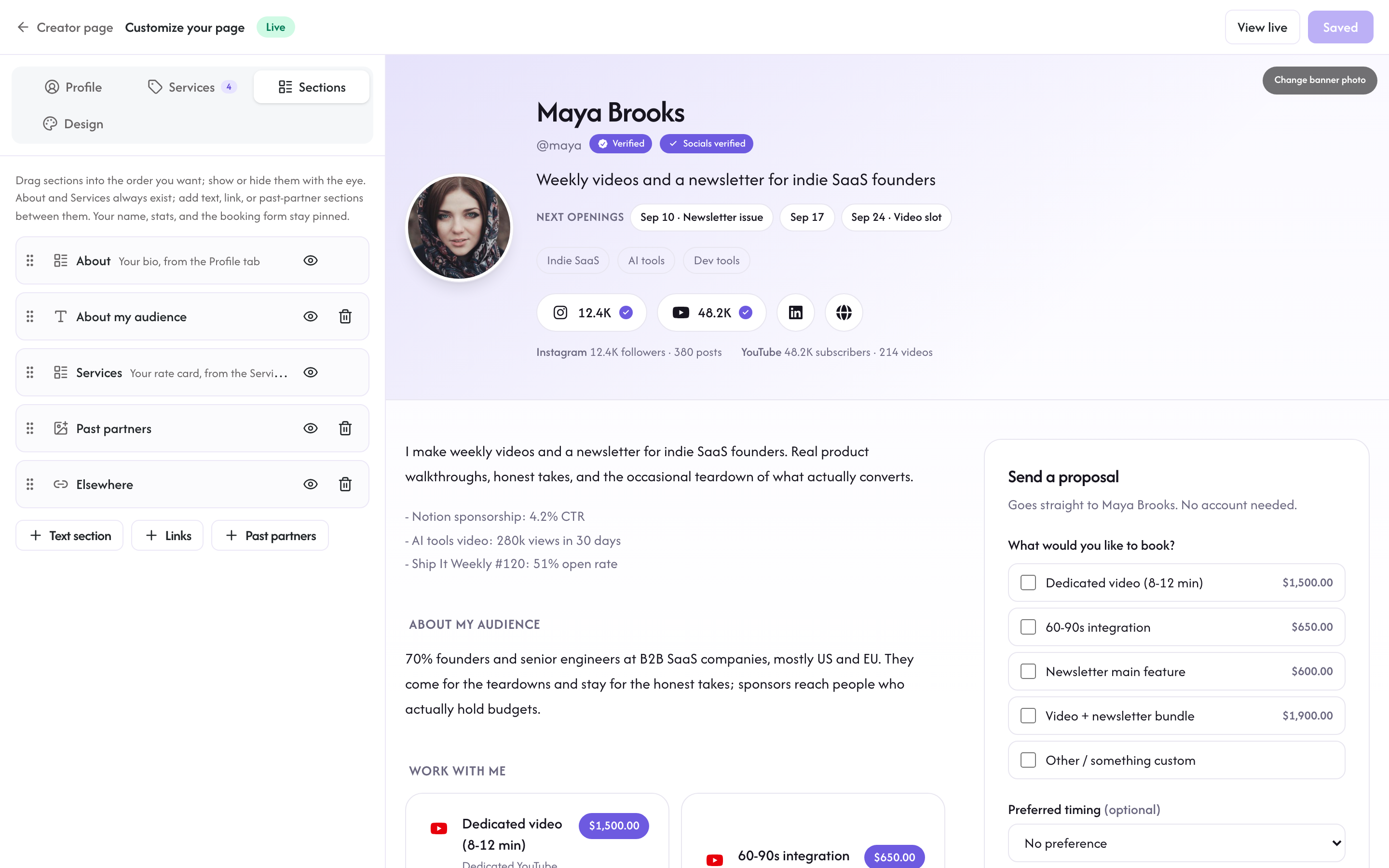
Beyond the built-in About and Services sections, you can add up to 12 of your own:
- Text section: a title and a short text, up to 4,000 characters. Good for "How I work", testimonials, or anything your page is missing.
- Links: a titled list of up to 12 links, each with its own label, so your link-in-bio can live on the same page as your services.
- Past partners: a wall of brands you have worked with, up to 24. Each one is a brand name with an optional logo, uploaded like any page photo; entries without a logo show as simple text chips.
Hidden sections stay in the builder but never render publicly.
Design
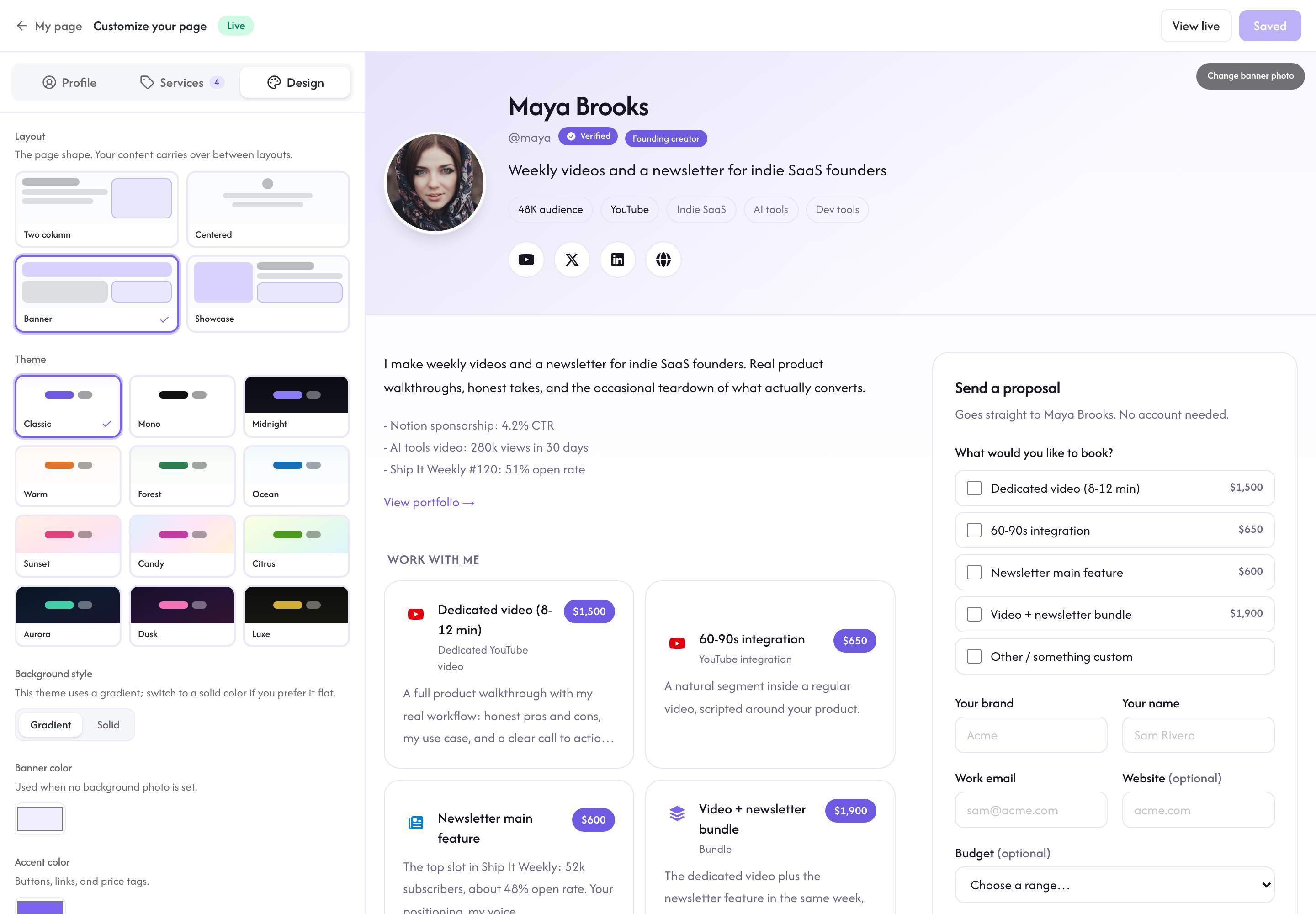
- Layout: four arrangements: banner (photo band on top), centered, two-column, and showcase (full-height side photo).
- Theme: 12 palettes from clean white (Mono) to dark (Midnight, Aurora, Luxe). Themes with a gradient background also offer a solid-color switch.
- Banner color: on banner and showcase layouts, the color used when you have no background photo.
- Accent color: any hex color for buttons, links, and price tags. Rekomi keeps the text on top readable automatically.
- Background photo: a wide photo (PNG, JPG, or WebP, up to 5MB). Where it appears depends on the layout: the top band on banner, the side panel on showcase, or behind the whole page on centered and two-column.
Preview and publish
"Open full preview" shows the page exactly as a visitor will see it, marked "Draft preview. Only you can see this." The form is visible but disabled until you publish.
Save keeps your draft; Publish puts it live at rekomi.com/@you immediately and takes you back to your Creator page. Publish needs two things: your name under About you, and at least one verified social account (hit Verify on a platform row under Links). The bar above the editor names whichever one is still missing. You can keep editing after publishing; saves to a live page apply right away.