

OAuth 2.0
Authorization Code + PKCE flow for third-party app integrations.
Rekomi runs a standards-compliant OAuth 2.0 authorization server at api.rekomi.com/connect/*. Build a "Connect to Rekomi" button into your app and your users delegate access to their Rekomi account without copy-pasting an API key.
OAuth 2.0 is preferred over API keys when:
- You are building an integration that distributes to multiple Rekomi brands (not just your own org).
- You want the user to pick their own scope (read vs read_write) at consent time.
- You need refresh-token rotation rather than long-lived static keys.
- You need your tokens to be revocable from the user's Rekomi dashboard.
If you are only integrating with your own organization, API keys remain the simpler path.
What you get
| Spec | Status |
|---|---|
| Authorization Code flow + PKCE (S256) | Mandatory |
| Refresh tokens with rotation + reuse detection | Yes |
| Token revocation (RFC 7009) | Yes |
| Token introspection (RFC 7662) | Yes |
| Reference tokens (opaque, DB-stored, revocable) | Yes |
| Issuer claim in authorization response (RFC 9207) | Yes |
Public clients (browser-only apps) and confidential clients (server-side apps with a stored secret) are both supported. PKCE is required for every client regardless of type.
Endpoints
| Endpoint | Method | Purpose |
|---|---|---|
https://api.rekomi.com/connect/authorize | GET / POST | Start the authorization flow. Redirects browser to the consent screen. |
https://api.rekomi.com/connect/token | POST | Exchange code for tokens or rotate a refresh token. |
https://api.rekomi.com/connect/revoke | POST | Revoke an access or refresh token (RFC 7009). |
https://api.rekomi.com/connect/introspect | POST | Validate a token + read its scopes / subject / expiry (RFC 7662). |
Staging: replace api.rekomi.com with api-staging.rekomi.com in every URL above. The two environments have entirely separate client registrations, tokens, and authorizations.
Register your client
To register a client, contact support@rekomi.com with:
- Your app's display name (rendered on the consent screen).
- Your app's logo URL (https only).
- Client type:
confidential(server holds a secret) orpublic(browser app). - Redirect URIs: one or more https URLs the user is sent back to after consent. Wildcards are not permitted; exact-match enforcement per RFC 6749 Section 3.1.2.
- Requested scopes:
read,read_write, and/oroffline_access.
You receive a client_id and (for confidential clients) a client_secret. The plaintext secret is shown EXACTLY ONCE; store it immediately. If lost, request rotation from support.
Self-service client registration is on the roadmap. Until then, manual registration keeps the consent screen free of low-quality / spammy "apps" users would have to learn to distrust.
First-party clients
Rekomi maintains its own registered OAuth clients for first-party integrations. The first one is Zapier (the consent screen shows the app name Zapier), the no-code automation surface that lets brands wire Rekomi into 8,000+ other apps. End users connect it the same way they would connect any third-party OAuth app: click Connect in Zapier, get redirected to the consent screen at app.rekomi.com/oauth/authorize, pick an org, click Allow. There is nothing to install or configure on the brand side beyond the consent click.
If you are an end user trying to connect Zapier (not a developer building your own OAuth client), skip the rest of this page and head to the Zapier integration guide.
Scopes
Three scopes today:
read, view campaigns, affiliates, conversions, payouts, account profile. No mutations.read_write, everything inread, plus create campaigns, approve affiliates, mint coupons, issue payouts, modify account settings.offline_access, request this alongsidereadorread_writeto receive a refresh token. Without it, the token response contains an access token only.
Hierarchy: read_write satisfies any read requirement. read does NOT satisfy a read_write requirement. Request the narrowest scope your integration actually needs; users see the requested scope set on the consent screen and we recommend offering them the choice to narrow further.
Only an organization Owner can approve a read_write grant; members with lower roles can approve read-only access. A non-Owner attempting to grant read_write receives 403 insufficient_role.
The flow
1. Send the user to the authorization endpoint
GET https://api.rekomi.com/connect/authorize
  ?response_type=code
  &client_id=YOUR_CLIENT_ID
  &redirect_uri=https://yourapp.example.com/oauth/callback
  &scope=read_write offline_access
  &state=A_RANDOM_STRING_TO_VERIFY_LATER
  &code_challenge=BASE64URL_S256_HASH_OF_VERIFIER
  &code_challenge_method=S256
code_challenge is the SHA-256 hash of a random 43-128 character code_verifier you generate, then base64url-encoded with no padding. Save the verifier for step 3.
state is your CSRF defense; we mirror it back to your callback verbatim, and you must reject the callback if the value does not match what you sent.
The browser is redirected through the consent screen at app.rekomi.com/oauth/authorize. The user signs in if they are not already; the consent screen shows the organization the grant will be bound to (the currently active one), along with the app identity and requested scopes. To authorize a different organization, the user switches organizations in the dashboard first, then restarts the flow. They then click Allow or Deny.
2. Handle the callback
After consent, the user is redirected back to:
https://yourapp.example.com/oauth/callback
  ?code=ONE_TIME_AUTHORIZATION_CODE
  &state=A_RANDOM_STRING_TO_VERIFY_LATER
  &iss=https://api.rekomi.com
Verify state matches what you sent in step 1. Verify iss is https://api.rekomi.com (or your staging issuer). If either check fails, abort the flow.
If the user clicked Deny, you receive:
?error=access_denied
  &state=A_RANDOM_STRING_TO_VERIFY_LATER
3. Exchange the code for tokens
POST to the token endpoint within 60 seconds (codes expire that fast):
POST /connect/token HTTP/1.1
Host: api.rekomi.com
Content-Type: application/x-www-form-urlencoded

grant_type=authorization_code
&code=ONE_TIME_AUTHORIZATION_CODE
&redirect_uri=https://yourapp.example.com/oauth/callback
&client_id=YOUR_CLIENT_ID
&client_secret=YOUR_CLIENT_SECRET
&code_verifier=THE_VERIFIER_FROM_STEP_1
Response:
{
  "access_token": "an-opaque-reference-token-256-bits",
  "token_type": "Bearer",
  "expires_in": 3600,
  "refresh_token": "another-opaque-reference-token",
  "scope": "read_write"
}
access_token is a reference token, NOT a JWT. It is opaque. Store it as-is; do not attempt to decode.
4. Call the Rekomi API
GET /api/v1/programs HTTP/1.1
Host: api.rekomi.com
Authorization: Bearer ACCESS_TOKEN_FROM_STEP_3
The bearer authenticates AND identifies the organization the user granted consent for. You do NOT need to send a separate organization header; the org binding was locked at consent time and is enforced on every request.
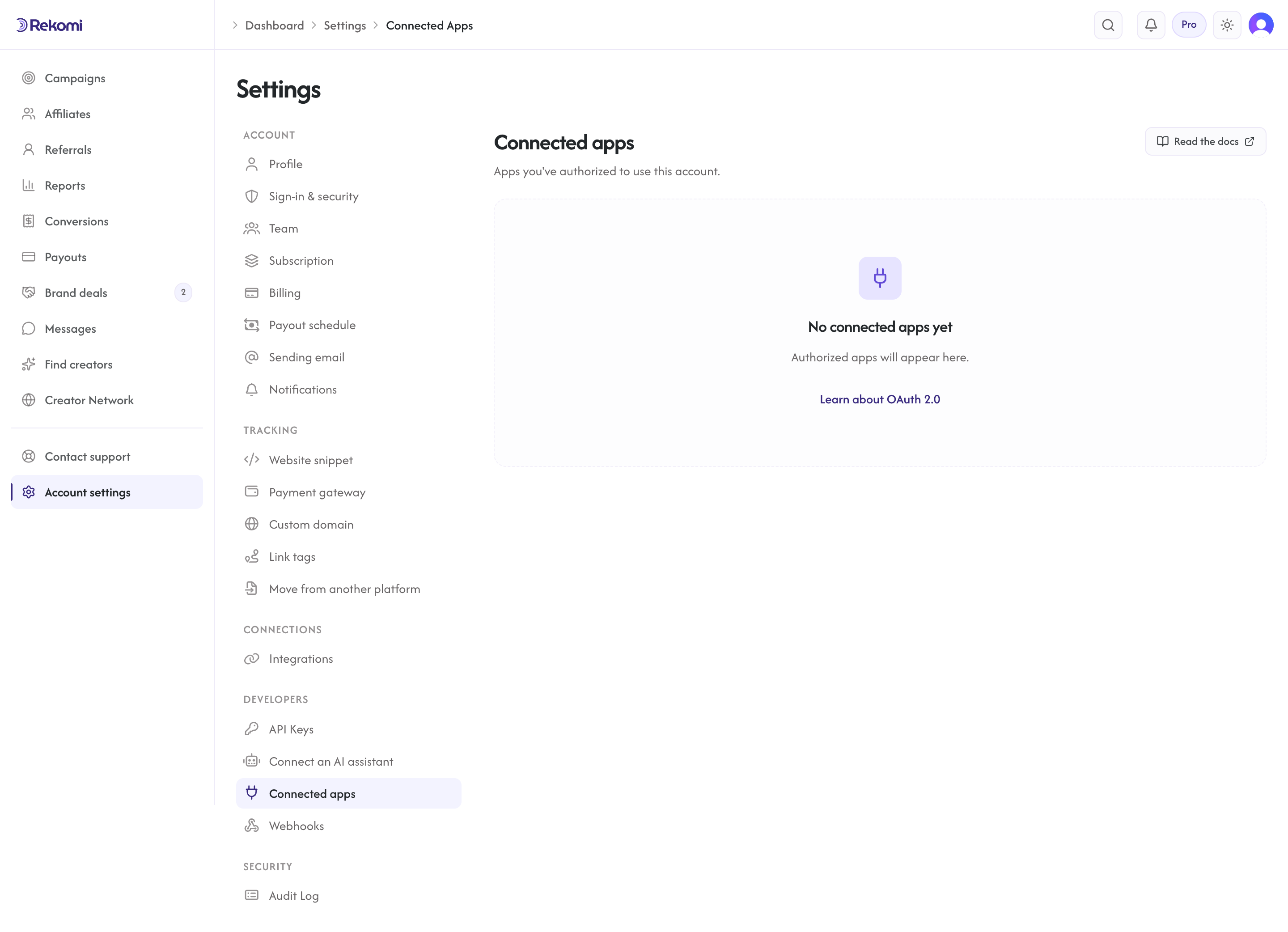
If the user revokes your authorization from app.rekomi.com/dashboard/settings/connected-apps, the next API call returns 401 Unauthorized. Refresh-token attempts that follow will also 401. Before any app has been authorized, that page shows an empty state; once an integration connects, it appears there with a revoke control.
5. Refresh tokens
Access tokens expire after 1 hour. When you get a 401, rotate the refresh token:
POST /connect/token HTTP/1.1
Host: api.rekomi.com
Content-Type: application/x-www-form-urlencoded

grant_type=refresh_token
&refresh_token=YOUR_REFRESH_TOKEN
&client_id=YOUR_CLIENT_ID
&client_secret=YOUR_CLIENT_SECRET
Response shape matches step 3. Important: the response includes a new refresh_token. The old one is immediately revoked. Reusing an old refresh token causes the entire token family to be revoked (Rekomi follows the OAuth 2.0 Security Best Current Practice draft on this). After family revocation, the user must reconnect from scratch.
Refresh tokens last 30 days. Active integrations (refreshing within the 30-day window) effectively never need user reauthorization.
6. Revocation
If your integration is uninstalled, revoke any tokens you hold:
POST /connect/revoke HTTP/1.1
Host: api.rekomi.com
Content-Type: application/x-www-form-urlencoded

token=ACCESS_OR_REFRESH_TOKEN
&token_type_hint=access_token
&client_id=YOUR_CLIENT_ID
&client_secret=YOUR_CLIENT_SECRET
A 200 response means the token is no longer valid. Per RFC 7009, you always get a 200 if your client credentials are valid; the response body is empty.
Errors
| HTTP | OAuth error | Meaning |
|---|---|---|
| 400 | invalid_request | Missing or malformed parameter. |
| 400 | invalid_grant | Code expired, already used, or refresh token revoked. |
| 401 | invalid_client | client_id or client_secret wrong. |
| 401 | invalid_token | Access token revoked or expired. Refresh and retry. |
| 400 | unsupported_grant_type | Only authorization_code + refresh_token are supported today. |
| 400 | unauthorized_client | client_id not allowed to use this grant type. |
| 400 | invalid_scope | Requested scope is not registered for this client. |
Token lifetimes
| Token | Default lifetime | Notes |
|---|---|---|
| Authorization code | 60 seconds | Single-use. Exchange within the window. |
| Access token | 1 hour | Reference token. Opaque. Revocable. |
| Refresh token | 30 days | Reference token. Rotates on every use. |
Lifetimes are currently the same for every client; contact support if your compliance needs differ.
Security expectations
- PKCE is mandatory. Public and confidential clients alike.
code_challenge_method=S256only. - Exact redirect_uri match. No wildcards, no port flexibility, no scheme tolerance.
- Reference tokens, not JWTs. Tokens are opaque IDs. Do not try to decode.
- Refresh rotation with family revocation. Reuse of a rotated refresh token revokes every token in the family.
- Revocation is immediate. When a user clicks Revoke in their dashboard, the next API call from your integration fails.
- No PII in URLs. Tokens NEVER appear in query strings. The authorization endpoint takes the OAuth params (which are not secret) only.
- Client secrets hashed at rest. We never store or log the plaintext.
- Tenant binding at consent time. A token granted in org A cannot read org B even if the same user is a member of both.
Worked example: minimal Node client
import crypto from "node:crypto";
import { URL, URLSearchParams } from "node:url";

const CLIENT_ID = process.env.REKOMI_CLIENT_ID;
const CLIENT_SECRET = process.env.REKOMI_CLIENT_SECRET;
const REDIRECT_URI = "https://yourapp.example.com/oauth/callback";

function base64url(buf) {
  return Buffer.from(buf).toString("base64").replace(/\+/g, "-").replace(/\//g, "_").replace(/=+$/, "");
}

// Step 1: build the authorize URL
export function buildAuthorizeUrl() {
  const codeVerifier = base64url(crypto.randomBytes(64));
  const codeChallenge = base64url(crypto.createHash("sha256").update(codeVerifier).digest());
  const state = base64url(crypto.randomBytes(32));

  const url = new URL("https://api.rekomi.com/connect/authorize");
  url.searchParams.set("response_type", "code");
  url.searchParams.set("client_id", CLIENT_ID);
  url.searchParams.set("redirect_uri", REDIRECT_URI);
  url.searchParams.set("scope", "read_write offline_access");
  url.searchParams.set("state", state);
  url.searchParams.set("code_challenge", codeChallenge);
  url.searchParams.set("code_challenge_method", "S256");

  // Stash codeVerifier + state in the user's session for the callback to read.
  return { authorizeUrl: url.toString(), codeVerifier, state };
}

// Step 3: exchange code for tokens
export async function exchangeCode({ code, codeVerifier }) {
  const body = new URLSearchParams({
    grant_type: "authorization_code",
    code,
    redirect_uri: REDIRECT_URI,
    client_id: CLIENT_ID,
    client_secret: CLIENT_SECRET,
    code_verifier: codeVerifier,
  });

  const res = await fetch("https://api.rekomi.com/connect/token", {
    method: "POST",
    headers: { "Content-Type": "application/x-www-form-urlencoded" },
    body,
  });

  if (!res.ok) throw new Error(`Token exchange failed: ${res.status}`);
  return res.json(); // { access_token, refresh_token, expires_in, scope, token_type }
}

// Step 5: refresh
export async function refresh({ refreshToken }) {
  const body = new URLSearchParams({
    grant_type: "refresh_token",
    refresh_token: refreshToken,
    client_id: CLIENT_ID,
    client_secret: CLIENT_SECRET,
  });
  const res = await fetch("https://api.rekomi.com/connect/token", {
    method: "POST",
    headers: { "Content-Type": "application/x-www-form-urlencoded" },
    body,
  });
  if (!res.ok) throw new Error(`Refresh failed: ${res.status}`);
  return res.json();
}
Audit + observability
Every consent grant, token issuance, refresh, dashboard revocation, and detected token reuse writes an audit row visible to organization owners under /dashboard/settings/audit-log.
Action names you will see:
oauth.consent.granted, user clicked Allow on the consent screen.oauth.consent.revoked, user clicked Revoke in their Connected Apps page.oauth.token.issued, authorization code exchanged for tokens.oauth.token.refreshed, refresh rotation succeeded.oauth.token.reuse_detected, a previously-rotated refresh token was reused; the entire family was revoked.
Comparison with API keys
| Capability | API key | OAuth 2.0 |
|---|---|---|
| Setup time | Seconds | Minutes (client registration) |
| Suited for | Your own org | Multi-tenant integrations |
| Token shape | rk_live_* static string | Opaque reference token |
| Refresh | None (long-lived) | Yes (30d rotation) |
| User-visible in dashboard | Settings → API Keys | Settings → Connected Apps |
| User can revoke independently | Owner-only | Yes (any time) |
| Scope selection | At creation | At consent time |
| Per-user attribution | No (org-level) | Yes (Clerk user is the Subject) |
Pick API keys for your own internal automation. Pick OAuth 2.0 when distributing to other brands.
Authentication
Bearer API keys, scopes, signing secrets, rotation, and revocation.
Server-to-server tracking
HMAC-signed conversion ingest for any payment gateway beyond the native Stripe, Paddle, Braintree, Shopify, Wix, BigCommerce, Lemon Squeezy, Chargebee, Polar, Recurly, Gumroad, Creem, Dodo Payments, and Mollie connections.