

Klaviyo
Connect Klaviyo so approved affiliates land in a Klaviyo list automatically.

Rekomi's Klaviyo integration subscribes every approved affiliate to a Klaviyo list you pick, then records email marketing consent best-effort.
What syncs
When an affiliate is approved (or, optionally, when they apply), Rekomi runs a three-step sequence:
POST /api/profiles/creates or matches the profile withemail,first_name,last_name(an existing email returns the existing profile's ID, no duplicate is created).- The profile is attached to your chosen list via the list-relationship endpoint. Both steps are synchronous, so a "Succeeded" in Rekomi means the profile really is on the list.
- Best-effort: a profile-subscription job records email marketing consent (
SUBSCRIBED) for the profile on that list. This step is asynchronous on Klaviyo's side and never fails the sync; if it can't run, the profile is still on the list but without recorded marketing consent, and Klaviyo flows gated on consent will skip it.
Double opt-in interaction: if your Klaviyo list has double opt-in enabled, step 3 triggers Klaviyo's confirmation email and the affiliate must click it before consent is recorded. With single opt-in lists, consent lands immediately. List membership from steps 1-2 happens either way.
Klaviyo handles dedup server-side. Re-subscribing the same email never duplicates the profile; their attributes update in place.
Finding your API key
In Klaviyo:
- Click your account name in the top right.
- Open Settings → API Keys.
- Click Create Private API Key. Give it a name like "Rekomi".
- Set the scopes Rekomi needs:
- Lists: Full Access (needed for the list picker and subscribe-to-list semantics).
- Profiles: Full Access (needed to create/update profiles).
- Subscriptions: Full Access (used by the best-effort marketing-consent step; the sync still succeeds without it, but consent won't be recorded).
- Accounts: Read Only (used by the test-connection ping; if missing, the test falls back to a one-item lists read).
- Save and copy the generated key. It starts with
pk_.
Important: the public site ID (a 6-character string visible in your Klaviyo URL) is not the same thing. Rekomi will refuse to connect if you paste the public ID, the form validates the pk_ prefix.
Connecting Klaviyo in Rekomi
- Go to Integrations in the dashboard sidebar.
- Click the Klaviyo card.
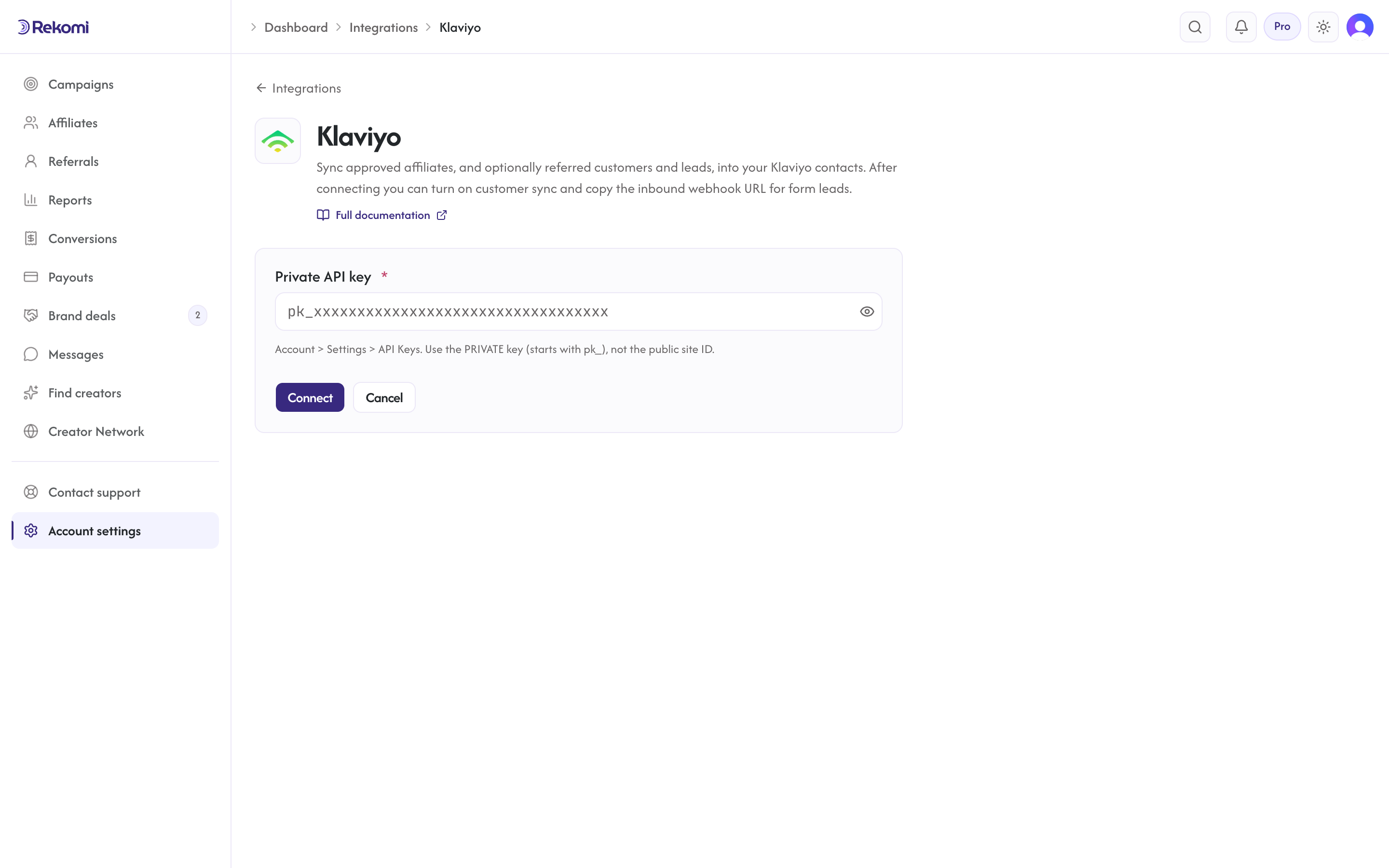
- Paste your private API key. Click Connect.
- Rekomi runs
GET /api/accounts/(with the requiredrevisionheader pinned to2025-04-15) to validate the key. Scoped keys withoutaccounts:readare fine; the test falls back to a one-item lists read. - Pick a default list from the List dropdown. The list picker hits Klaviyo's
/api/lists/endpoint, which caps page size at 10, Rekomi paginates via the cursor inlinks.nextand pulls up to 200 lists across pages.
Tags
Klaviyo doesn't have a tag concept in the same shape as Mailchimp. It uses lists + profile properties + segments. Rekomi's tag field is disabled on the Klaviyo card, segment logic happens in Klaviyo, not Rekomi.
To identify Rekomi-sourced profiles in Klaviyo, build a segment filtered on the list you've connected (or on a custom profile property you write yourself via Klaviyo's API). The "Rekomi affiliate" system tag concept from other CRMs doesn't map cleanly to Klaviyo's model.
Referred customers and leads (optional)
Turn on Sync referred customers and leads on the integration page and every sale or lead Rekomi attributes to an affiliate is written to Klaviyo as well, matched on email so existing contacts are updated, not duplicated. Each one carries:
- profile properties
rekomi_referral_link,rekomi_campaign,rekomi_referring_affiliate,rekomi_referring_affiliate_code,rekomi_last_event,rekomi_last_sale_amount - no tags (Klaviyo has none); build a segment on
rekomi_last_event - Affiliates synced by the section above also get
Rekomi referral link,Rekomi campaignandRekomi affiliate statusin the same fields, so you can merge a partner's link into your emails.
Refunded, denied and fraud-quarantined conversions are never pushed, and imported historical conversions are skipped. It is off by default.
When sync fires
- Default: only
Approvedaffiliates sync. - Optional: enable "Include applicants before approval" on the provider's settings card to also sync
Pendingaffiliates immediately on apply.
Per-campaign overrides
Each campaign can route to a different Klaviyo list or skip Klaviyo entirely. Open the campaign's Settings tab and scroll to the CRM sync for this campaign section to set:
- A campaign-specific list.
- A per-campaign disable toggle.
Per-affiliate sync visibility
The affiliate detail page's CRM sync panel shows the per-CRM status for each affiliate, including Klaviyo. The Resync button clears prior job rows and re-fires through the worker.
Troubleshooting
- "Use the PRIVATE key (starts with 'pk_')", You pasted the public site ID. Re-copy from Klaviyo Settings → API Keys (the private key, not the site ID).
- "Couldn't load lists: 400, Page size must be an integer between 1 and 10", Old Rekomi build pre-fix. Your current build paginates correctly; if you see this, hard-refresh.
- 403 on subscribe, Your private API key is missing the Profiles: Full Access scope. Update the scopes in Klaviyo and click Resync on the affected affiliate. Repeated auth failures also mark the integration "action needed" and trigger a reconnect email; after fixing the key, use Resync all on the Failed tile.
- Profile is on the list but flows don't send to it, The profile landed via the synchronous steps but marketing consent wasn't recorded, either the consent job couldn't run (missing Subscriptions scope) or your list uses double opt-in and the affiliate hasn't confirmed yet. Check the profile's consent status in Klaviyo.
A note on the API
Rekomi uses Klaviyo's JSON:API surface (revision 2025-04-15). Every request must carry:
Authorization: Klaviyo-API-Key pk_...revision: 2025-04-15accept: application/vnd.api+jsoncontent-type: application/vnd.api+json(for writes)
Brackets in query strings are URL-encoded (%5B and %5D) because Klaviyo's edge rejects literal brackets. None of this affects your usage, it's all internal to Rekomi's provider client.
Disconnecting
Click Disconnect on the Klaviyo connect page. The integration row + any per-campaign overrides are deleted. Historical sync rows are preserved for audit.
See the klaviyo integration overview on the marketing site for use-cases, persona fit, and unique automation patterns.