

Quickstart for affiliates
Sign up, set up your creator profile, and apply to your first campaign.
This guide walks you from "I have an audience" to "I have a tracking link and I am earning commission". Total time: about fifteen minutes.
1. Get into Rekomi
There are two ways to land in your creator dashboard for the first time:
- You applied to a brand's campaign first. The moment you apply, Rekomi emails you a 6-digit code; enter it and you land in your dashboard, with your account created on the spot if you are new (no password or sign-up form) or signed in if your email already has one. Your application attaches to your account automatically by email, and the campaign appears in
/aas under review. Your referral link unlocks the moment the brand approves you. This is the most common path. If you close the tab before finishing, the approval email also carries a one-click sign-in as a backup. - You're starting from scratch (no application yet). Go to rekomi.com/sign-up and pick "I'm a creator". You sign up with email and password or a Google account. When your account is created, Rekomi sets up your creator profile automatically; you fill in the details next.
Either way, no payment information yet; you set that up later when you have earnings to collect.
2. Build your creator profile
You land on /a (your affiliate home).
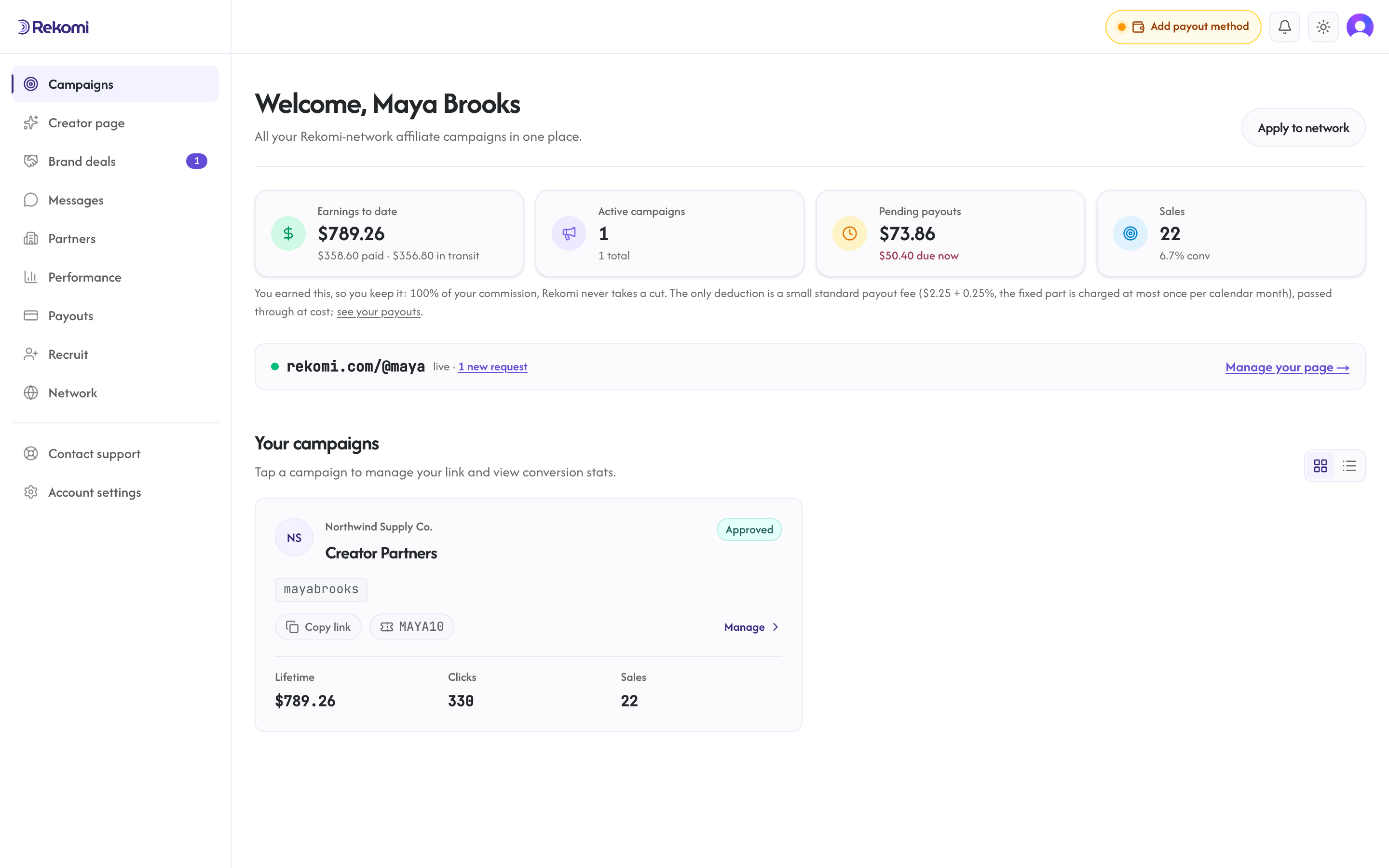
The screenshot above shows the home page once you are up and running. On your first visit, the dashboard prompts you to finish your creator profile: a short one-page setup asks for your bio, niche, audience details, and the country where you want to receive payouts. Your bio, niche, and payout country are required to complete setup; everything else is optional, and you can edit it all later from Settings.
Fields worth filling:
- Bio (required): two or three sentences about what you do.
- Niche (required): the topic area you cover (SaaS, AI tools, productivity, design, etc.).
- Payout country (required): the country where you want to receive payouts.
- Verified socials: connect your accounts from your Creator page so brands see live, checked follower counts instead of a typed estimate.
- Portfolio URL: link to your best content. Reviewers look at this when evaluating applications.
- Recent results: short bullet of recent wins (a popular video, a viral tweet, a paid placement).
A complete profile dramatically improves your approval rate when you apply to campaigns.
3. Browse and apply
The creator network is launching soon. When it opens, /a/network will show curated campaigns you can browse by brand category and search; each card shows the brand logo and name, the campaign, its real commission terms (rate, recurring or not, cookie window), an instant-approval badge when it applies, and a trust line showing whether the brand has a verified payout method and a history of sent payouts. Every campaign in the network belongs to a brand with an active paid plan and payout funding in place. Until then, brand invite links and direct application pages work today.
When you find a campaign worth promoting:
- Read the campaign description and commission summary.
- Write a short pitch: how you would promote it, what audience you would target, what content you would create.
- Click apply.
Your application goes into the campaign's review queue. Status flows: Submitted -> UnderReview -> Approved | Rejected.
You can also apply directly via a brand's public application page if they share a {brand}.rekomi.com/{campaign} URL with you. See Direct applications.
4. Once approved
The campaign flips from under review to active in /a on its own, and your referral link and stats appear there automatically. There is nothing extra to click. We also email you when you are approved, and that email has a one-click sign-in if you are not already signed in (single-use, expires in 14 days). If you closed the tab before creating your account, use Create your account with the same email you applied with and your application links automatically.
Your referral link name (the industry calls this a slug) is your unique identifier: your referral link, shared across every campaign you join. You add it to any link to the brand, usually as ?via=your-name. On sale-model campaigns you can also create extra product or page links from the campaign page; see Tracking link.
https://thebrand.com/?via=your-nameSome brands use a custom parameter name instead of via; each campaign page shows the exact link format to use for that brand. You can see and change it in Settings.
Share these links anywhere: your bio, your video descriptions, your blog posts, your newsletter. Every click that turns into a customer earns you commission.
5. Connect Stripe for payouts
When you start earning, you need somewhere to receive the money. Go to /a/settings and pick the country where you are based.
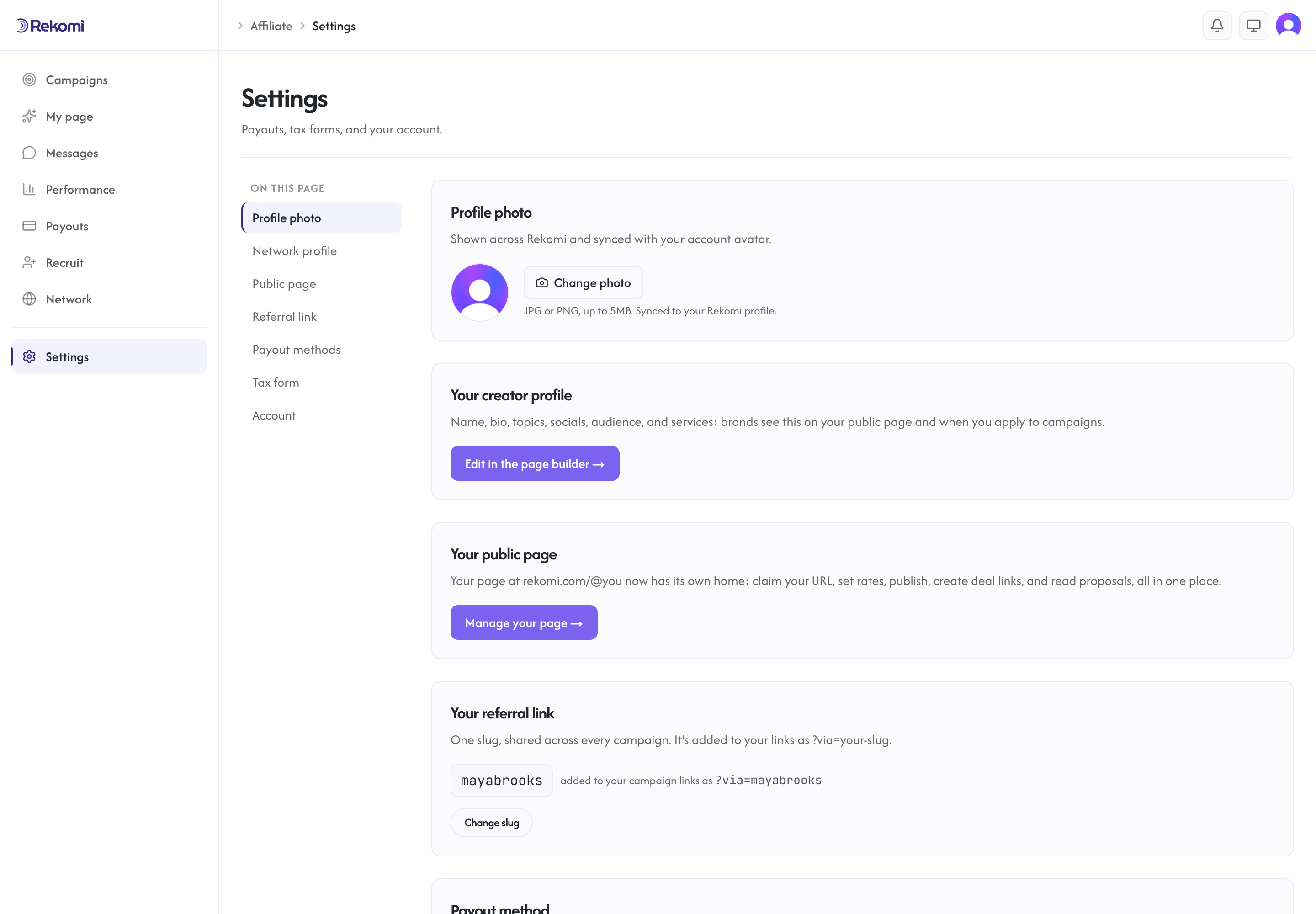
Rekomi shows the right payout method for your country: Stripe Express where Stripe is supported (the U.S. and 41 other countries), direct bank deposits in 60 more, and PayPal in 30 more, 130+ combined. For Stripe, click "Connect with Stripe" and complete Express onboarding (about 10 minutes for U.S. residents, longer for international). For bank deposits, add your bank details on a secure Stripe form (a couple of minutes). For PayPal, add your PayPal email in Settings. Your payout method applies to every campaign you join.
6. File your tax form
If you are based in the U.S. and are paid at or above the IRS reporting threshold in a calendar year ($2,000 for 2026 payments, counted on payments made rather than commissions earned), the IRS requires you to provide your tax info (Form W-9). If you are outside the U.S., you provide W-8BEN (individuals) or W-8BEN-E (businesses).
If you're paid through Stripe, Stripe collects your tax details (W-9 for U.S. creators, W-8 otherwise) during payout onboarding and holds the form, so there's nothing to upload in Rekomi. Creators paid via PayPal or bank deposit upload a W-8 in Settings; those payouts are held until it is on file.
What's next
- Tracking link: how the link actually works.
- Earnings: conversion list, statuses, refund handling.
- Payouts: when and how the money lands.