

For brandsCRM integrations
Brands
Listrak
Connect Listrak so approved affiliates land in your email list.
Rekomi's Listrak integration uses OAuth2 client_credentials to obtain a short-lived Bearer token, then POST /email/v1/List/{listId}/Contact with emailAddress, subscriptionState: "Subscribed".
Connecting
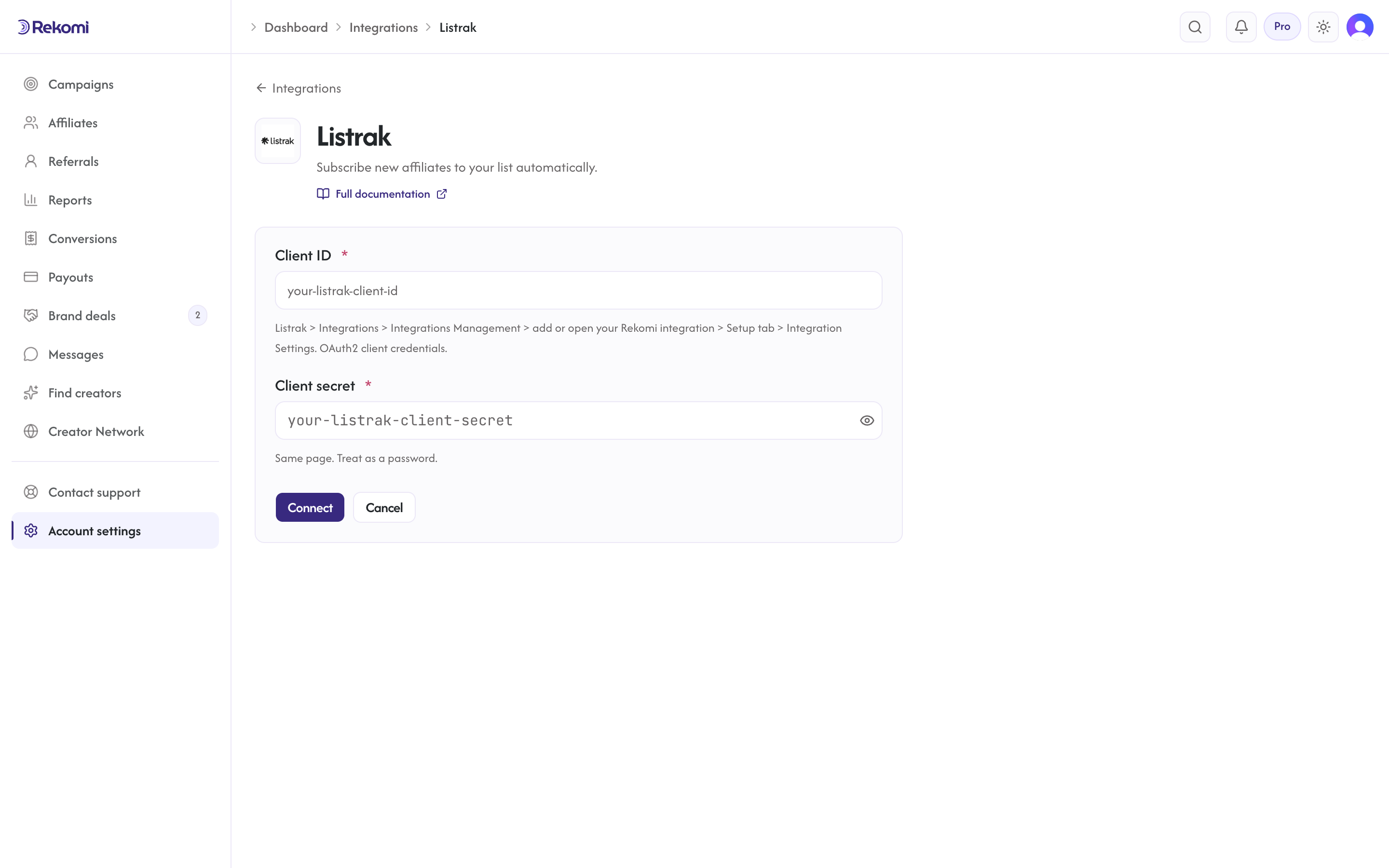
- Listrak > Integrations > Integrations Management > add (or open) your Rekomi integration > Setup tab > Integration Settings. Copy the client ID + client secret.
- In Rekomi, Integrations > Listrak, paste both, click Connect.
- Pick a list.
Tags
Listrak uses segmentation fields by numeric ID instead of tags. Rekomi does not show a tags input for Listrak.
Provider notes
- OAuth2 client_credentials grant, token refreshed per provider operation.
- 429 honors
Retry-After. - Disconnect deletes the integration row.
See the listrak integration overview on the marketing site for use-cases, persona fit, and unique automation patterns.