

AI co-pilot
Growth+ feature. Customer-to-affiliate scan and outreach drafting on the Affiliates page, AI rate recommendations on each campaign's Commission tab.
The AI co-pilot is a set of AI features built into the workflows they inform, not a separate page. It requires the Growth plan or higher (trial accounts on Growth can use it during the trial). The features are powered by Anthropic Claude with a daily usage cap per organization.
There used to be a standalone
/dashboard/ai-copilotpage. It now redirects to/dashboard/affiliates, where the customer scan and outreach features live. Rate analysis lives on each campaign's Commission tab.
What it does
Customer scan (find affiliates among your customers)
On the Affiliates page, open Invite affiliates and switch to the From customers tab. Click Run scan and the AI reads your Stripe customers, ranks them by how likely they are to make good affiliates, and returns a shortlist with a short reason for each pick. You check the candidates you want, pick the campaign, edit the invitation message, and send. Invites land in the normal Invites tab like any other invite.
The scan runs on demand (nothing is scanned until you click the button), and you always decide who actually gets invited.
Endpoints, if you prefer the API: POST /api/ai/candidates returns the ranked list, POST /api/ai/invite sends invites to the candidates you selected.
Outreach drafting
The AI can draft a personalized invitation email for a candidate in one of three tones: founder-direct, formal, or casual. You provide the recipient, the campaign name, and any context; it returns a subject and body for you to review and edit.
Rekomi never auto-sends AI-drafted outreach. Drafts are drafts; you stay in control of what goes out. The endpoint is POST /api/ai/outreach-draft.
Rate analysis
Each campaign's Commission tab has an AI rate recommendations panel. Click Run analysis and the AI reviews the campaign's settings together with your workspace-wide conversion data and suggests rate adjustments, with reasoning and a recommended action where it has one. Nothing auto-applies: you review the suggestions and tune the tiers above the panel yourself.
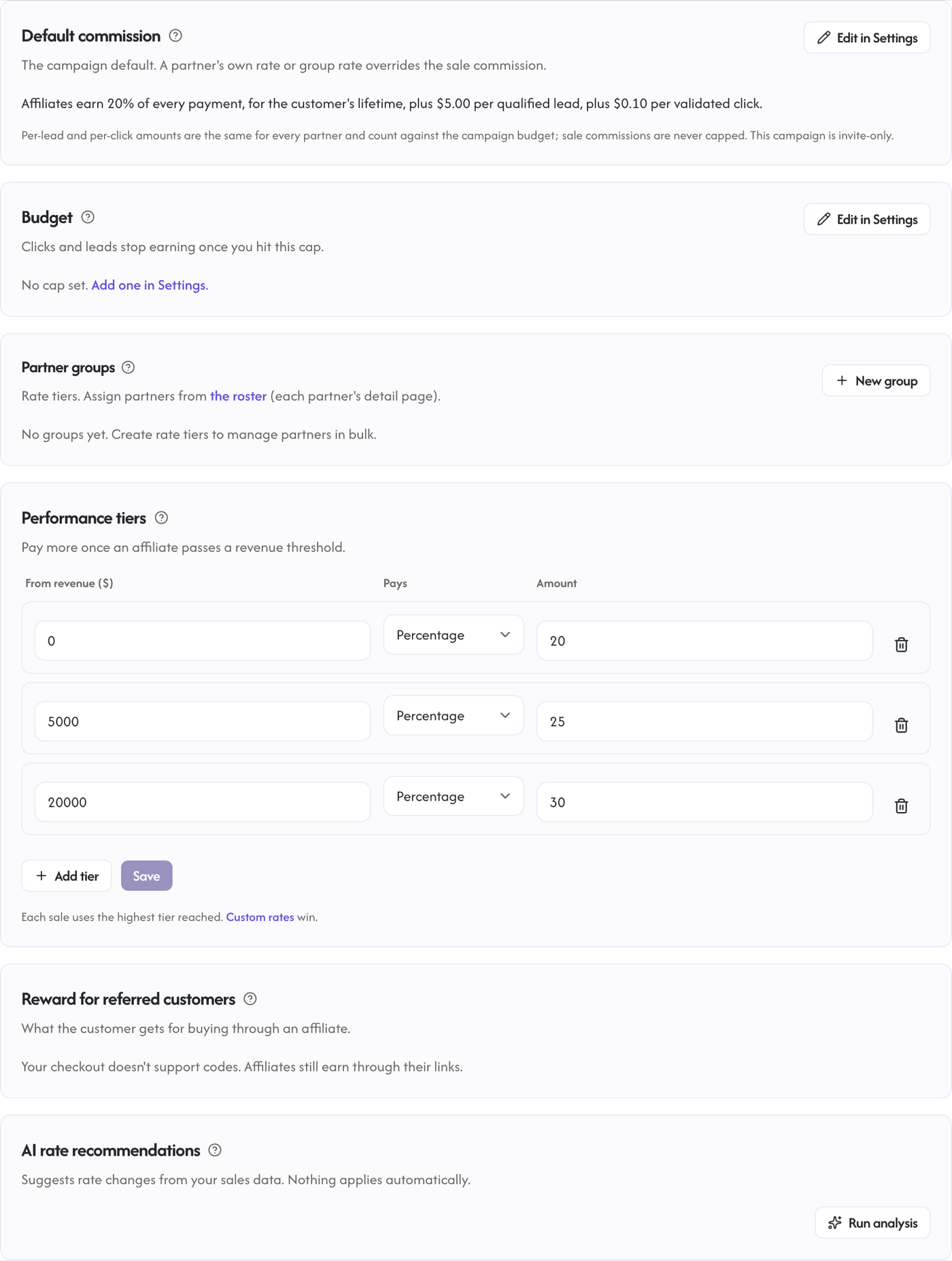
The analysis uses only your own organization's data: the campaign's settings plus your account-wide conversion statistics. There are no cross-organization benchmarks; your numbers are never pooled with other brands'. The endpoint is POST /api/ai/commission-analysis.
Usage limits
There is an org-wide daily cap on AI generations, shared across all three features. The default budget is 100 generations per day, and the counter resets at 00:00 UTC.
Exceeding the cap returns HTTP 429 with a Retry-After: 3600 header; try again later or the next UTC day.
Privacy
- The customer scan sends the model a truncated SHA-256 hash of each Stripe customer id, never the raw id.
- The behavioral features sent per customer are: conversion count, total conversion amount, and first and last conversion timestamps. No payment methods, no Stripe API keys, no social handles or website URLs.
- Any free text that reaches the model (for example customer-derived context) is fenced so it is treated as data, not as instructions.
- Anthropic's API operates under their commercial terms; your data is not used for model training.
When AI is not configured
The co-pilot runs on a single platform-managed model key; there is no bring-your-own-key option per organization. If AI is not configured for the platform, requests still succeed (HTTP 200) but return empty results with an "AI not configured" note, and the UI shows an empty state instead of an error.