

Messages
Every brand conversation in one inbox, in real time, without leaving Rekomi.
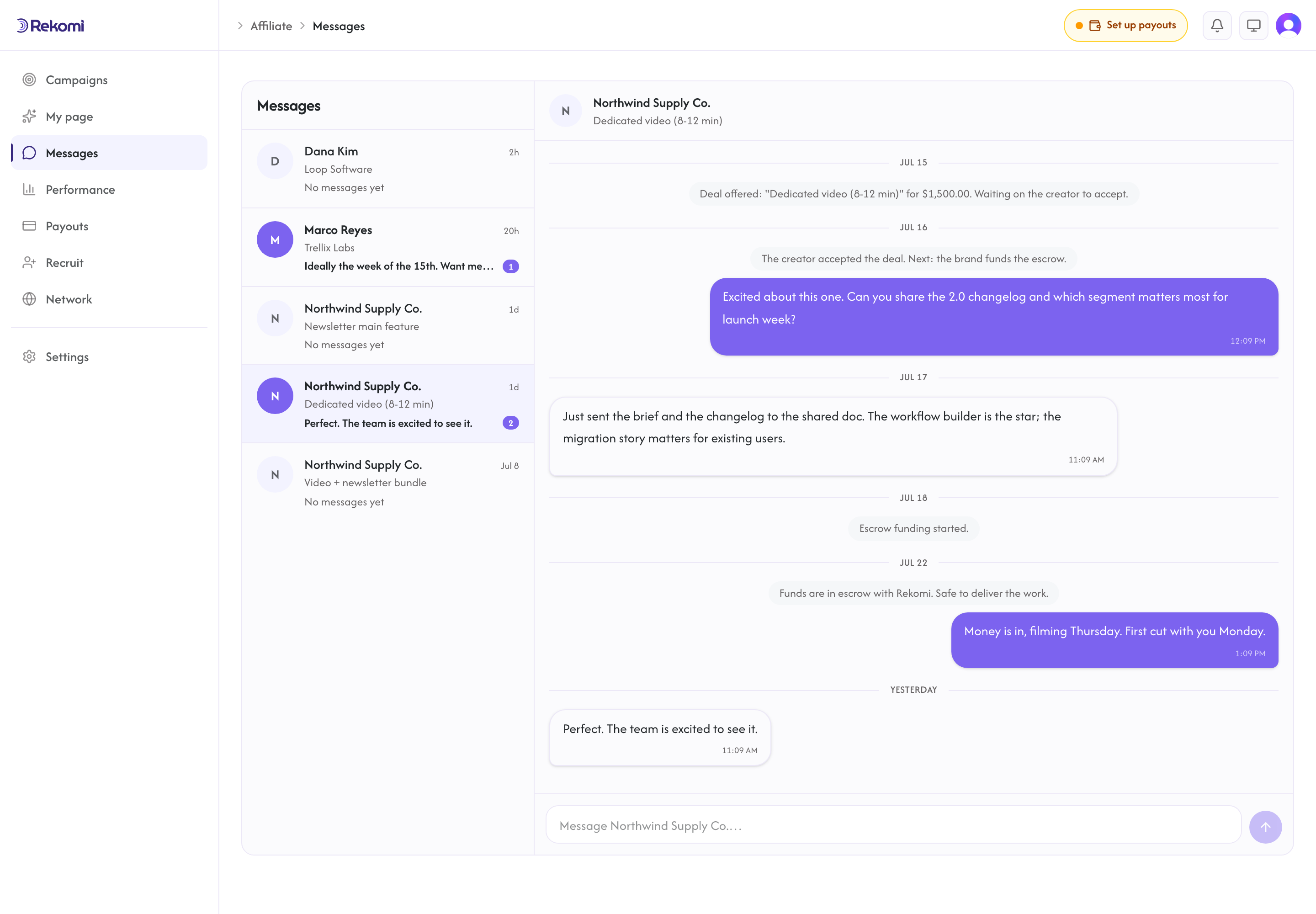
/a/messages is your inbox: one thread per booking request and per deal, conversations on the left, the chat on the right. It is live chat: messages appear instantly, and you see a typing indicator when the other side is writing.
How threads work
- A thread starts when a brand sends a request through your page, or when a deal is created.
- Deal threads carry the deal's history as system notes ("Funds are in escrow", "Payment released"), so the money status and the conversation live in one place.
- Unread counts show in the inbox, on your Brand deals cards, and in the sidebar.
Brands without accounts
When a brand contacts you through your page and you reply, they get an email with a private chat link. That link opens a live chat with you, no Rekomi account needed, and it keeps working for the life of the conversation. You will not notice a difference on your side; their messages arrive in the same thread. They can see any attachments you send, but sending files needs a Rekomi account, so guest brands write text only.
Email notifications
You get an email when a new message arrives and you are away. If you are looking at the thread, no email. If more messages arrive while you have not read the first, we stay quiet instead of stacking emails, with at most one reminder every few hours. Reading the thread resets it. The same rules apply to the brand's side.
Every notification email links straight to the exact thread.
Ground rules
- Messages are text, up to 4,000 characters, and can carry up to 5 attachments each: PNG, JPG, or WebP images and PDFs, up to 10MB per file. Images show inline; PDFs show as file chips.
- Keep conversations on Rekomi. Deals, delivery confirmations, and disputes all rely on the thread being here; it is also what lets us step in and help if something goes wrong (see Deals and getting paid).
- Threads on declined, cancelled, or expired deals close for new messages; the history stays readable.