

Notifications
Per-user email preferences for the active workspace, and what's always sent.
Each user can pick which emails they receive about workspace activity. Preferences are scoped to a single organization, so the same person can have a different mix per workspace they belong to.
Manage your preferences at /dashboard/settings/notifications.
What's user-overridable
Each toggle below is on or off per user, per workspace. Defaults are picked so a brand-new admin is notified about the things they'd want to know without being buried.
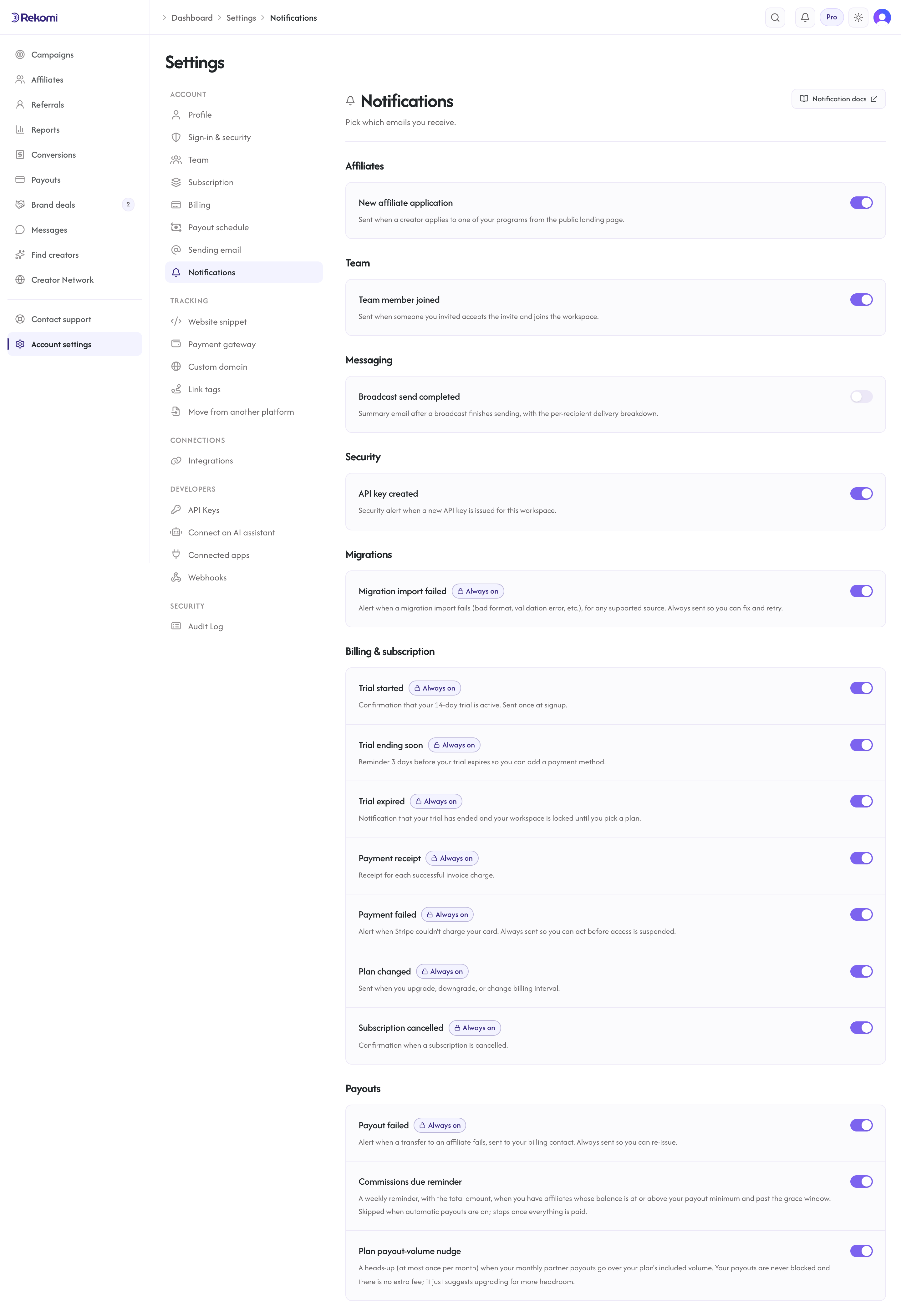
| Event | Default | Sent to |
|---|---|---|
| New affiliate application | On | Owner, Admin, Manager |
| Team member joined | On | Owner, Admin |
| Broadcast send completed | Off | Owner, Admin, Manager |
| API key created | On | Owner |
| Commissions due reminder | On | Owner, Admin |
| Plan payout-volume nudge | On | Owner, Admin |
This page only covers emails sent to you and your team. The automated emails Rekomi sends to your affiliates (payout notices, the welcome email, the commission-earned email, and the rest of the lifecycle catalog) are managed on each campaign's Emails tab, not here.
What's always sent (transactional)
These emails are tied to the legal, financial, or operational state of your account and cannot be disabled. They show in the settings UI with an "Always on" badge so you know what to expect in your inbox.
| Event | Sent to |
|---|---|
| Trial started | Billing contact |
| Trial ending soon | Billing contact |
| Trial expired | Billing contact |
| Payment receipt | Billing contact |
| Payment failed | Billing contact |
| Plan changed | Billing contact |
| Subscription cancelled | Billing contact |
| Migration import failed | Owner, Admin |
| Payout failed | Billing contact |
Billing and subscription notices (trials, payments, plan changes, cancellation) go to the workspace billing contact, independent of which users are members. Payout-failed alerts also go to the billing contact. Migration import failures fan out to the workspace Owners and Admins, since they're the ones who act on them.
How it works under the hood
- Your choices are stored per user, per workspace, per event. If you have never touched a toggle, the event's default applies.
- For each event, Rekomi finds the workspace members whose role is eligible, checks each person's preference, then sends.
- Always-on events skip preference checks entirely; they cannot be switched off.
The notification bell
Email is not the only channel. The bell in the dashboard top bar shows a badge with your unread count and opens a list of your most recent in-app notifications (it checks for new ones about once a minute). Clicking a notification takes you to the related page and marks it read; Mark all read clears the badge in one go.
Adding new notifications
When a new brand-facing email event is added to the catalog it appears in this list automatically; every entry renders as either a toggle or an "Always on" badge in the settings UI. The catalog covers emails to you and your team; affiliate-facing automated emails are catalogued separately on the Emails page.