

Install tracking
Pick the platform you bill on. Each install doc covers the exact UI navigation, the specific quirks, and the conversion-fire pattern for that platform.
Rekomi attributes affiliate conversions through one of three paths depending on where your customer's checkout lives. The right install is the one that matches your billing or hosting platform.
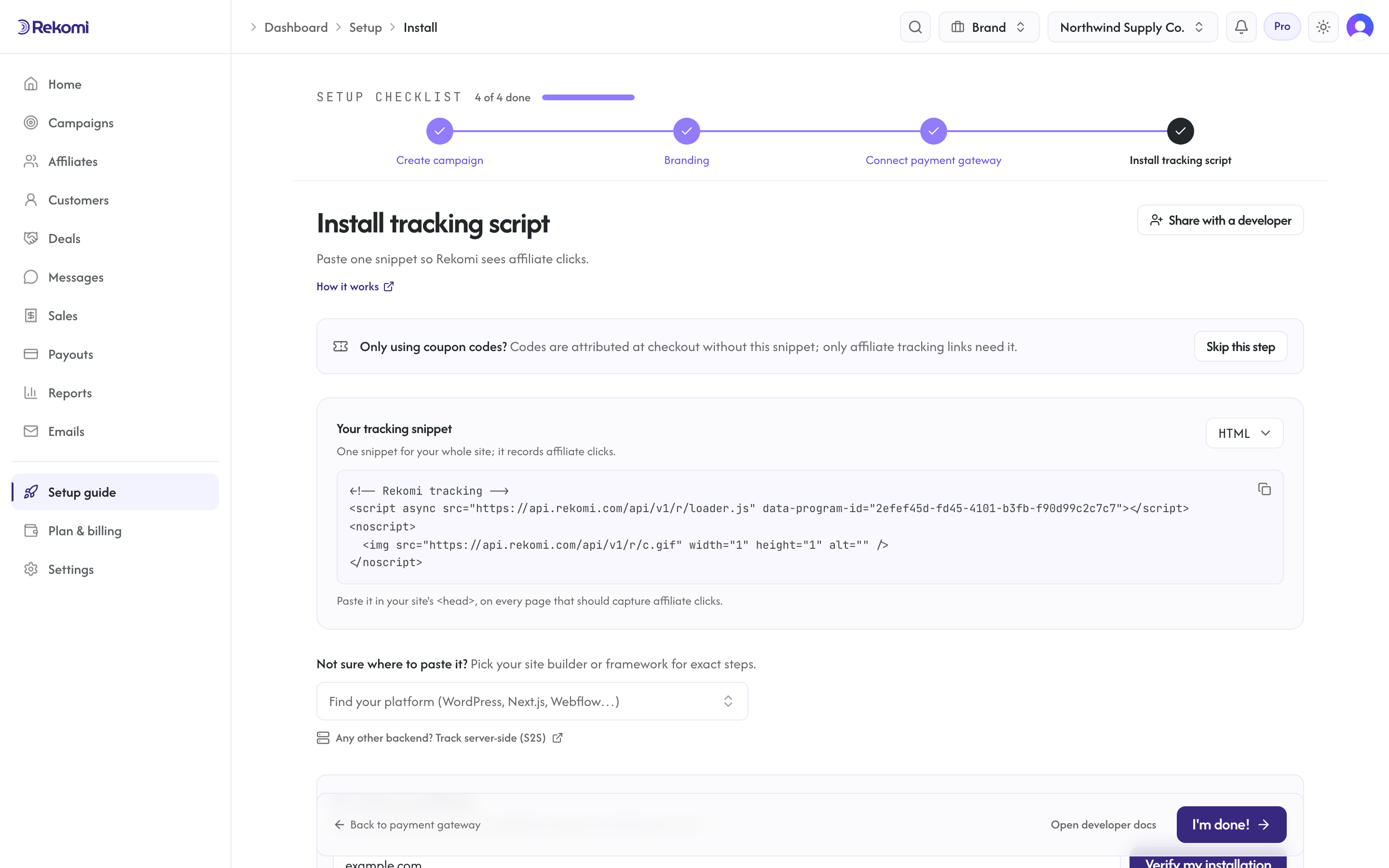
In the dashboard, the Install tracking script step at /dashboard/setup/install leads with your universal tracking snippet (a dropdown switches the paste form between HTML, Next.js, React, Vue/Nuxt, and Google Tag Manager), followed by a searchable platform picker grouped into site builders, frameworks and code, and payment gateway guides. Picking a platform there opens the same step-by-step recipes listed below. If your website runs on beehiiv, Kit, MailerLite, Ontraport or GoHighLevel, the step looks different: it says that the platform connection under Integrations credits sales, offers the script only as an optional click-stats tag, and picking one of those platforms opens its CRM page instead of a paste recipe.
Online stores
Shopify, Wix and BigCommerce each have a Rekomi app in their app store, and WooCommerce has the Rekomi WordPress plugin: install, pick a plan, create a campaign, and orders, refunds and discount codes track on their own. Start with Rekomi for online stores for the store owner's overview.
Payment gateways
Native integrations for the gateway you bill on: the gateway itself reports every sale, renewal, and refund, so commissions mint and adjust automatically with no backend code. Stripe is the deepest (and the Rekomi Marketplace app lets you run the whole program from inside the Stripe Dashboard); most of the rest are a one-paste connect, and WooCommerce, Wix, and Gumroad are one-click. The Payment gateways overview shows all of them side by side with what each connect involves.
- Payment gateways overview
- Stripe
- Stripe Marketplace app
- Paddle
- Braintree
- Lemon Squeezy
- Chargebee
- Polar
- Recurly
- Gumroad
- Creem
- Dodo Payments
- Mollie
Membership, course, and newsletter platforms
Hosted platforms that run their own checkout. Most bill through a Stripe account you connect, so the head script captures the click and your Stripe webhook records the sale. beehiiv and Kit are different: their connection under Integrations credits sales from the platform's own signup record with no script needed, and for Kit Commerce (where Kit is the merchant of record) Rekomi takes Kit's purchase feed. MailerLite, Ontraport and GoHighLevel work the same way and have no separate install guide; their CRM pages are the home: MailerLite, Ontraport, GoHighLevel. Where another platform is the merchant of record, conversions record through per-affiliate coupon codes or a webhook relay to Rekomi's S2S endpoint instead.
Site builders
Visual page builders that host your marketing surface. Most route to an external Stripe checkout for the actual sale; the head install captures clicks before the buyer leaves your site. (Wix, BigCommerce, Shopify and WooCommerce are under Online stores above: their native apps track store orders directly. The WordPress guide covers both WordPress paths.)
Frameworks
Code-first installs for custom apps. Vanilla HTML and SPA frameworks install the same click-capture script; conversions are recorded through your connected payment processor, coupon codes, or the server-to-server API. Backend-heavy frameworks (Rails, Django) can post conversions server-to-server directly.
- Vanilla JavaScript
- Next.js App Router
- Next.js Pages Router
- React (Vite, CRA, Remix)
- Vue
- Rails
- Django
Not on this list?
If your billing platform isn't covered above but supports either a webhook or a JS-pixel injection point, the install pattern is one of the two we use for everything else: server-to-server S2S for webhook-based platforms, or the JavaScript pixel for sites where you can inject a script tag. The platform guides above are pre-written walkthroughs of those two patterns for the most common platforms.
Notifications
Per-user email preferences for the active workspace, and what's always sent.
Install on Shopify
The store owner's install guide. Install the Rekomi Affiliate Marketing app from the Shopify App Store and run the whole program from your Shopify admin; a developer fallback (Custom Pixel plus order webhook) sits at the end for stores that prefer not to install an app.