

Install on Stripe
Carry the referring affiliate onto your Stripe subscriptions so Rekomi credits the right affiliate. Pairs with Stripe Connect, which delivers the sale and refund events.

Stripe is Rekomi's deepest integration, and it has two halves. The sale and refund events reach Rekomi automatically once you link your account through Stripe Connect, so you do not host or configure any webhook yourself. This page is the other half: putting the referring affiliate onto each Stripe sale so Rekomi knows who to credit. Connect delivers the sale; the stamping below names the affiliate. Both are needed. Still evaluating? See Why Rekomi for Stripe →.
This page covers how you carry the referring affiliate into a Stripe subscription. If you have not connected your Stripe account yet, start with Stripe Connect.
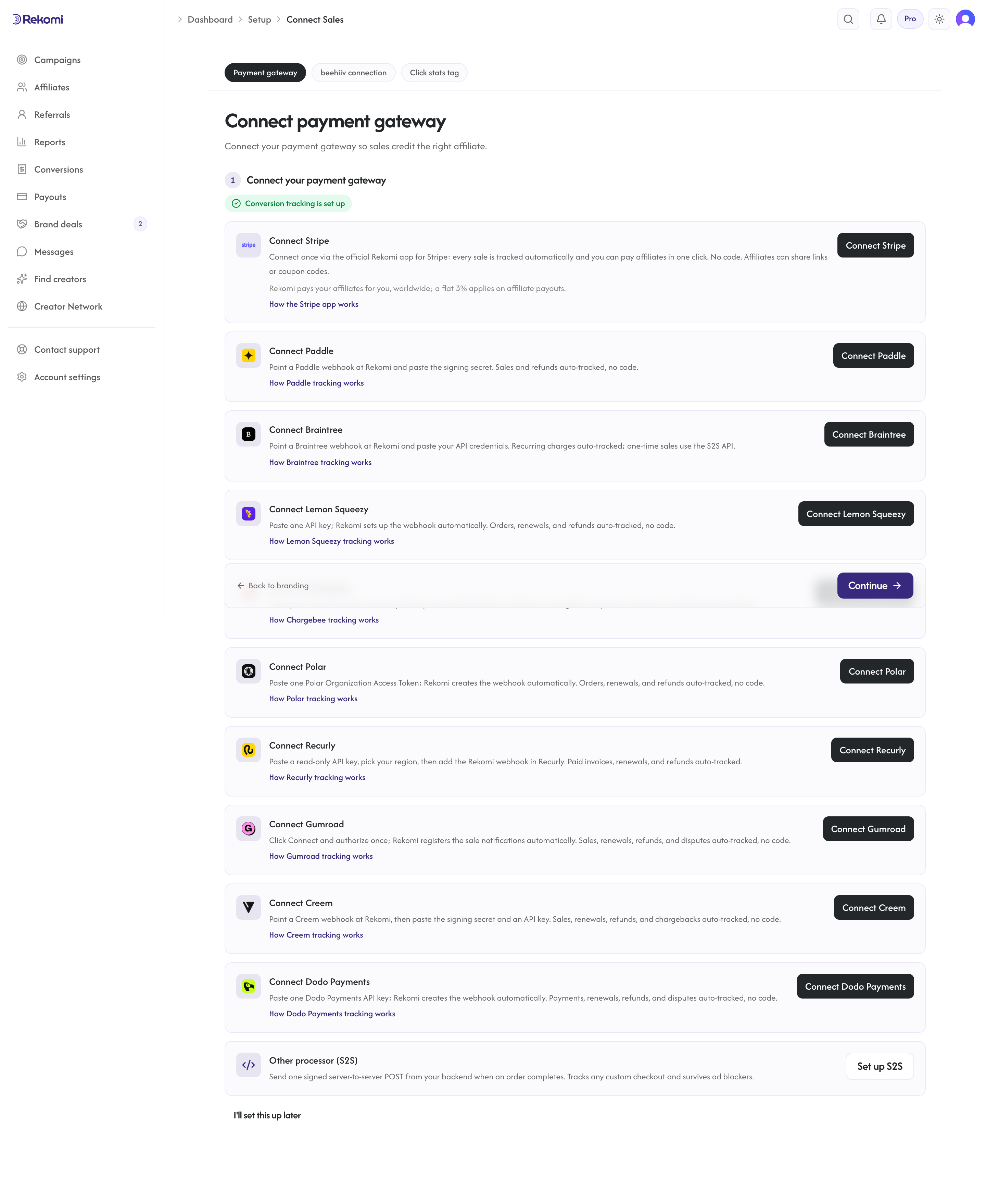
Prefer to manage your program inside Stripe? The Rekomi app for Stripe puts referred customers, attribution, commission actions, and payout review inside your Stripe Dashboard, and it is the same authorization the dashboard's Connect Stripe button uses. It is a pathway to the same native tracking described here, not a separate processor.
How attribution works
Rekomi captures the click on the browser side via a head script that stores the referral and, once it resolves, exposes the referring affiliate as window.Rekomi.affiliate (an object with an id). When the buyer subscribes, Stripe delivers the sale to Rekomi over the Stripe Connect rail, and Rekomi credits the affiliate in this priority order:
- A per-affiliate coupon code redeemed at checkout (when the campaign coupon is set to take precedence).
- The affiliate's Rekomi id carried in subscription or invoice metadata under the key
rekomi_affiliate_id(the explicit handoff from your checkout, described below). - Returning-customer history: a customer already credited to an affiliate keeps crediting that affiliate on later purchases.
If none of these match, a coupon without precedence still attributes the sale, and finally a recent signup captured as a lead with the same customer email is credited.
This is why stamping rekomi_affiliate_id below matters: without a coupon or prior history, it is what names the affiliate on a first subscription. Connect still delivers the sale without it, but there is no affiliate to credit.
Native Stripe tracking follows invoice events: subscriptions (first charge and every renewal) and any one-time payment that generates a Stripe invoice (see One-time payments below for the exact Checkout options). For a one-time charge that produces no invoice, use a per-affiliate coupon code or the server-to-server API.
Refund clawback is automatic: when Stripe fires charge.refunded, Rekomi reverses the commission (proportionally for partial refunds) and the affiliate's pending balance updates immediately. A subscription cancellation stops future renewal commissions but does not claw back commissions already earned.
Install the head script
Paste the Rekomi head script in your site's <head> so the referral is captured on every landing page that affiliates send traffic to.
<script async src="https://api.rekomi.com/api/v1/r/loader.js" data-program-id="YOUR_PROGRAM_ID" data-rkmi-email-capture="auto"></script>Your program ID is in the Rekomi dashboard under Settings, Tracking, Website snippet (the install hub), and in every install recipe. Once installed, the script resolves the current visitor's affiliate asynchronously: window.Rekomi.getReferral() returns the affiliate's link slug synchronously, and window.Rekomi.affiliate fills in as { id, name } once resolved (or stays null when there is no referral). Use window.Rekomi.ready(function (r) { ... }) to run code after r.affiliate is populated.
Rekomi records an email a referred visitor types into any email or text field on the pages where the tag runs (signup, login, checkout and other forms) so the sale can be credited even when your checkout passes no referral. Nothing is recorded without a referral. Remove the data-rkmi-email-capture attribute to turn this off; explicit Rekomi.convert() calls still work.
Stripe Checkout (server-created Sessions)
This is the modern Stripe pattern. Your backend creates a Session and returns the URL; the browser redirects.
On the client, wait for the affiliate to resolve, then forward its id to your create-session endpoint as a header:
window.Rekomi.ready(function (r) {
  var affiliateId = r.affiliate && r.affiliate.id;
  fetch('/api/create-checkout-session', {
    method: 'POST',
    headers: {
      'Content-Type': 'application/json',
      'x-rekomi-affiliate-id': affiliateId || '',
    },
    body: JSON.stringify({ priceId: 'price_xxx' }),
  })
    .then(function (res) { return res.json(); })
    .then(function (data) { window.location.href = data.url; });
});
On the server, attach the affiliate id to subscription_data.metadata under the key rekomi_affiliate_id. Putting it on subscription_data copies it onto the subscription and every invoice it generates, so the first charge and all renewals attribute to the same affiliate:
const affiliateId = req.headers['x-rekomi-affiliate-id'] || undefined;
const session = await stripe.checkout.sessions.create({
  mode: 'subscription',
  line_items: [{ price: priceId, quantity: 1 }],
  success_url: 'https://yourdomain.com/thanks',
  cancel_url: 'https://yourdomain.com/pricing',
  subscription_data: affiliateId
    ? { metadata: { rekomi_affiliate_id: affiliateId } }
    : undefined,
});<?php
// stripe/stripe-php; works the same inside Laravel or WordPress.
$affiliateId = $_SERVER['HTTP_X_REKOMI_AFFILIATE_ID'] ?? null;
$params = [
'mode' => 'subscription',
'line_items' => [['price' => $priceId, 'quantity' => 1]],
'success_url' => 'https://yourdomain.com/thanks',
'cancel_url' => 'https://yourdomain.com/pricing',
];
if ($affiliateId) {
$params['subscription_data'] = [
'metadata' => ['rekomi_affiliate_id' => $affiliateId],
];
}
$session = $stripe->checkout->sessions->create($params);The metadata key must be exactly rekomi_affiliate_id, and the value is the affiliate's Rekomi id from window.Rekomi.affiliate.id. Rekomi reads it off the customer.subscription.created and invoice.paid events Connect delivers.
One-time payments (mode: 'payment')
A one-time Checkout Session is tracked when it generates a Stripe invoice. Turn on invoice_creation and put the affiliate id on the invoice's metadata, under invoice_creation.invoice_data.metadata. Session-level metadata and payment_intent_data.metadata never reach the invoice, and Rekomi reads the invoice, so they are not enough on their own:
const affiliateId = req.headers['x-rekomi-affiliate-id'] || undefined;
const session = await stripe.checkout.sessions.create({
  mode: 'payment',
  line_items: [{ price: priceId, quantity: 1 }],
  success_url: 'https://yourdomain.com/thanks',
  cancel_url: 'https://yourdomain.com/pricing',
  invoice_creation: {
    enabled: true,
    invoice_data: affiliateId
      ? { metadata: { rekomi_affiliate_id: affiliateId } }
      : undefined,
  },
});
When the payment completes, Stripe finalizes and pays the invoice, invoice.paid reaches Rekomi, and the sale is recorded as a one-time conversion credited to that affiliate (unless the buyer also redeemed another affiliate's Rekomi coupon code, which takes precedence). If you use the Rekomi app for Stripe and the sale earns a commission, the resolved attribution and commission are written back onto the invoice as rekomi_* metadata, so you can confirm the credit from the invoice page in your Stripe Dashboard too. A one-time charge without an invoice is never recorded by Rekomi; attribute it with a per-affiliate coupon code or the server-to-server API instead.
Stripe Payment Links
No code on your site is needed for this path. Stripe hosts the Payment Link checkout page, so a script on your site cannot pass the referral through it. Instead, each affiliate gets their own promo code, and the code the buyer redeems is what credits the affiliate. Setup takes about five minutes:
-
In Stripe, allow promotion codes. Edit your Payment Link and turn on Allow promotion codes. Without this toggle, buyers cannot enter codes and the
?prefilled_promo_codeURL parameter below is silently ignored at checkout. -
In Rekomi, create the campaign coupon. Open your campaign, go to the Coupons tab, and create the coupon: the discount buyers will get (for example, 10% off). This also mints the matching coupon in your Stripe account automatically.
-
Give each affiliate their own code. Generate one from the affiliate's detail page, or let affiliates claim their own: each campaign page in the affiliate portal shows their codes, and with self-mint enabled they can claim a vanity code themselves.
-
Affiliates share your Payment Link with their code pre-filled, so buyers land on checkout with the discount already applied:
https://buy.stripe.com/your-link?prefilled_promo_code=THEIRCODESharing the plain link plus the code separately works too; buyers can type the code at checkout.
-
Test it. Open a pre-filled link, complete a checkout, and confirm the conversion appears in Rekomi credited to that affiliate.
When the buyer pays, Stripe delivers the sale to Rekomi over your Stripe connection and Rekomi matches the redeemed code to the affiliate who owns it. Each code maps to exactly one affiliate, and renewals keep crediting the same affiliate automatically.
The head script is optional on this path: it captures clicks on affiliate links and signup leads, but it is not what attributes Payment Link sales.
Stripe Checkout (legacy client-redirect)
Stripe deprecated the client-only stripe.redirectToCheckout flow in 2023. If you are still on it, the modern Server Session pattern above is the upgrade path: move Session creation to your backend so you can set subscription_data.metadata.rekomi_affiliate_id. The legacy client-only flow cannot set subscription metadata, so attribute those sales with a per-affiliate coupon code until you migrate.
Verify attribution before launch
Rekomi's production service records live Stripe events only. Test-mode and sandbox events are acknowledged and dropped, even when the sandbox has the Rekomi app installed, so a test-mode checkout can never prove attribution. There is no separate test authorization for a workspace, and connecting a sandbox from inside a workspace that already has a live connection changes nothing: the live connection is kept.
The Run a test sale button (Test your integration) is a different check. It fires a synthetic click and sale through Rekomi's own pipeline and your outbound webhook, but it never touches Stripe, so it cannot confirm that your checkout stamps the affiliate onto the subscription or invoice.
To prove the whole path end to end, make one small live purchase and refund it:
- In Affiliates, open the row marked Test (your Test Affiliate) and copy the Tracking link from the Tracking card on its Overview tab. It is seeded on the first campaign you create in the dashboard; on any other campaign, click Run a test sale once on the Performance tab and it appears (see Test your integration). If the card shows only
?via=...because the campaign has no destination URL yet, add that parameter to your own landing page URL. - Open that link in a fresh browser session. It must land on a page that carries the head script: the script records the click and resolves
window.Rekomi.affiliateto the Test Affiliate's id. Without the script on that page, no click is recorded and there is nothing for your checkout to stamp. - Complete a real checkout for your cheapest price. A dedicated test product is fine; keep the price high enough that your commission rate rounds above zero cents.
- Within a minute or so the sale appears in Conversions, credited to the Test Affiliate. With the Rekomi app for Stripe installed and a commission above zero, the invoice in your Stripe Dashboard also picks up
rekomi_*metadata (best-effort; the credit on the Conversions page is the source of truth). - Refund the charge in Stripe. The
charge.refundedevent reverses the commission automatically.
The Test Affiliate is never payable: payout previews and payout runs skip it, so nothing is paid for this check even before the refund lands. Because this is a real Stripe sale (unlike a Run a test sale row), it does show as a pending commission on the Test Affiliate's row and in Reports until the refund flips it to Refunded. If you would rather use a real affiliate account, the same steps work; the refund reverses that commission too.
Troubleshooting
Sale completes but no conversion appears in Rekomi. First confirm your Stripe account is connected via Stripe Connect (the Connect payment gateway step of setup, or your settings). The Connect link is what makes Rekomi receive your events; you do not set up a Stripe webhook yourself. If Connect is linked and the sale still does not appear, it most likely arrived without an affiliate: check that rekomi_affiliate_id was stamped on the subscription (the head script was present on the landing page and the affiliate link carried a slug), or that the buyer used an affiliate coupon code.
rekomi_affiliate_id is empty on the subscription. The browser had not resolved an affiliate at the moment of the create-session call. Read the id inside window.Rekomi.ready(...) so it is populated, confirm the head script is installed on the page the affiliate sends traffic to, and that the affiliate link includes the slug query parameter (?via=, ?ref=, or one of the 19 attribution params Rekomi recognizes).
A one-time payment was not tracked. Native Stripe tracking follows invoice events, so a one-time payment is tracked when it generates a Stripe invoice and the affiliate id sits on that invoice's metadata (invoice_creation.invoice_data.metadata.rekomi_affiliate_id, see One-time payments). For a one-time charge that produces no invoice, attribute it with a per-affiliate coupon code or the server-to-server API.
A test-mode or sandbox purchase did not appear. Expected: production records live events only. See Verify attribution before launch for the live micro-purchase check.
Payment Link conversions attribute to the wrong affiliate. Each promotion code maps to exactly one affiliate in Rekomi, so cross-crediting between two Rekomi-created codes cannot happen. If a code was shared where it should not have been, revoke it and create a new one from the Coupons tab on the affiliate's detail page.
Refund did not reverse the commission. Rekomi receives refund events automatically over the same connection that delivers your sales; there is nothing to enable on your side. If a refund did not reverse a commission, check that the original sale was recorded as a conversion, and contact support if it was.
Related
- Stripe Connect (sales tracking): connect your account so Rekomi receives the sale events this page attributes
- Track leads and signups: with Stripe, free signups and trials are captured as leads automatically, no extra code
- Tracking and attribution overview
- Coupon-code attribution
- How the JS pixel works
- Per-product commission rates
Payment gateways
Every payment gateway Rekomi connects to natively, in one place. Pick yours for the step-by-step install guide; sales, renewals, and refunds are tracked automatically once connected.
The Rekomi app for Stripe
The Rekomi app for the Stripe Dashboard, the same authorization the dashboard's Connect Stripe button uses. A different entry point to the same native Stripe tracking, not a separate processor.