

Install on Webflow
Site settings Head code for the global install. Webflow Ecommerce orders relay to Rekomi's S2S API via the ecomm_new_order webhook; external Stripe Payment Links attribute via per-affiliate coupon codes.
Webflow has two billing patterns Rekomi attributes against: Webflow's native Ecommerce checkout (rare for SaaS, common for DTC) and external Stripe Payment Links (the common SaaS pattern). Both share the same head install; the conversion-side step diverges.
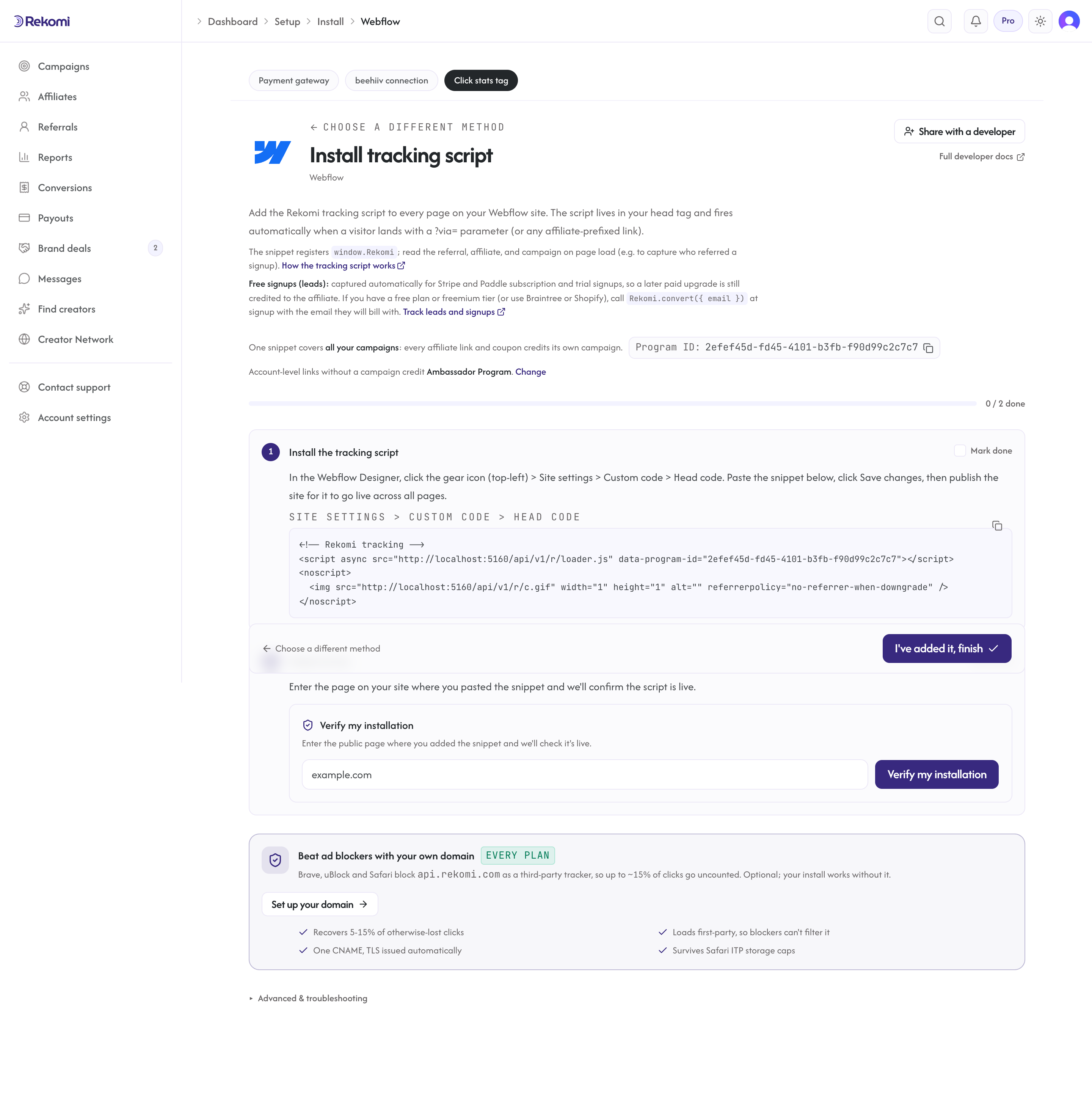
Install the head script
In the Webflow Designer: gear icon (top-left) > Site settings > Custom code > Head code.
Paste:
<!-- Rekomi tracking -->
<script async src="https://api.rekomi.com/api/v1/r/loader.js" data-program-id="YOUR_PROGRAM_ID" data-rkmi-email-capture="auto"></script>
<noscript>
  <img src="https://api.rekomi.com/api/v1/r/c.gif" width="1" height="1" alt="" referrerpolicy="no-referrer-when-downgrade" />
</noscript>
Click Save changes, then Publish the site to push the change to all pages. Copy the snippet with your program ID already filled in from Setup > Install in Rekomi.
Rekomi records an email a referred visitor types into any email or text field on the pages where the tag runs (signup, login, checkout and other forms) so the sale can be credited even when your checkout passes no referral. Nothing is recorded without a referral. Remove the data-rkmi-email-capture attribute to turn this off; explicit Rekomi.convert() calls still work.
Path A: Webflow Ecommerce (native checkout)
Webflow's built-in Ecommerce module settles through your own Stripe account, but it charges cards as bare payments (no Stripe invoices), so those orders do not reach Rekomi's Stripe rail on their own. Webflow's checkout discounts are Webflow-native, so they never reach Rekomi either. Record Ecommerce orders server-side:
- Ecommerce webhook to S2S. Subscribe to Webflow's
ecomm_new_orderwebhook (Site settings > Integrations, or via the Webhooks API), then relay each order to Rekomi's S2S endpoint with an HMAC signature from your backend. Carry the affiliate by copyingwindow.Rekomi.getReferral()into a custom checkout field on the page, so your handler can read the slug off the order. Note that S2S and a Rekomi-connected Stripe are mutually exclusive: while Stripe is connected, S2S calls are rejected with a 409.
Path B: External Stripe Payment Links
If your Webflow site is purely marketing and your checkout is buy.stripe.com/... URLs (the common SaaS shape), attribute those sales with per-affiliate coupon codes. Stripe hosts that checkout page, so a script on your Webflow site cannot pass the referral through it; the code the buyer redeems is what credits the affiliate, and no code on your site is needed:
Step 1. In Stripe, edit the Payment Link and turn on Allow promotion codes.
Step 2. In Rekomi, open your campaign's Coupons tab and create the coupon (the discount buyers get). Then each affiliate gets their own unique code: generate one from the affiliate's detail page, or let affiliates claim their own from the campaign page in their portal.
Step 3. Affiliates share your Payment Link with their code pre-filled, so buyers land on checkout with the discount already applied:
https://buy.stripe.com/your-link?prefilled_promo_code=THEIRCODEWhen the buyer pays, Stripe delivers the sale to Rekomi over your Stripe connection and the redeemed code names the affiliate. The full walkthrough lives in Install on Stripe.
Quirks worth knowing
Webflow Ecommerce charges are invisible to the Stripe rail. Native checkout settles to your own Stripe account, but as bare card payments with no Stripe invoices, so connecting Stripe alone records nothing for these orders. The ecomm_new_order webhook relay to S2S is the conversion path, not a fallback.
Publish is explicit. Saving Site settings does NOT push to production. You have to click Publish after every change to Custom code.
Webflow CMS vs Ecommerce. CMS pages (blog, dynamic content) inherit the global head install automatically. Ecommerce-specific pages (Order Confirmation, Cart) also inherit it; no page-level conversion code is needed anywhere, since the sale is recorded through the webhook relay (or a coupon on Payment Links).
Custom Code character limits. Webflow's Site settings > Custom code has a character limit (around 10K). If you're installing multiple analytics scripts plus Rekomi, you might bump against it. Use a single combined <script> block.
Refunds
Webflow Ecommerce: there is no dedicated refund trigger. Refunds arrive as ecomm_order_changed events (subscribe under Site settings > Integrations, or via the Webhooks API); check the order's status in the payload and forward refunded orders to Rekomi's /api/tracking/refund. Stripe Payment Links: the Stripe webhook handles it automatically.
Troubleshooting
Payment Link sale completed but did not attribute. The buyer checked out without a promotion code, so there was nothing to name the affiliate. Confirm Allow promotion codes is on for the Payment Link, that the affiliate shared the ?prefilled_promo_code= version of the link, and that the code redeemed at checkout is one Rekomi created for that affiliate.
Webflow Ecommerce orders don't attribute. Confirm Stripe is connected in Rekomi under Setup > Connect payment gateway (native Webflow checkout settles to your own Stripe), or that your ecomm_new_order webhook relay to S2S is firing.
Related
- No-code and non-Stripe checkout tracking
- Install on Stripe: the Payment Links coupon walkthrough
- S2S tracking API reference
Install on WordPress
The Rekomi plugin is the one-click path, with or without WooCommerce. WPCode stays documented as the no-plugin alternative.
Install on Framer
Site Settings Custom Code tab, "Start of head tag" field. Publish is explicit. Custom code needs a paid site plan, and the sale itself always completes off-Framer via Stripe.