

Install on BigCommerce
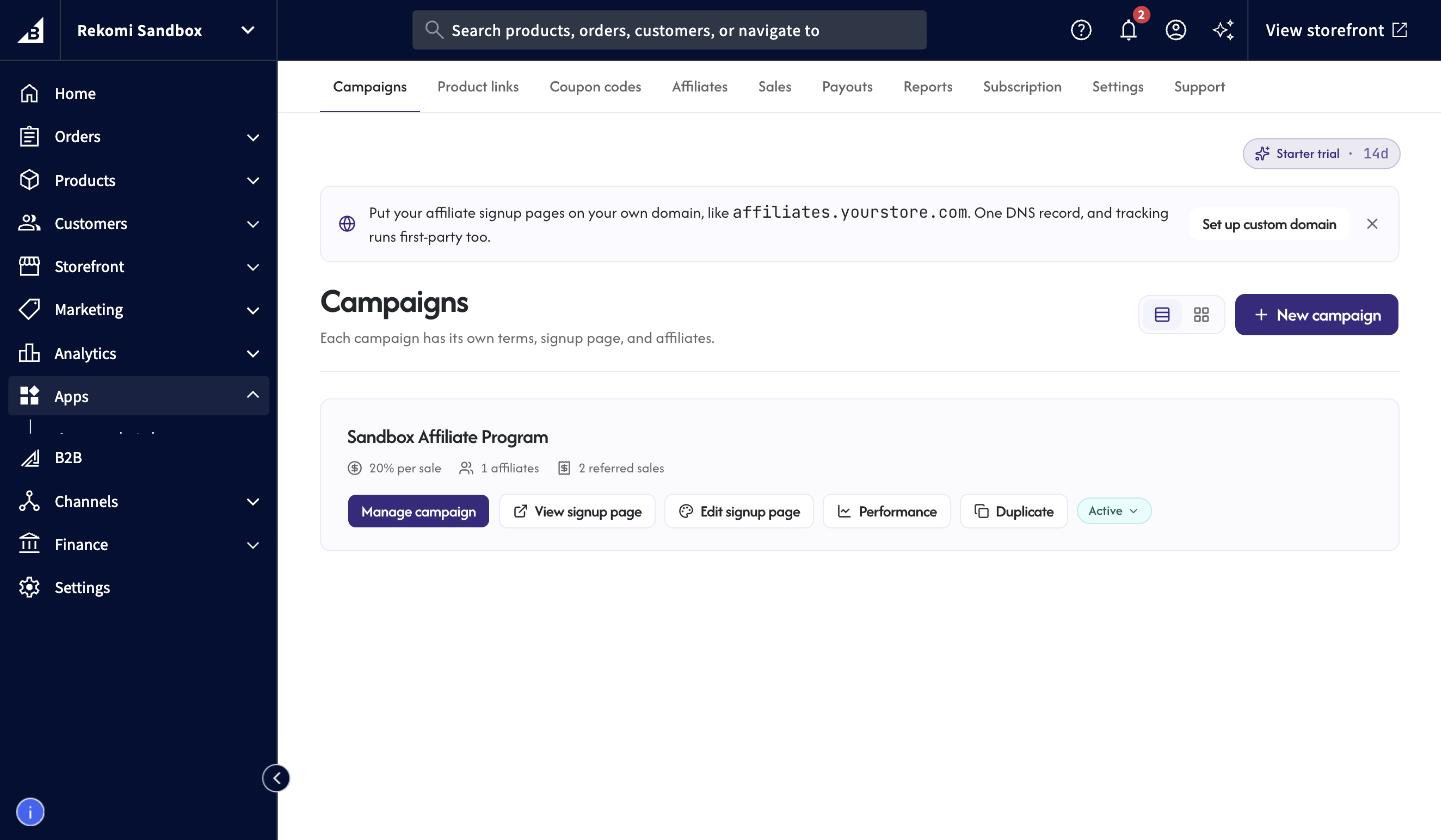
Install the Rekomi app from the BigCommerce App Marketplace and setup is done. Tracking, coupon codes, and refund handling are automatic, and everything runs inside your control panel.
The Rekomi app for BigCommerce runs your whole affiliate program from inside your control panel: recruit affiliates, hand them links and coupon codes, track every referred order automatically, and pay commissions without exporting a spreadsheet. Installing it is the whole setup: the app registers your order webhooks and injects the storefront tracking script for you. Nothing to paste, no theme edits.
Install the app
- In your BigCommerce control panel, go to Apps > App Marketplace and search for "Rekomi", or open the listing directly: Rekomi Affiliate Marketing on the BigCommerce App Marketplace.
- Click Install and approve the permissions the app requests. Rekomi never asks for checkout access: its only script on the order side is a small beacon on the order confirmation page that records referred orders, and it never runs on the checkout steps themselves or changes what your customers see.
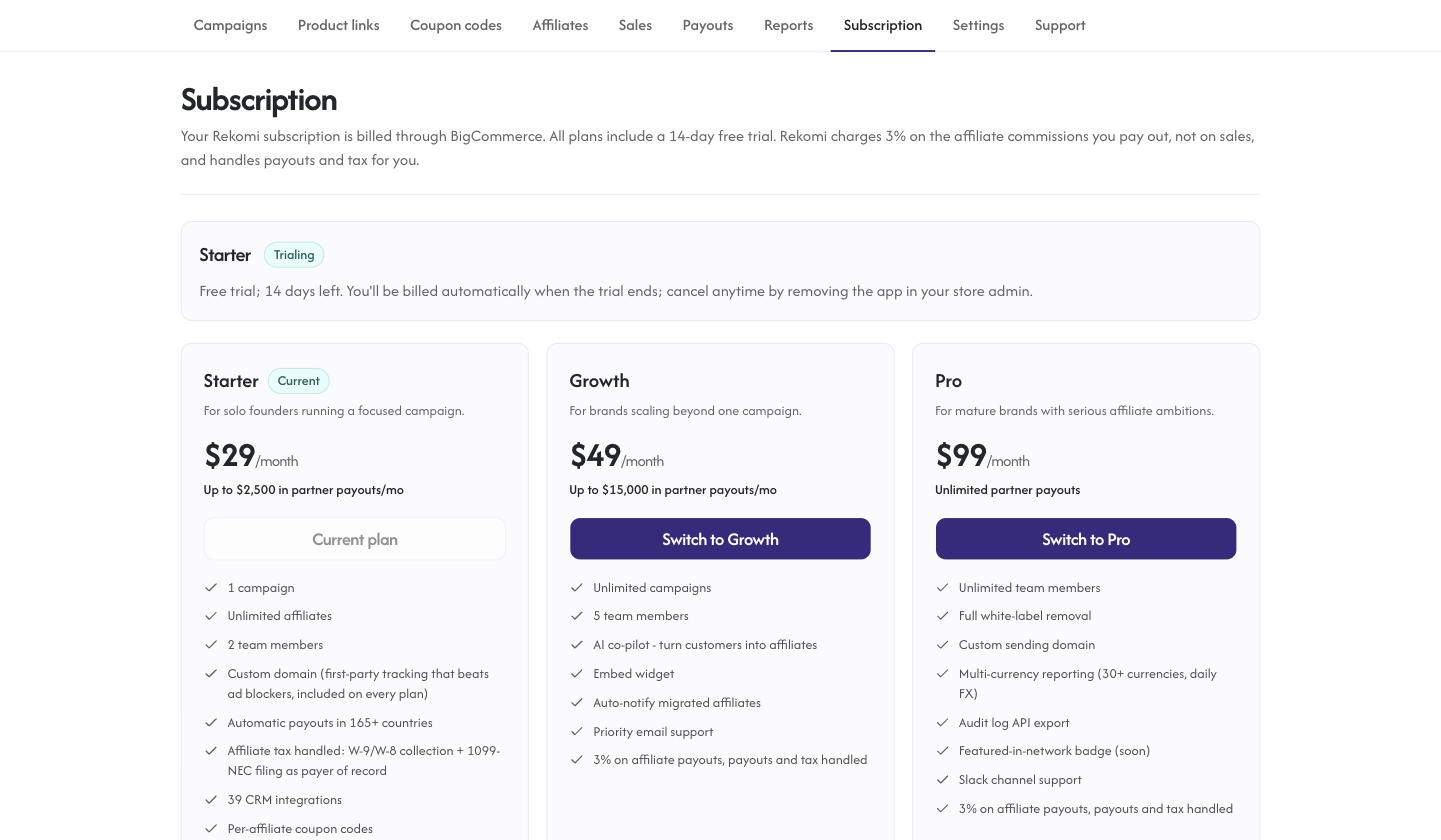
- Rekomi opens inside your control panel. Pick a plan on the Subscription tab. Every plan starts with a 14-day free trial, billed through BigCommerce, so charges land on your regular BigCommerce invoice.
- Create your first campaign. This is the moment tracking goes live: the app injects the storefront tracking script and the order-confirmation beacon automatically.
You need a store on a paid BigCommerce plan. BigCommerce only bills app subscriptions on paid stores, so on a trial or free store the Subscription page will ask you to choose a BigCommerce plan first; your Rekomi trial is ready right after.
What the app tracks
- Link clicks. Affiliate links track first-party on your storefront, out of the box.
- Referred orders. Commissions mint from BigCommerce's own order webhooks on the pre-tax order total, so a fragile confirmation-page pixel is never the only signal. Orders paid by card count as soon as they are paid; offline payment methods (cash on delivery and similar) count once you mark the order paid in BigCommerce.
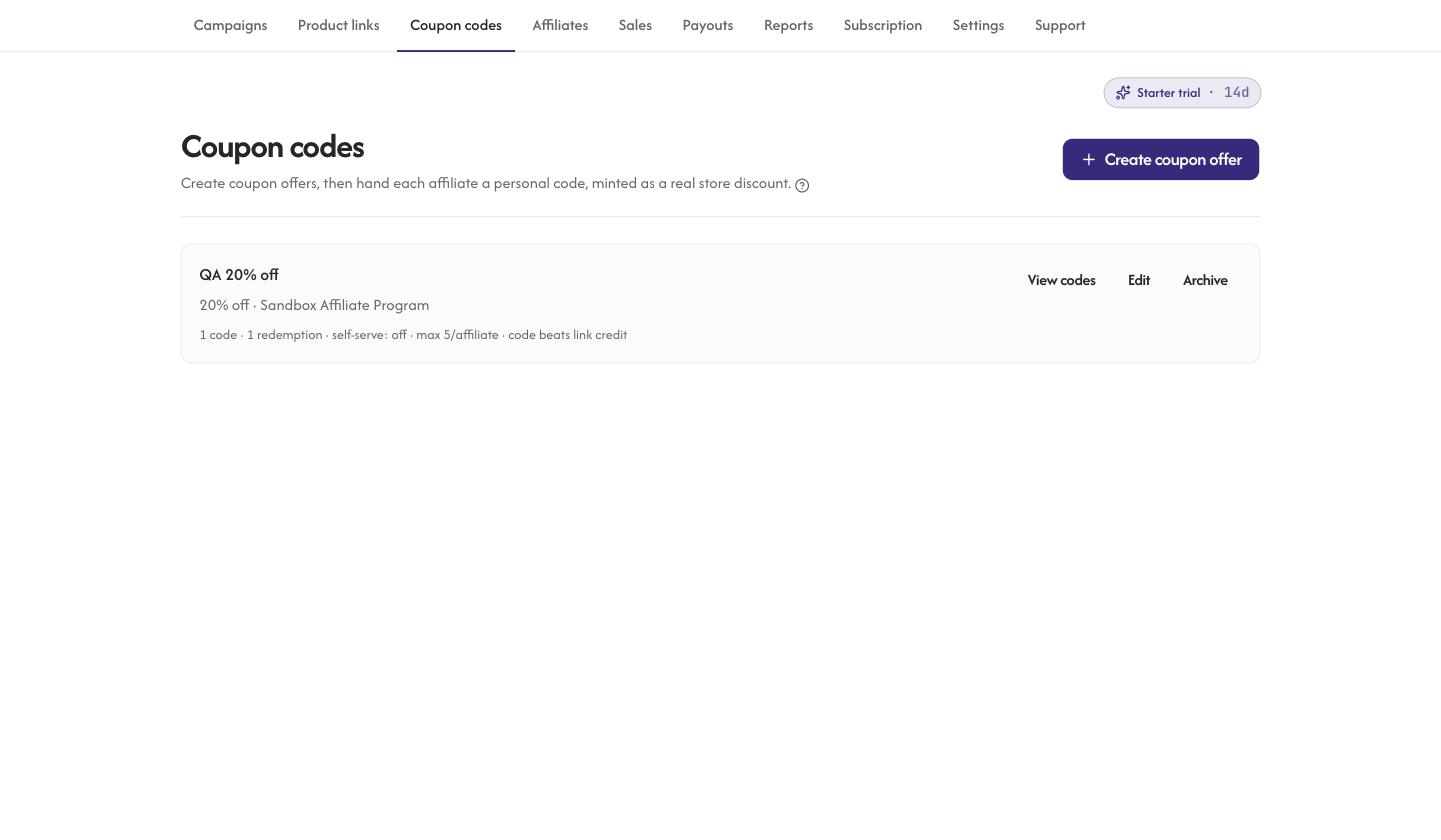
- Coupon codes. Each affiliate can get a personal code, created as a real BigCommerce promotion on your store. A redeemed code credits the affiliate even when there is no tracked click. Codes are cart-wide (a BigCommerce platform rule); revoking a code disables the promotion instantly.
- Refunds. Full and partial refunds claw back commission automatically, and a duplicate refund event is never counted twice. A refund that lands after the affiliate was already paid is recovered from their next payout automatically (see Refunds after a payout).
- Store credit rewards. A campaign can reward affiliates with BigCommerce store credit instead of a cash commission: the commission rate (or a fixed amount per sale) is added to the affiliate's customer store credit balance, and a refund takes it back. Needs the Customers modify permission on the app. See Store credit rewards.
- Cookie consent. Both Rekomi scripts are registered in BigCommerce's Analytics consent category, so on a store with a cookie consent banner they run once the shopper accepts analytics cookies. An order from a shopper who declined is still credited when it uses an affiliate's coupon code.
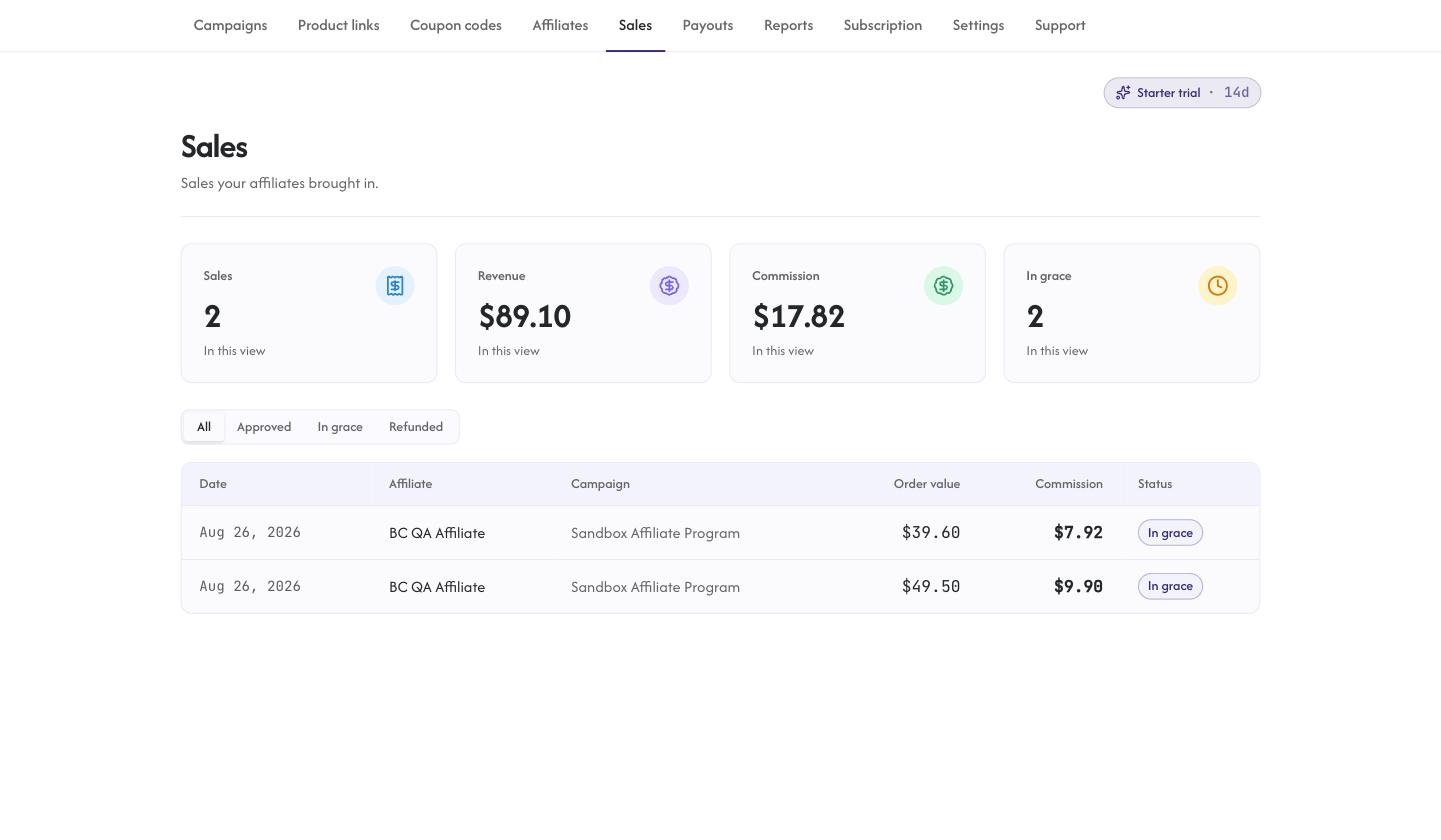
Every referred sale shows up on the Conversions tab with its attribution and status, including the grace period your refund window applies before commissions become payable.
Billing rules worth knowing
- The trial runs 14 days and converts automatically unless you cancel. Cancelling during the trial means you are never billed, and the app keeps working until the trial date passes.
- Plan changes are not available during the trial. This is a BigCommerce platform rule for app subscriptions. Pick your plan when the trial converts, or cancel and subscribe directly to the plan you want.
- Uninstalling the app cancels the subscription. Tracking stops immediately; reinstalling from the App Marketplace re-arms everything, and your campaigns and affiliates reconnect as they were.
Multiple storefronts
If your store runs more than one storefront (BigCommerce multi-storefront), Rekomi tracks all of them. The app registers its click tracking and order confirmation scripts on every storefront, and each sale on the Sales page shows which storefront it came from.
By default a campaign runs on every storefront, including ones you add later. To limit a campaign to specific storefronts, open the campaign's settings, choose Only these under Storefronts and tick the storefronts you want. Affiliate links then default to that storefront's domain, coupon codes created for the campaign only work there, and the product picker only lists products sold on it.
Settings has a Storefronts section that lists each storefront with its tracking state and the campaigns running on it. If you added storefronts before updating the app's permissions, reopen Rekomi from Apps in your control panel, accept the permission prompt, then press Refresh storefronts.
BigCommerce allows an app ten scripts per store, which covers five storefronts. Past that, the Storefronts section shows a script limit note and the storefront needs the manual snippet from the Install page. Headless storefronts (Catalyst or a custom front end) need the manual snippet too.
Legacy Blueprint themes
Stencil themes (Cornerstone and everything modern) are fully automatic. If your store still runs a legacy Blueprint theme, BigCommerce does not render app-injected scripts there; order tracking via webhooks still works, and click tracking uses the manual snippet from Settings > Import inside Rekomi instead.
Team access
Anyone with access to your BigCommerce control panel can open the app, and you can invite teammates with roles from Settings > Team inside Rekomi without them needing store-admin access.
Payouts and tax
For cash commissions you fund a payout run (or turn on automatic payouts) and Rekomi pays each affiliate in 130+ countries through Stripe Express, bank deposit or PayPal, charges a flat 3% of the commissions paid, collects the W-9 and W-8 forms and files the 1099-NECs as payer of record. See Payouts and Tax forms.
Troubleshooting
An order shows in BigCommerce but no commission in Rekomi. Check the order's payment status first: offline payment methods count only once you mark the order paid. Then confirm the order carried an affiliate's coupon code or came from a tracked click (the Sales page shows the attribution of every referred order).
A coupon code will not create. BigCommerce promotions are cart-wide and the code must be unique on your store; pick a different code and retry.
No clicks on a Blueprint theme. Legacy Blueprint themes do not render app-injected scripts; add the manual snippet from Settings > Import inside Rekomi. Order tracking via webhooks works either way.
A broken-connection banner in the Rekomi web dashboard. The app was uninstalled, so tracking stopped. Reinstall from the App Marketplace; your account, campaigns and affiliates re-arm as they were.
Questions? The Support tab inside the app has the full guide set, or email support@rekomi.com.
Related
Install on Wix
Install the Rekomi app from the Wix App Market and setup is done. Tracking, coupons, and refund handling are automatic. A manual custom-code path remains only for brands on a separately connected gateway.
Install on WooCommerce
Install the Rekomi plugin from the WordPress directory and click Connect. Order tracking on every gateway, native store coupons, and the full dashboard inside wp-admin.