


If you sell an e-book, a course or a paid newsletter on MailerLite and you want other people promoting it for a commission, MailerLite doesn’t ship that piece, and this article is the setup for it, start to finish.
The whole setup in one screen
Before the eight steps, here’s what you end up with and exactly how it works:
- What you get: affiliates apply, you approve them, each one gets a link, and you set the commission once; Rekomi runs the payouts and collects the tax forms.
- What you install: two small pieces that beehiiv and Kit don’t need: a custom field on your subscribers (Rekomi creates it for you) and the Rekomi script on the page that holds your signup form. Plus your MailerLite API token and the Stripe account MailerLite charges through, both pasted into Rekomi.
- How a sale gets credited: the affiliate’s link carries a small tag, the script writes that tag into the field when the reader signs up, and when that person buys through Stripe, Rekomi reads the field back by email and credits the affiliate. Nothing runs at checkout.
- What counts: paid newsletter subscriptions and one-time products sold through Stripe on MailerLite, for readers who signed up through a form on a page running the script, inside the credit window, which is a year by default.
- What it costs: a Rekomi plan at $29, $49 or $99 a month after a 14-day free trial, plus 3% of commissions paid out. On MailerLite’s side you need Comfort or above in practice.
- How long it takes: eight steps, about 15 minutes if your logins are handy, and one test signup proves the path.
None of it is hard on its own, and the whole thing comes down to two small pieces, which is my favorite kind of setup. What makes MailerLite different from beehiiv or Kit is that it needs two of those items (the field and the script) that the other two don’t, and I’ll say exactly why when we get there. I helped build Rekomi, so the mechanics below are the ones I watch run.
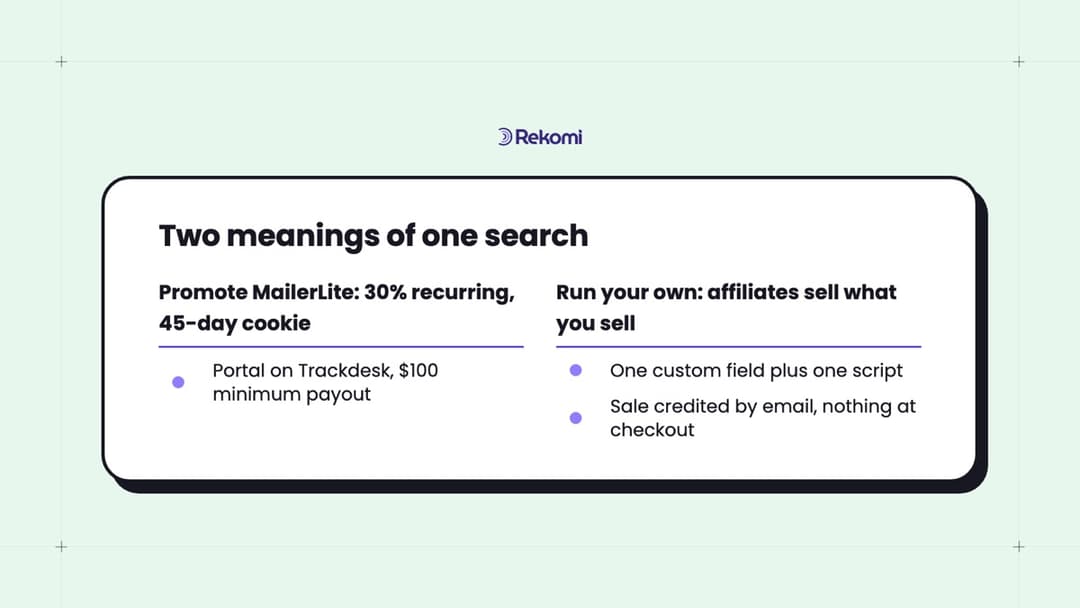
What you can sell on MailerLite, and the piece MailerLite doesn’t include
MailerLite’s selling tools are genuinely good for the price. Through its digital products feature you can sell e-books, workbooks, courses, paid newsletter subscriptions, and bookings for coaching calls or webinars. Stripe processes the payment on Stripe Checkout and MailerLite takes 0% commission (your only cost is Stripe’s processing fee). As of September 2026 the pricing page lists 1 product on Free, 5 on Comfort and unlimited on Power, while MailerLite’s own help article on selling with Stripe says Comfort or Power, so check your account before you count on Free.
So, what’s missing? It’s the affiliate manager. There’s no place in MailerLite to add an affiliate, hand them a link, set a commission or send a payout. MailerLite’s marketplace has a “Memberships & referral” category, and the tools in it are good tools answering a different question:
- Rewardful and Partnero sync your affiliates into a MailerLite group as subscribers so you can email them; their integration pages describe exactly that, affiliates in, one way
- SparkLoop, Firewards and GrowSurf run subscriber refer-a-friend programs, where readers get a reward for bringing friends onto the list
Neither shape pays a commission on a Stripe sale.
And here’s the one fact about MailerLite that shapes the whole setup below: it stores almost nothing about where a subscriber came from. It records a source such as a form, an import or the API, and no UTM and no referrer. beehiiv and Kit write the arriving link’s campaign onto the subscriber by themselves; MailerLite has no slot for it. So the affiliate’s tag has to be written onto the subscriber by something running on the signup page, into a custom field MailerLite already knows about, because MailerLite silently drops any field key it hasn’t seen.
That’s the job the Rekomi MailerLite integration does: one custom field, one script that fills it from the affiliate’s link at signup, and a read-back by email when the sale arrives from Stripe. MailerLite affiliate tracking, in practice, is exactly those two pieces with a commission engine and payouts on top.
Setting up your own program on MailerLite, from zero to the first credited sale
It’s 8 steps, and I’ll say where each one happens, because half the confusion with any MailerLite setup is which dashboard you’re in. Here’s the setup, start to finish:
| Step | What you do | Where you do it |
|---|---|---|
| 1 | Connect Stripe and create the product or paid newsletter | MailerLite: Integrations, then your product |
| 2 | Create the campaign | Rekomi: Campaigns |
| 3 | Connect that same Stripe account | Rekomi: Setup > Connect payment gateway |
| 4 | Generate an API token and connect MailerLite | MailerLite: Integrations > MailerLite API, then Rekomi: Integrations > MailerLite |
| 5 | Put the Rekomi script on the page with your signup form | Your site: Setup > Install. MailerLite-hosted: Settings > Analytics > Custom code |
| 6 | Invite affiliates and hand out links | Rekomi: your campaign’s affiliates tab |
| 7 | Run one test signup and check it | Rekomi: Integrations > MailerLite > Check a subscriber’s email |
| 8 | Watch the first sale land | Rekomi: Sales |
Step 1: sell something on MailerLite
Connect Stripe under MailerLite’s Integrations and create the product or the paid newsletter subscription. Buyers pay on Stripe Checkout, which matters for step 3: the sale lands in your own Stripe account, and that’s the account Rekomi listens to.
There’s one decision to make now: recurring or one-time. Both credit, a paid newsletter subscription on every renewal and a one-time product, like an e-book or a workshop seat, once; it only changes what you write into the campaign in step 2.
Step 2: create the campaign in Rekomi
The campaign is where you write the deal down: the commission as a percent or a flat amount, one-time or recurring and for how long, the cookie window, the payout threshold, and how you approve affiliates. What you’re aiming for: a deal your affiliates can repeat to each other without looking it up. “30% of every sale, paid monthly, $20 minimum” is that kind of sentence, and I’m 100% for keeping the first version that simple.
Step 3: connect the same Stripe account to Rekomi
Under Setup > Connect payment gateway, connect the Stripe account MailerLite is charging through. Rekomi hears about the sale from Stripe and then works out who to credit. Watch this one: if you connect the wrong Stripe account, nothing arrives, nothing gets credited, and the dashboard looks fine. So, check the account name before you move on.
Step 4: connect MailerLite
In MailerLite, click Integrations in the sidebar, then MailerLite API, then Generate new token. Name it “Rekomi” and copy it right away; MailerLite never shows it again after the dialog closes.
In Rekomi, go to Integrations, click the MailerLite card, paste the token and click Connect. Three things happen in the next couple of seconds, and I like this part: Rekomi verifies the token, creates the Rekomi affiliate tag custom field on your subscribers, and checks that it’s there. The page then shows two switches, both on by default: Sync affiliates into MailerLite, which adds approved affiliates to a group you pick, and Credit sales through MailerLite, the one this article is about. Under the second sits one plain sentence of status: whether the field exists, when Rekomi last checked it, and a running total of credited sales, plus a reminder that MailerLite needs the Rekomi script on your pages to fill the field. That reminder is step 5.
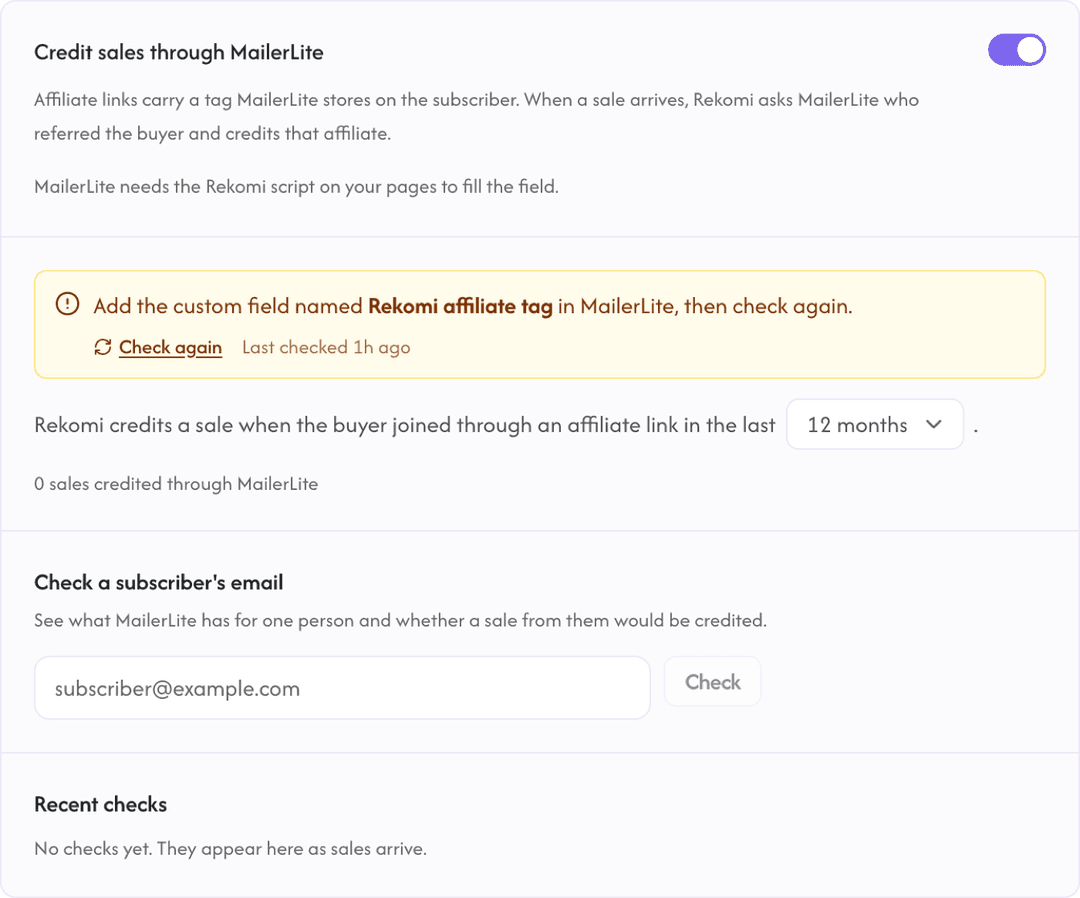
Small but important: the field name is load-bearing. Rekomi reads it back under exactly that key, so if it gets renamed in MailerLite the status line reports it missing. Definitely leave the name alone. If you ever see that message, add a text field with that exact name under Subscribers > Fields and flip the switch off and on. The MailerLite docs page has the full field list and troubleshooting.
Step 5: put the Rekomi script where the form lives
This is the step MailerLite needs that beehiiv and Kit don’t, so here’s what the script does.
When a reader lands from an affiliate link, the URL ends in two tags, utm_source=rekomi and utm_campaign set to the affiliate’s slug (something like sam). The script keeps the slug in first-party storage on your site (a cookie and localStorage), then literally waits for MailerLite to inject your signup form, finds the Rekomi affiliate tag field in it and fills it with the slug. The form has to carry the field for there to be something to fill. MailerLite saves the tag on the subscriber at submit, and because the slug is stored on your site, a reader who signs up two pages later still carries it.
Where the script goes depends on where the form is:
- On your own site (WordPress, Webflow, Framer, anything): the normal install from Setup > Install, the same snippet every Rekomi install uses.
- On a MailerLite-hosted website or landing page: paste the same snippet under Settings > Analytics > Custom code. That’s a paid-plan feature; as of September 2026 MailerLite’s pricing page lists custom code injection on the Power plan, not Comfort. The drag-and-drop HTML block won’t do it, because it doesn’t run scripts.
Also, one snippet in the site header covers every form on the site, and a form on a page without the script records no tag.
Step 6: invite affiliates and hand out links
Now for my favorite step. From your campaign, invite affiliates by email or share your signup page, and approve them. Every link Rekomi hands out for the campaign carries the two tags from step 5 automatically; affiliates just share the link they’re given.
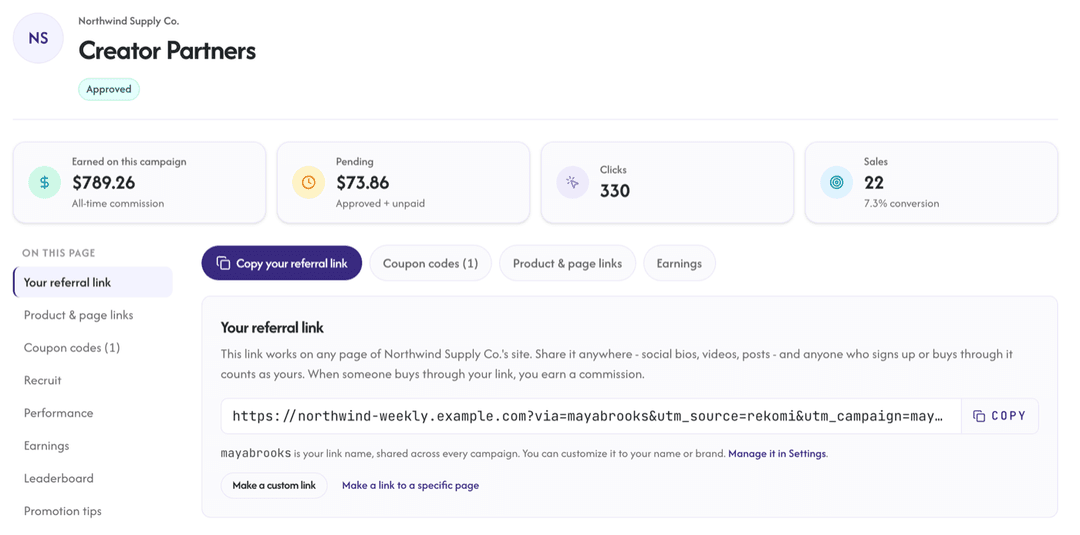
Because the sync switch is on, every approved affiliate also lands in the MailerLite group you chose in step 4. Give affiliates their own group and build a small automation on it: a welcome email with their link, the commission in one sentence, and a couple of ready-to-send blurbs. That automation is a no-brainer on day one, because affiliates who get a link and nothing else tend to promote nothing.
Step 7: run one test, start to finish
Open one of your affiliate links in a private tab, fill in the form with a fresh email address, then run that address through Check a subscriber’s email on the MailerLite page. It tells you whether the person is a subscriber, whether the field holds a tag naming one of your affiliates, and whether their next sale would be credited.
If the subscriber is found and the tag is there, you’re done! If the field is empty, the script wasn’t running on the page where the form was submitted, so go back to step 5. If there’s no subscriber at all, the signup never went through your form.
The test signup also shows under that affiliate as a lead right away, because Rekomi registers MailerLite’s subscriber webhooks when the switch is on.
Step 8: the first credited sale
Then a real reader buys, and the second half kicks in. Stripe tells Rekomi about the purchase, and Rekomi checks the usual signals first: an affiliate’s coupon code, checkout metadata, the buyer’s history, an email lead it recorded itself. When none of those names an affiliate, it asks MailerLite for the subscriber by the buyer’s email, reads the Rekomi affiliate tag field, and credits the affiliate the tag names. The sale shows on your Sales page labeled Platform match, so you can tell field-credited sales apart from the rest.
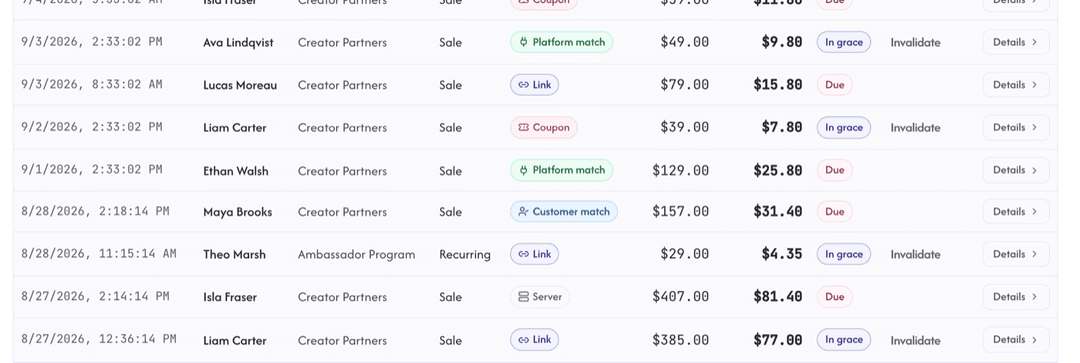
That’s the first credited sale, and I love that the whole thing fits in one sentence: the link writes a tag at signup, and the sale gets matched back to it by email, with nothing running in the buyer’s browser at checkout.
Want to try this on your own list? Start a 14-day free trial of Rekomi, connect MailerLite and Stripe, and run the step 7 test on a spare email address. Plans are $29, $49 and $99 a month. Start a free trial
Start a free trialCommission structures that fit paid newsletters and digital products
The right structure follows the product, and MailerLite sellers have one of two shapes. I went back and forth on how prescriptive to be here and landed on this: pick the structure that’s easiest for an affiliate to explain to their audience, then tune the rate.
For a paid newsletter, which bills on a subscription:
- A recurring share for a fixed term: 30% of every payment for 12 months is the common shape, and it lines up with what a subscriber is worth to you over a year.
- A recurring share for life: it’s generous, simple, and the strongest recruiting pitch. A $10/month newsletter at 30% for life pays $3 a month per referred subscriber.
For digital products and bookings, which are one-time:
- A percentage of the sale: 30% to 50% is normal, because a digital product has no cost of goods and the affiliate is doing the selling.
- A flat amount per sale: “$15 per sale” is easier to say out loud and to compare against other offers.
The math on one launch: a $39 product, 30%, 20 affiliates
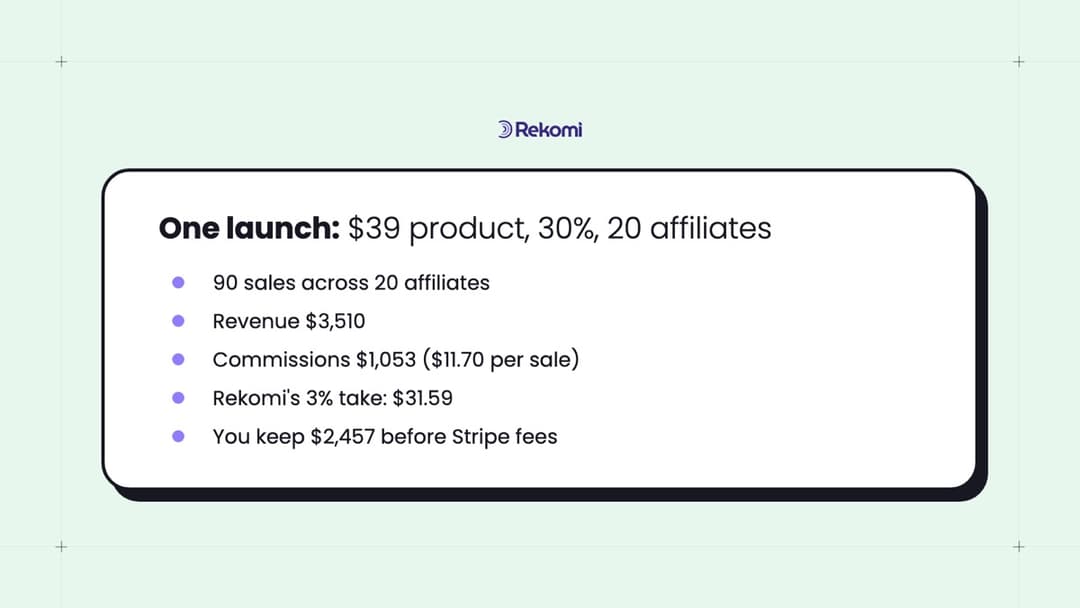
Let me walk one launch, because an affiliate program for digital products is easiest to judge with real numbers. Say you sell a $39 workbook, you pay 30% per sale, and you launch with 20 affiliates.
- Each sale pays the affiliate $11.70 and leaves you $27.30 before Stripe’s fee.
- Affiliates never send evenly, so assume a realistic spread: 3 of the 20 send 15 sales each, 7 send 5 each, and 10 send 1 each. That’s 45 + 35 + 10 = 90 sales.
- Revenue: 90 × $39 = $3,510. Commissions owed: 90 × $11.70 = $1,053. You keep $2,457 before Stripe’s processing fee.
- Rekomi’s take: a flat 3% of the $1,053 paid out to affiliates, which is $31.59, and nothing on your sales.
- Your best affiliate earned $175.50 on 15 sales, and each of the 10 who sent a single sale earned $11.70.
That last line is why the cost-per-sale model is so comfortable for a small creator: 20 affiliates on the roster, and not a dollar owed until a sale exists! Your Sales page will also show which of the 90 came through a link click and which through the MailerLite field.
Who this connection won’t credit, and what to do about each
I’d rather you know these before launch than discover them on the Sales page, and none of them is a dead end. The whole thing in one line: the field is written at signup, once, and the lookup is by email. Every case below follows from that.
- A reader already on your list who clicks an affiliate link later. The lookup doesn’t credit them. But, the script’s own email capture still logs that reader as a lead the moment they enter their email on your site after clicking, and the lead is matched to the sale by email.
- A form on a page without the script. No script, no tag. The fix is the site-wide header install from step 5.
- Subscribers you imported or added by API. They carry no tag; affiliates get credit for new signups from here on.
- A buyer who checks out with a different email than the one they subscribed with. The lookup is by email, so it can’t see them; this is the one I’d credit by hand, and the next paragraph says how.
- A subscriber outside the window. The lookup only credits someone who joined inside the window set on the integration page, a year unless you change it.
Anyway, for the rare sale that slips through all of that, you can credit it yourself: Add sale or bonus on the Sales page records a sale against an affiliate and runs it through the commission engine.
Does MailerLite allow affiliate marketing? What the terms actually say
Yes for affiliate links, no for affiliate-only businesses, and the wording is precise enough to quote. Section 13 of MailerLite’s Terms of Use, last updated June 15, 2026 as I write, says: “Affiliate marketing, defined as the promotion of multiple referral links from various third-party companies purely to generate commission-based income, is strictly prohibited.” The same section then says: “You may include affiliate links in your campaigns, provided they are clearly presented as offers from another company.” Section 9, the appropriate-content list, names affiliate marketing among the things you can’t send, next to MLM and get-rich-quick material.
So the line MailerLite draws is about the sender’s business, not the link. A cooking newsletter recommending a knife with an affiliate link, presented as the knife maker’s offer, sits on the allowed side; an account that exists to send other companies’ referral links for commissions sits on the prohibited side.
Running your own program is a different activity from either: your affiliates send the links from whatever tools they use, and you’re the company whose offer is being presented. Affiliates who use MailerLite themselves fall under that second sentence. I won’t advise anyone around the terms; read them, and if your situation is close to the line, ask MailerLite’s support directly.
Questions brands ask me while setting this up
Short answers to what brands ask me mid-setup.
Does MailerLite have a built-in affiliate feature for my own products?
No. MailerLite’s program pays you to promote MailerLite, and its refer-a-friend program pays credits; neither lets you recruit or pay affiliates for what you sell.
Do the Rewardful or Partnero integrations for MailerLite credit sales?
No, and they don’t claim to. Both push your affiliates into a MailerLite group as subscribers so you can email them; the direction is affiliates in, not sales out.
Do I need a paid MailerLite plan for this?
Yes, in practice. MailerLite’s own help article on selling with Stripe says Comfort or Power, and the pricing page marks the MailerLite API, which the Rekomi connection runs on, as limited on Free, so I’d start at Comfort. The script itself doesn’t care about your plan when your signup form lives on your own site. On a MailerLite-hosted page you also need custom code injection, which is Power only as of September 2026.
Does this work if I sell somewhere other than MailerLite, like Gumroad or Lemon Squeezy?
Yes, as long as that gateway is connected to Rekomi, the buyer signed up through your MailerLite form on a page running the script, and they used the same email at checkout. The lookup runs on every sale Rekomi hears about, whichever gateway sent it.
Is a newsletter referral program the same as an affiliate program?
No. A newsletter referral program rewards your existing readers for bringing friends onto the list, which is what SparkLoop and Firewards do on MailerLite. An affiliate program pays cash commissions to outside partners on sales of your product.
The 15-minute version
If you’ve got 15 minutes right now, do this. In MailerLite, generate an API token under Integrations > MailerLite API and copy it. In Rekomi, connect Stripe under Setup > Connect payment gateway, then connect MailerLite under Integrations with that token and watch the status line report the field created. Paste the install snippet into your site header, or into Settings > Analytics > Custom code on a MailerLite-hosted page. Create a campaign with a one-sentence commission. Then open your own affiliate link in a private tab, sign up with a spare email, and run the checker. See the tag, and you’re set, your first credited sale is now down to an affiliate sharing a link!
Open dashboard Start a 14-day free trial View pricing

