

Languages
The language your affiliates see on your signup page, in their dashboard and in the emails Rekomi sends them, how they pick their own, how your own page copy is translated automatically, and how to reword any of it.
Rekomi's affiliate side ships in 18 languages, and every plan includes all of them. You choose the default for your affiliates, each affiliate can switch to their own language, and on Growth and Pro you can limit the list, turn the switcher off, reword anything Rekomi shows them (signup pages, emails, notifications), and rewrite your own page copy in any language.
The bundled languages
English, Dutch, German, French, Spanish, Portuguese (Brazil), Italian, Polish, Swedish, Danish, Norwegian, Japanese, Chinese (Simplified), Korean, Indonesian, Vietnamese, Thai and Turkish. Anything not translated yet in a language falls back to English for that one line, never for the whole page.
What is translated
- Your public signup page and the application form, including your own headline, paragraphs, buttons and form labels: Rekomi translates your copy into every language automatically within a minute of saving (see below).
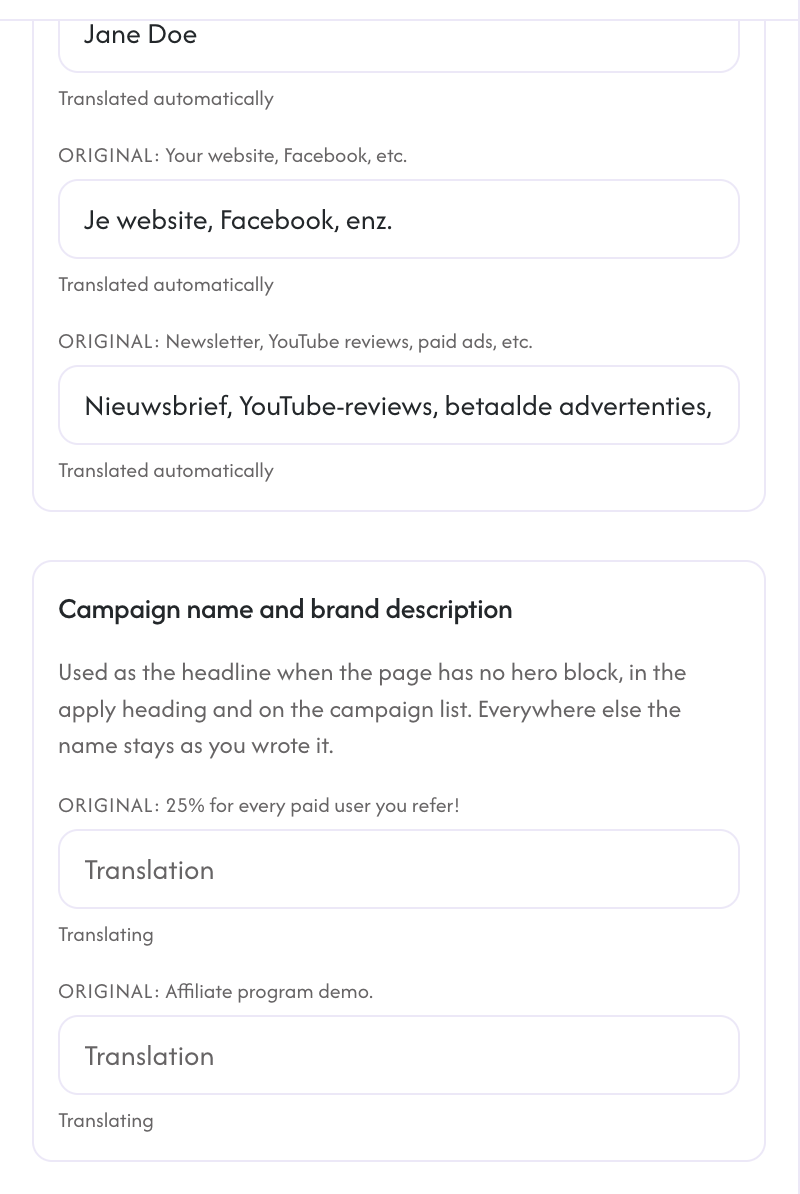
- The campaign name and your brand description where the signup page shows them: the headline when the page has no hero block, the apply heading, the tab title and the campaign list.
- The About tab of your portal: your brand description, the About text and the extra section, translated the same way within a minute of saving your profile.
- The affiliate dashboard: navigation, campaign views, payouts, settings, messages and deals.
- Sign-in, sign-up and the code screens.
- The automated emails Rekomi sends your affiliates on your behalf: application received, welcome, declined, commission earned, rewards, payout notices, payout setup reminders, invitations, getting-started tips, tax form reminders, new message notifications and deal updates.
Campaign names in your dashboard and in emails, broadcast emails and invite messages go out exactly as you wrote them; the signup page is the one place the campaign name is translated for you.
Settings > Language
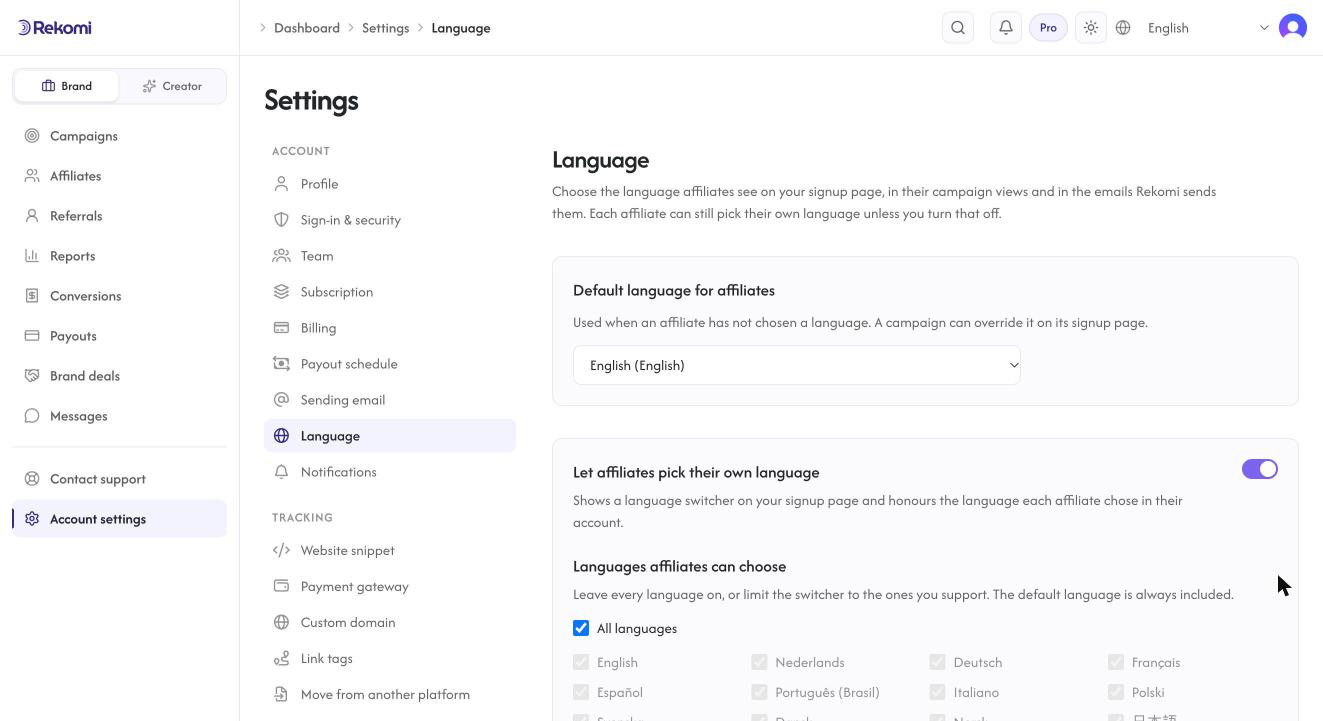
Default language for affiliates (every plan) is what an affiliate sees before they choose one, and what every automated email uses for an affiliate who never chose. A campaign can override it on its signup page.
Let affiliates pick their own language (Growth and Pro, on by default) shows a language switcher on your signup page and honours the language each affiliate set in their own account. Turn it off to pin every affiliate-facing page and email to your default.
Languages affiliates can choose (Growth and Pro) limits the switcher to the languages you support. Your default is always included.
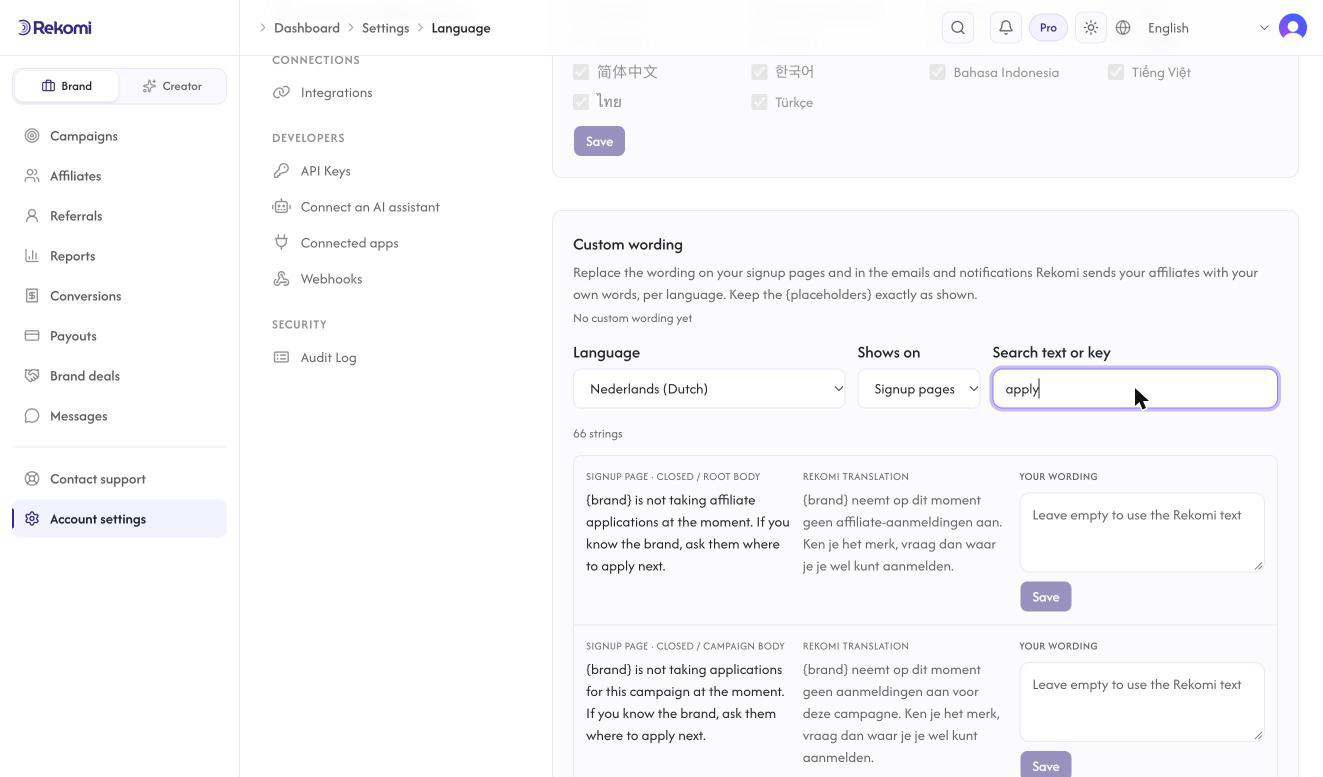
Custom wording (Growth and Pro) lists every line Rekomi shows your affiliates: on your signup pages (labels, buttons, the sign-in screen, the campaign list), in the automated emails and in the in-app notifications, with the English, the Rekomi translation and a field for your own words, per language. Pick where a line shows, search by text, keep the {placeholders} exactly as shown, and reset any line to go back to the Rekomi text. Your own page copy is handled on the editor's Translations tab (below).
Your signup page copy in every language
Everything you write on your signup page (headline, paragraphs, FAQ, buttons, form labels, footer) is translated into every bundled language automatically, on every plan. It happens in the background within about a minute of saving the page, and only the lines you changed are translated again, so your edits never wait on it. An affiliate who switches the page to Dutch sees your words in Dutch, not just the Rekomi labels around them.
Open the signup page editor and pick the Translations tab to see the result for any language, line by line, with your original beside it. Each line says where it came from: translated automatically, or your own wording. The campaign name and your brand description have their own group there, because the page shows them as the headline, in the apply heading and on the campaign list; the About tab's lines have a group too.
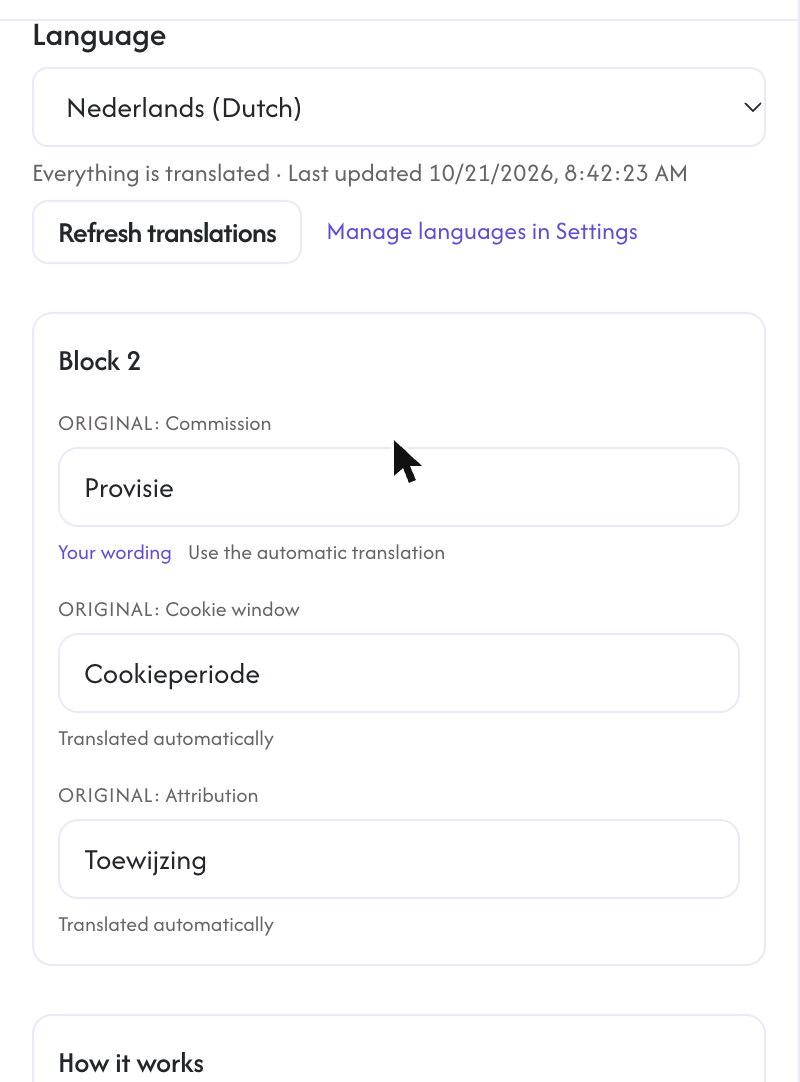
On Growth and Pro you can rewrite any line in your own words. Your wording is never overwritten by the automatic translation, even when you edit the original later; the tab then marks it "original changed" so you can decide whether to update it. Clear a line to hand it back to the automatic translation. Refresh translations re-runs the job on demand (once a minute).
Brand and product names, links, prices and anything that looks like code are left exactly as you wrote them.
How the language is chosen
For each page and email Rekomi uses, in order:
- The language the person chose themselves (in the switcher or under their settings), as long as you allow affiliate choice and list that language.
- The campaign's default language, then your workspace default.
- The visitor's browser language, limited to the languages you allow.
- English.
Your own dashboard language
The brand dashboard, settings, the campaign and affiliate pages, your emails from Rekomi and the in-app notifications follow the language each brand user sets under their account settings. It does not change what your affiliates see.
What stays in English
The developer documentation and these help pages are in English today.